> ## Documentation Index
> Fetch the complete documentation index at: https://tutorials.spellslate.com/llms.txt
> Use this file to discover all available pages before exploring further.

# First call sheet

# Your first call sheet

Once you have a schedule with day breaks:

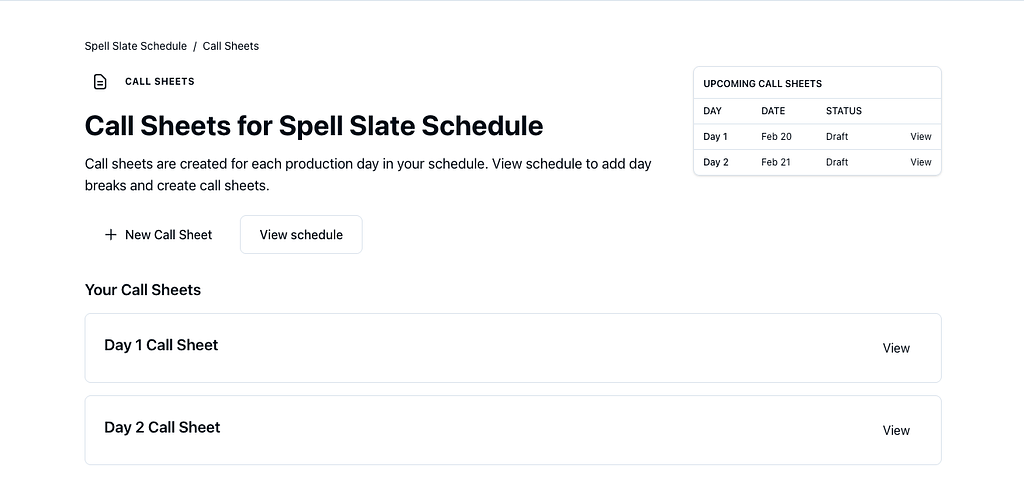
1. Go to the **Schedule** tab and use the **Call** link for a day, or go to the call sheets page and use **New Call Sheet**. Pick a production day from the dropdown (only days with a day break that do not already have a call sheet are listed).
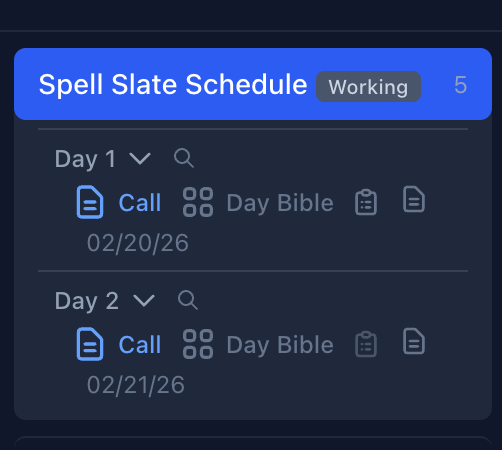
<img src="https://mintcdn.com/spellslate/R6I5KoDoV3On-rLB/images/first-call-sheet-schedule-sidebar.png?fit=max&auto=format&n=R6I5KoDoV3On-rLB&q=85&s=90f94e2f613247594c5de0878396638e" alt="Schedule sidebar with days and Call link" width="502" height="450" data-path="images/first-call-sheet-schedule-sidebar.png" />

<img src="https://mintcdn.com/spellslate/R6I5KoDoV3On-rLB/images/first-call-sheet-index.png?fit=max&auto=format&n=R6I5KoDoV3On-rLB&q=85&s=1f3919958b9e3d64e2d3d8ef8747a783" alt="Call sheets index with upcoming and your call sheets" width="1024" height="501" data-path="images/first-call-sheet-index.png" />

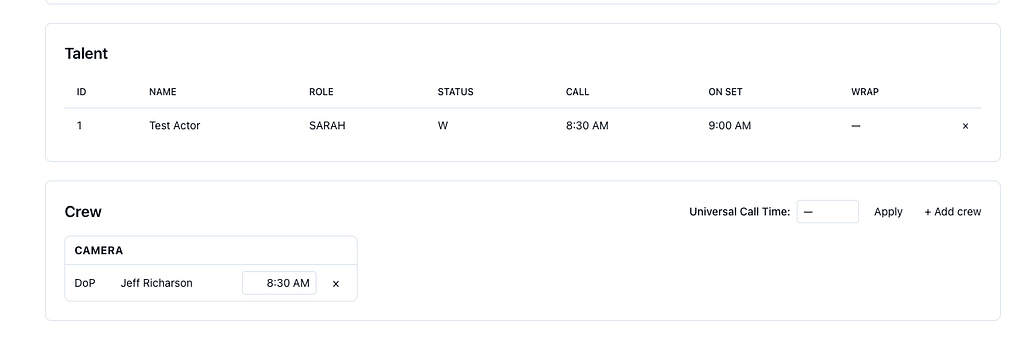
2. Review **Crew** and **Talent**.

<img src="https://mintcdn.com/spellslate/R6I5KoDoV3On-rLB/images/first-call-sheet-talent-crew.png?fit=max&auto=format&n=R6I5KoDoV3On-rLB&q=85&s=288898a1f3258fc406bd7b36f1c36d8b" alt="Talent and Crew sections with call times" width="1024" height="337" data-path="images/first-call-sheet-talent-crew.png" />

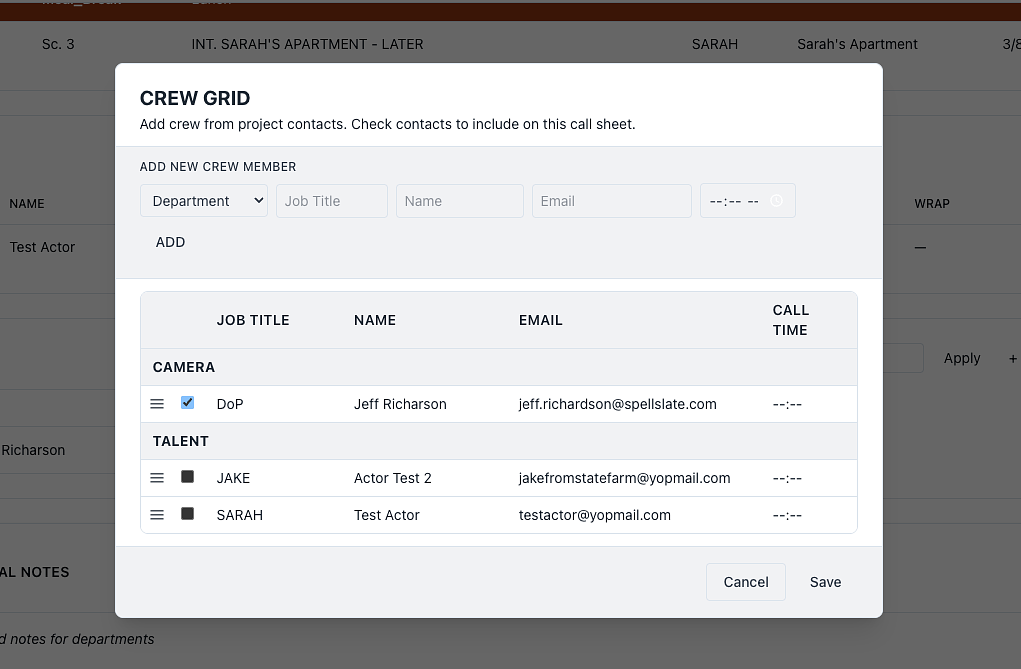
3. Add people to crew.

<img src="https://mintcdn.com/spellslate/R6I5KoDoV3On-rLB/images/first-call-sheet-crew-grid.png?fit=max&auto=format&n=R6I5KoDoV3On-rLB&q=85&s=150d35c682d0bd1218484ad9b39931e8" alt="Crew Grid modal to add crew from contacts" width="1021" height="669" data-path="images/first-call-sheet-crew-grid.png" />

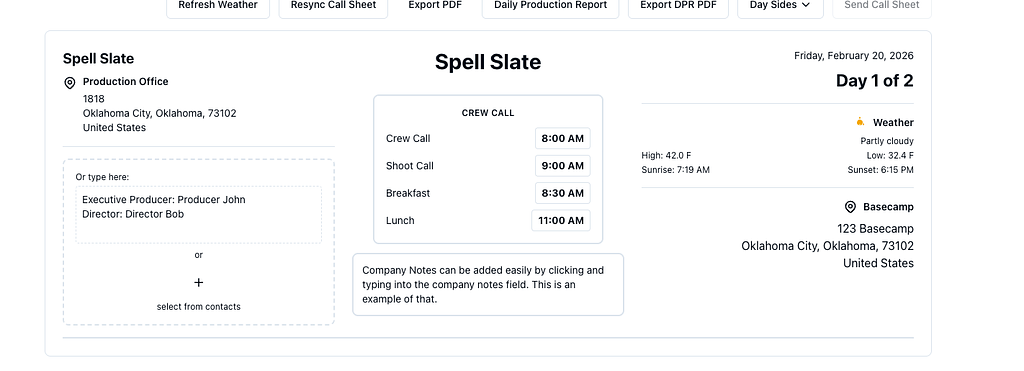
4. Set production addresses (office, basecamp). Easy to add addresses, and any additional contacts, company notes, and more.
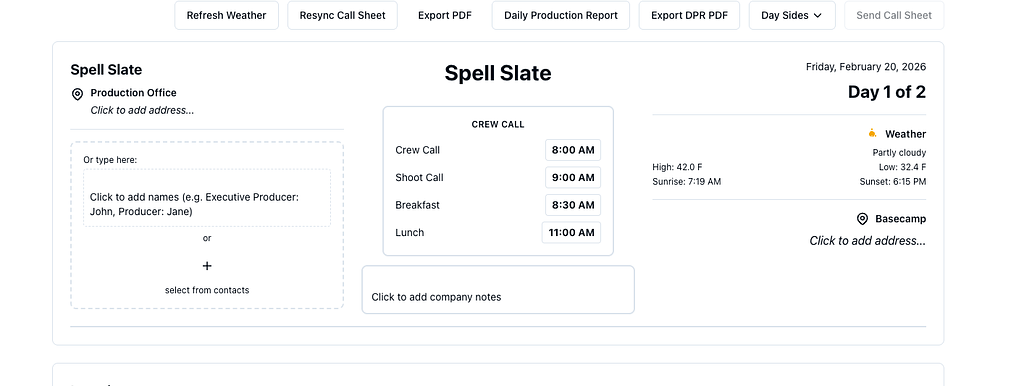
<img src="https://mintcdn.com/spellslate/R6I5KoDoV3On-rLB/images/first-call-sheet-layout.png?fit=max&auto=format&n=R6I5KoDoV3On-rLB&q=85&s=862ed0c218d9c6a4e0c3b1d82b55b134" alt="Call sheet with production office, crew call times, and weather" width="1024" height="386" data-path="images/first-call-sheet-layout.png" />

<img src="https://mintcdn.com/spellslate/R6I5KoDoV3On-rLB/images/first-call-sheet-details.png?fit=max&auto=format&n=R6I5KoDoV3On-rLB&q=85&s=893ab74dbd1a3824a50eb2340789a949" alt="Call sheet with company notes and basecamp" width="1024" height="371" data-path="images/first-call-sheet-details.png" />

5. Export to PDF or send via email (Supporter).

See the **Call Sheets** category for step-by-step guides.