Call sheets
Who can do this: Free plan on your first project, Supporter on all projects. Sending by email needs Supporter. Creating and editing needs the Edit call sheets permission.The call sheet is the page everyone reads the night before: when to show up, where to park, and what’s shooting. Spell Slate builds it from your stripboard day, so the scenes, talent, and set locations are already on it when you open it. In the project nav, click Production, then Call Sheets.
Open a day’s call sheet
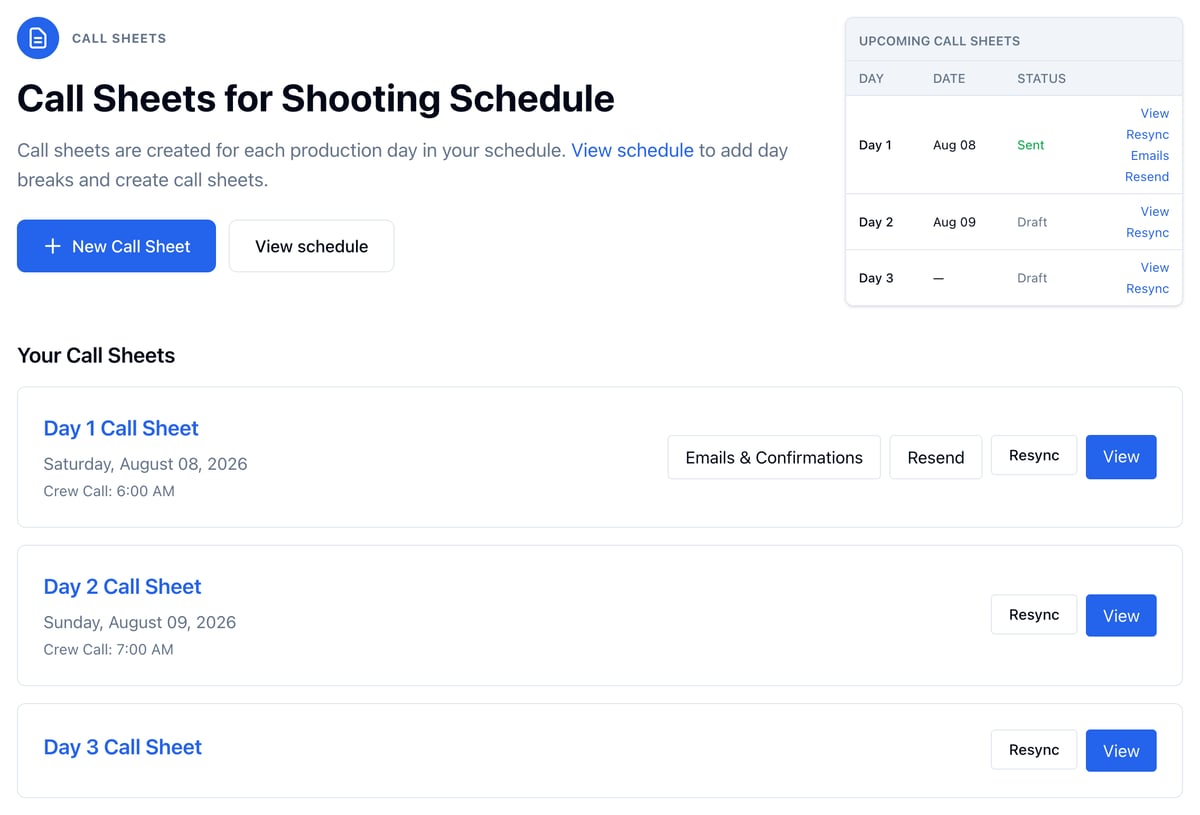
Every day on your stripboard gets a call sheet as soon as you add its day break. Open one any of these ways:- On the call sheets page, click View on the day’s card.
- On the schedule, click Call sheet under a day break on the stripboard.
- In the schedule sidebar, click Call under the day.
Start a call sheet from a date
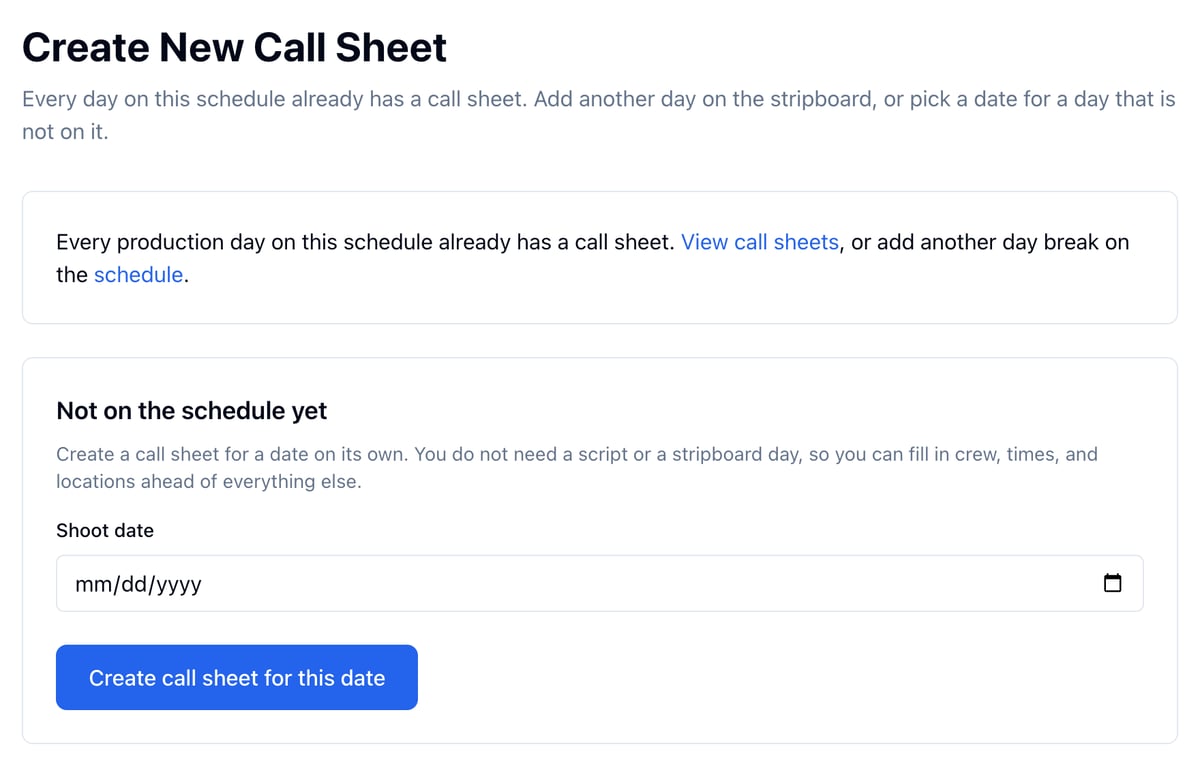
On a fast turnaround the script and stripboard may not be in yet. You can still start the call sheet.- Click New Call Sheet.
- Under Not on the schedule yet, pick the Shoot date.
- Click Create call sheet for this date.
What’s on a call sheet
The top of the sheet holds the production office, the names at the top (click select from contacts or type them), the Crew Call box, company notes, the date and day number, weather, and basecamp.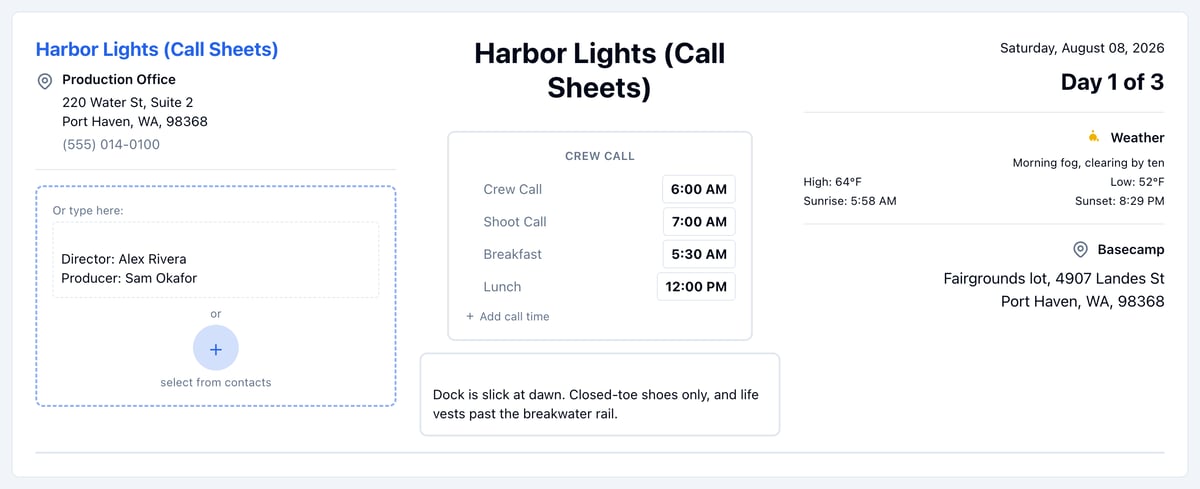
- Locations: set locations in shooting order, with parking and the nearest hospital. See Weather and locations.
- Today’s Schedule: the day’s scenes from the stripboard.
- Talent and Background Talent: see Managing cast and Managing extras.
- Crew: see Managing crews.
- Departmental Notes and Advance Schedule, the next shoot day’s scenes.
Set or change the shoot date
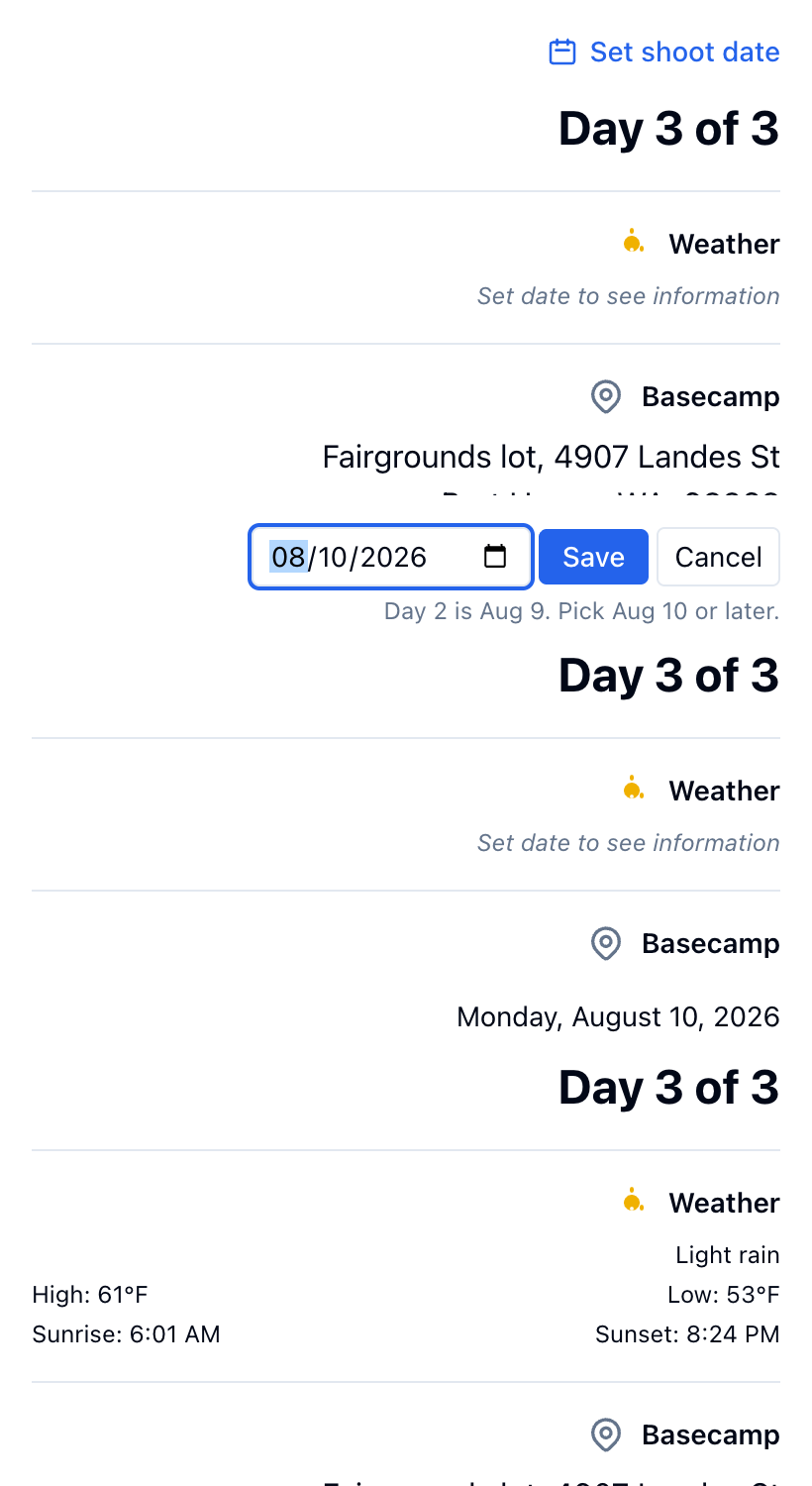
- Click the date above the day number, or Set shoot date if the day has none.
- Pick the date.
- Click Save.
Tell each actor where to arrive
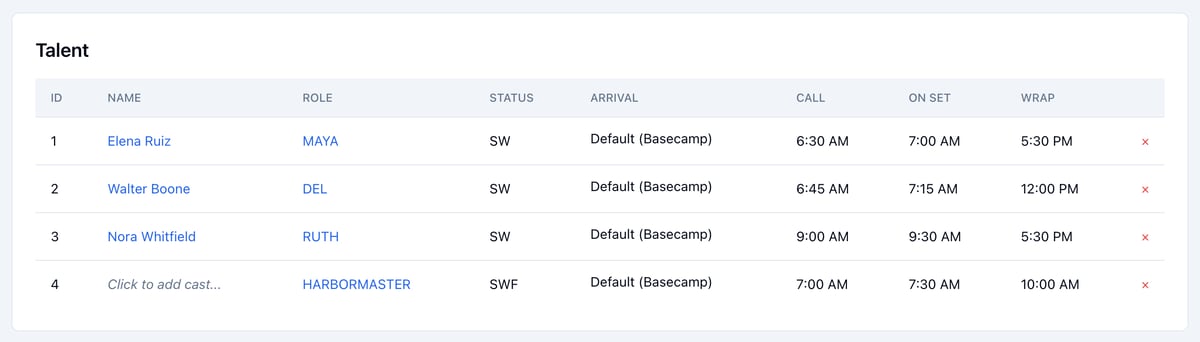
In Talent, click an actor’s ARRIVAL and choose:- Default (Basecamp)
- First location actor appears in, from the day’s schedule
- Other (choose location) for a specific location
Keep the sheet in step with the schedule
Click Resync Call Sheet after you change the stripboard. It rebuilds talent and set locations from the day’s scenes and refreshes the weather. You can also click Resync on the day’s card on the call sheets page. If someone on the sheet has no scenes that day, a note above Talent names them. Click its Remove button unless you still need them there.Send the call sheet
Send Call Sheet works once the sheet has:- a shoot date
- a crew call time in the Crew Call box
- at least one location with an address
- at least one person with an email address
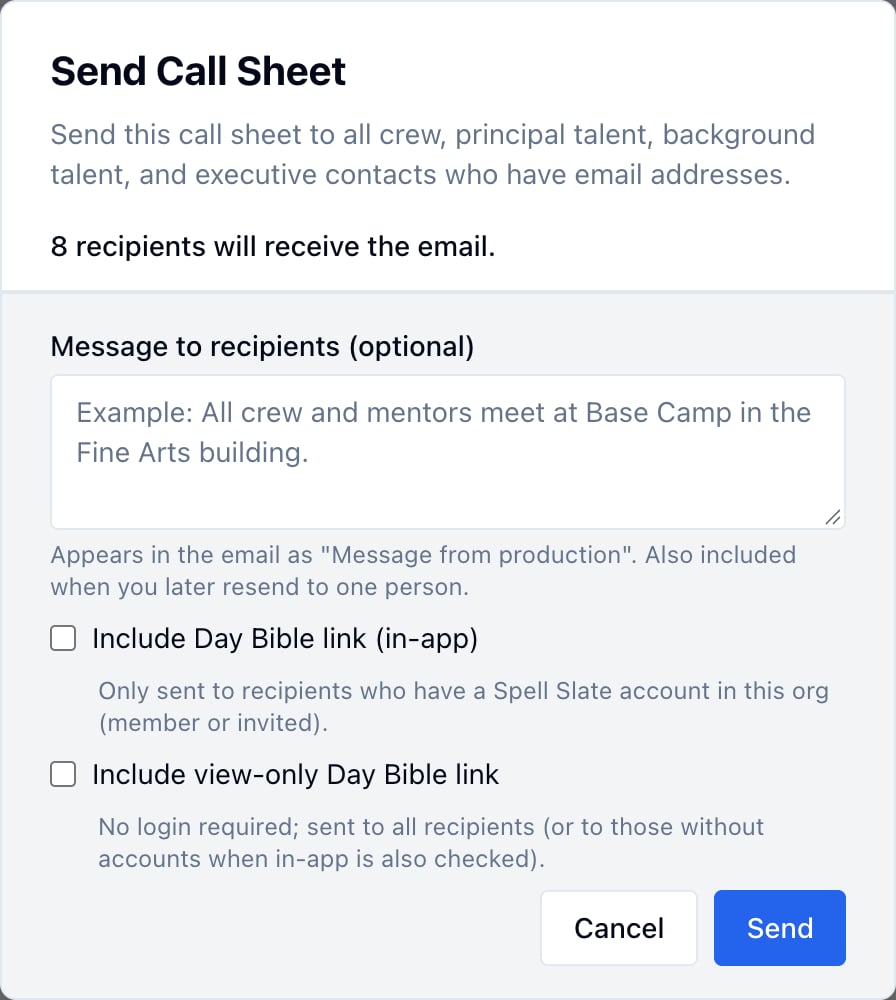
- Click Send Call Sheet.
- Type a Message to recipients if you have one, like where to meet.
- Check Include Day Bible link (in-app) or Include view-only Day Bible link to send that day’s Day Bible.
- Click Send.
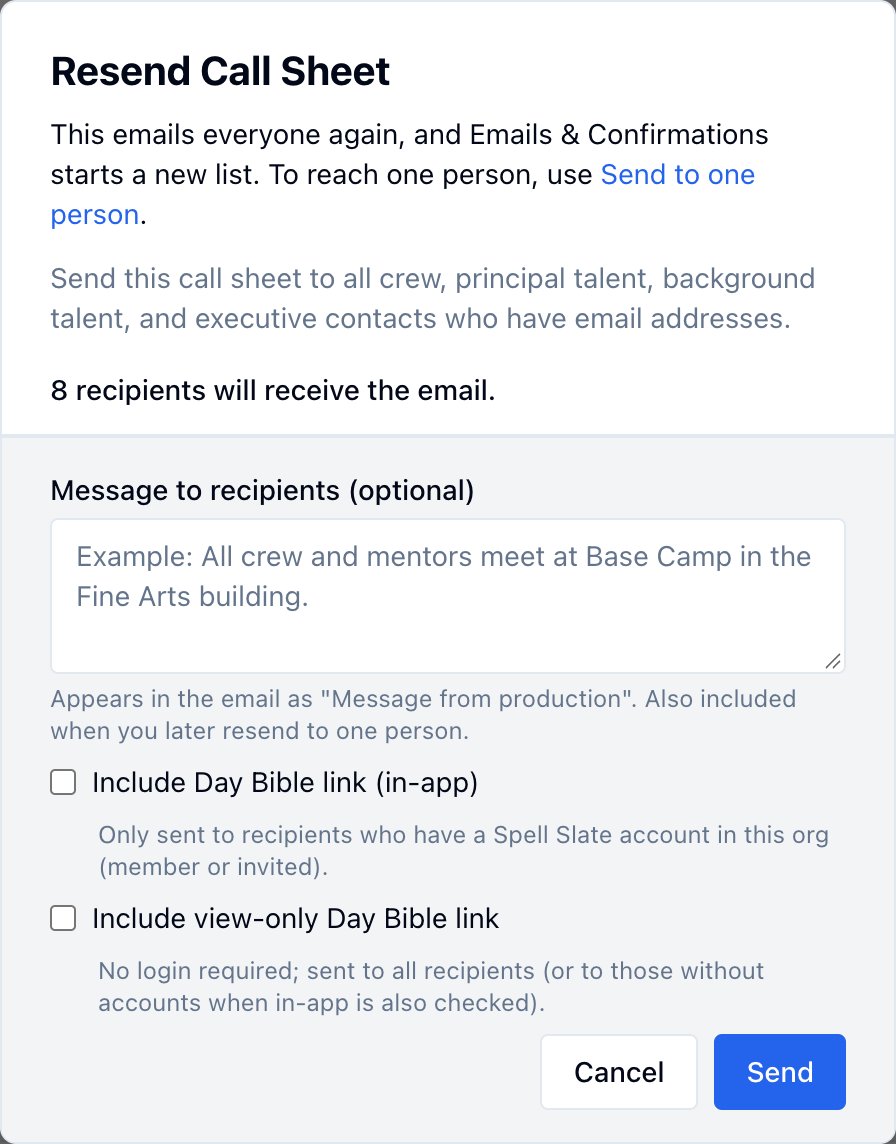
Resend, or send to one person
Once a sheet has gone out, its button reads Resend Call Sheet. The line under it says when it went out and how many people confirmed. Click that line to open Emails & Confirmations.
- Click Resend Call Sheet.
- Type a Message to recipients saying what changed.
- Click Send.