

Editing your title page
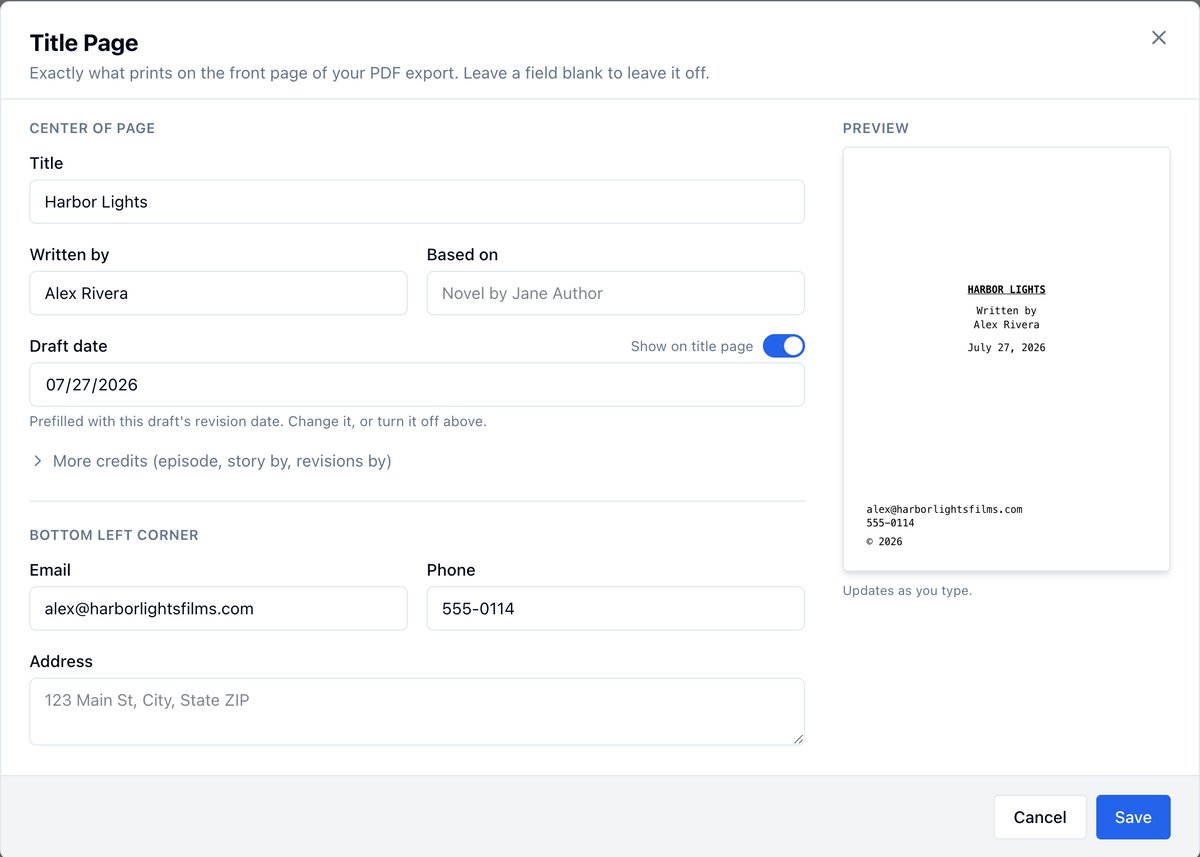
Use the title page to set the script title, author, and contact details. Whatever you enter here is used when you export the script to PDF, so the first page of the PDF shows the correct credits and contact info. A live preview in the modal shows exactly what will print.Open the title page
- Open your project and click Writing → Script in the nav.
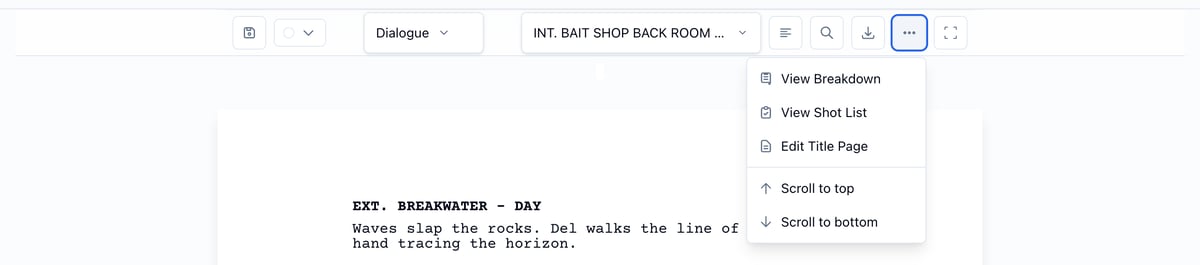
- In the script editor toolbar, open the More menu (the three-dot icon).
- Click Edit Title Page. The title page modal opens.
Fill in the center of the page
- Title: The name of the script. Starts as your project name, so change it if the script has its own title.
- Written by: The writer’s name. This appears under “Written by” on the PDF title page.
- Based on: e.g. “Novel by Jane Author” if the script is based on another work.
- Draft date: Prefilled with this draft’s revision date. Pick a different date, or use the Show on title page toggle to keep the date off the PDF entirely.
- Episode title
- Story by
- Revisions by
Fill in the bottom left corner
These print in the bottom left corner of the title page:- Email, phone, and address
- Agent name, email, and phone
- Copyright (a bare year like 2026 prints as © 2026)
Save or cancel
- Click Save to store your changes. The next time you export the script to PDF, the title page will use this information.
- Click Cancel or the X to close without saving.