Daily Production Report

Who can do this: Supporter plan. Creating, editing, and sending the report needs the organization owner, an admin, or a member with Edit call sheets; anyone who can see the schedule can open and export it.
The DPR is the morning-after document: what got shot, who worked and for how long, and how far the day ran over. Most of it is already in Spell Slate by the time you sit down to write it. The scheduled scenes, the Day Out of Days codes, and the crew’s phone clock-ins arrive on their own, and you add the times and the notes. Where to find it: open Production, click Schedule, and click the clipboard on a day in the sidebar. A call sheet’s More menu has the same entry.

Create the day’s report

  1. Open the schedule and find the day in the sidebar.
  2. Click the clipboard. On a day with no report yet, this opens a new one.
  3. Check the scenes and click Create DPR.
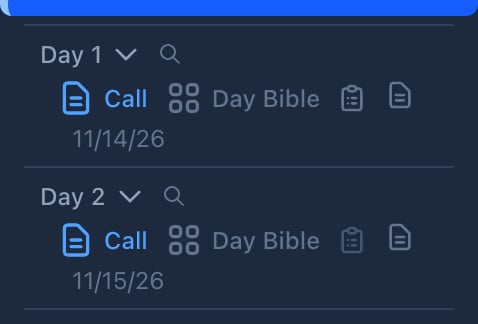
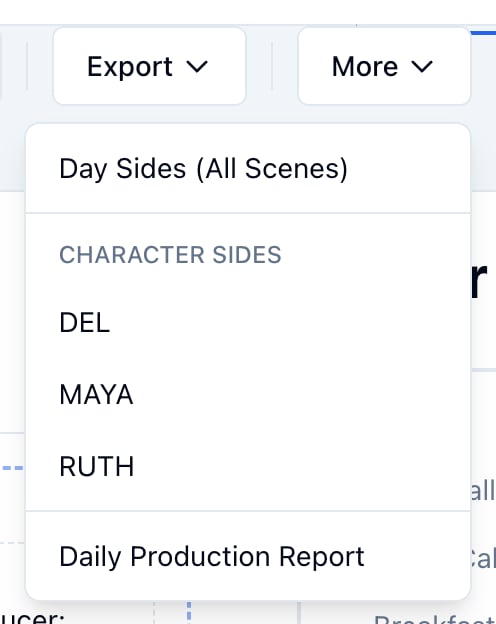
Two days in the schedule sidebar, each with Call, Day Bible, a clipboard, and a Day sides icon From a call sheet, open More and click Create Daily Production Report. Once the report exists, the same menu reads Daily Production Report and opens it. A call sheet's More menu: Day Sides (All Scenes), Character Sides, and Daily Production Report A new report starts with the day already filled in: the scenes scheduled on that day are checked, Pages Scored is their total in eighths, and every performer on those scenes has their Day Out of Days code (SW on a first day, W, WF on a last, SWF for a single day) in the cast table.

Record what was shot

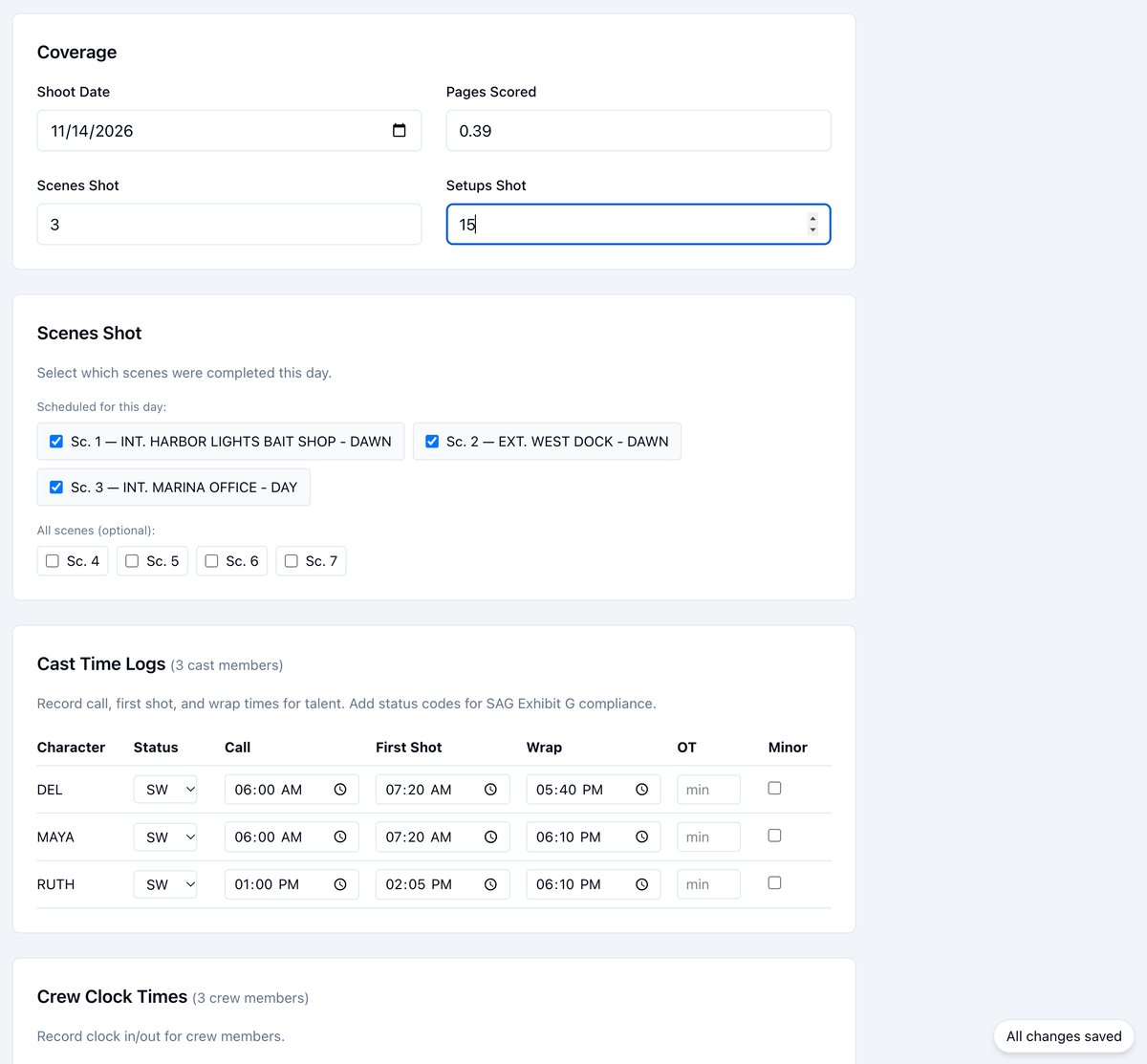
  1. Under Coverage, enter Setups Shot. Scenes Shot and Pages Scored start as the count and pages of the day’s scheduled scenes. Type over either when the day came out differently.
  2. Under Scenes Shot, leave checked the scenes that were completed. Uncheck a scene that slipped to another day. Scenes from the rest of the script are listed under All scenes for anything picked up early.
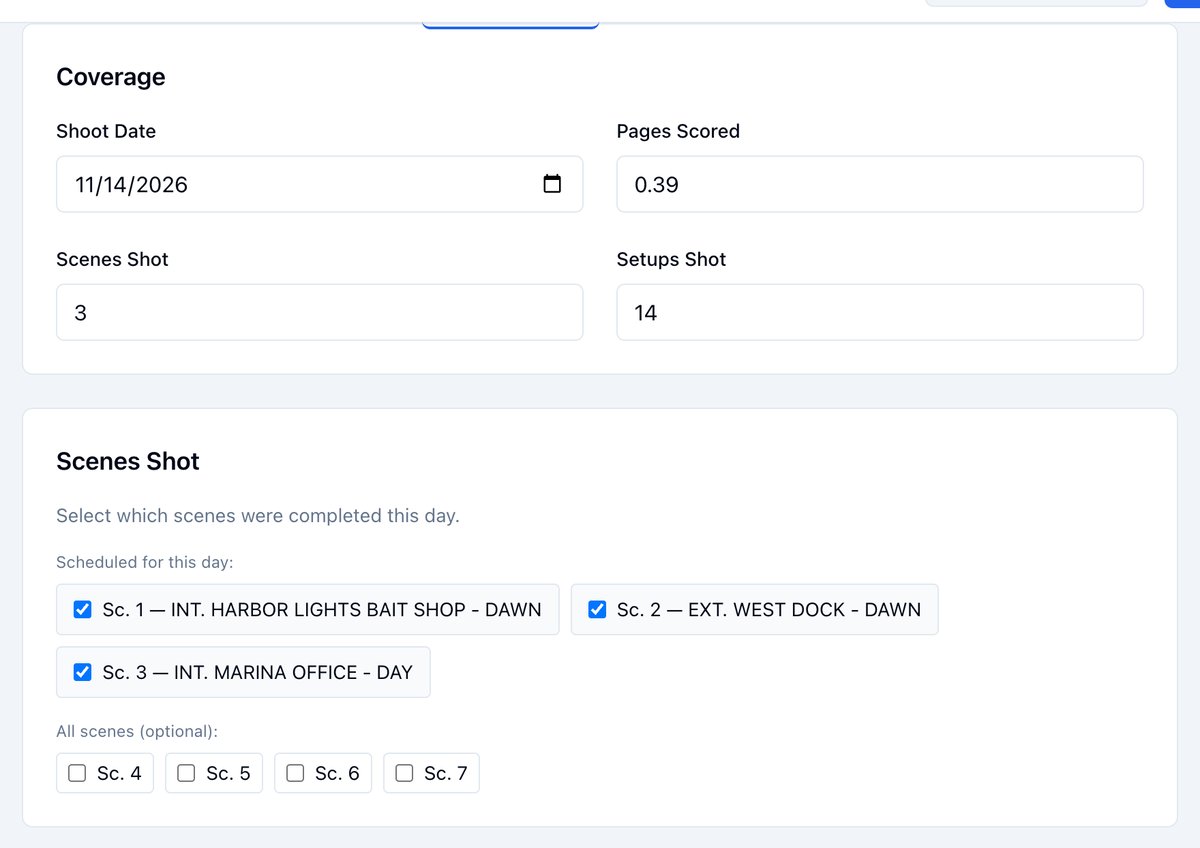
The Coverage section with Shoot Date, Pages Scored, Scenes Shot, and Setups Shot, and the Scenes Shot section with three scheduled scenes checked and the other scenes unchecked Pages Scored is a decimal on the form (3/8 of a page is 0.375). The report and the PDF print it in eighths, the way the stripboard counts the same scenes.

Log the cast’s times

Each performer in the day’s scenes has a row under Cast Time Logs.
  1. Check Status, the SAG-AFTRA work-status code. It starts at the performer’s Day Out of Days code; change it for a hold, rehearsal, test, travel, or fitting day.
  2. Enter Call, First Shot, and Wrap.
  3. Enter overtime in OT as minutes, and check Minor for a performer under 18.
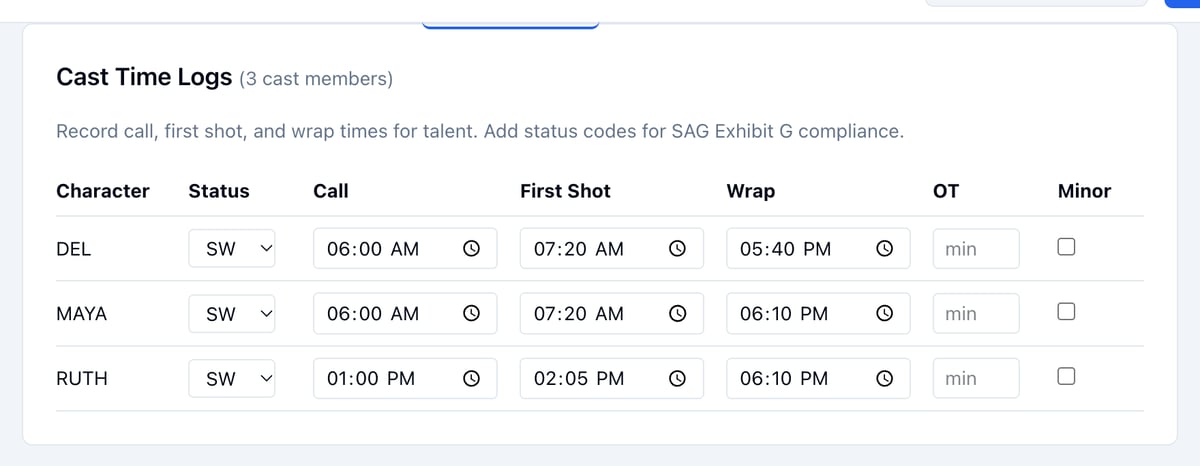
The Cast Time Logs table: DEL, MAYA, and RUTH with Status, Call, First Shot, Wrap, OT, and Minor columns A row is kept as soon as it has anything in it. A status code alone counts, so the report’s Total cast is the number of performers you recorded, not the number of rows.

Record the crew’s hours

Under Crew Clock Times, every crew member in the project has a row with Clock In, Clock Out, and OT. The Crew Clock Times table: Owen Reyes, Priya Nair, and Theo Marsh with clock in and clock out times
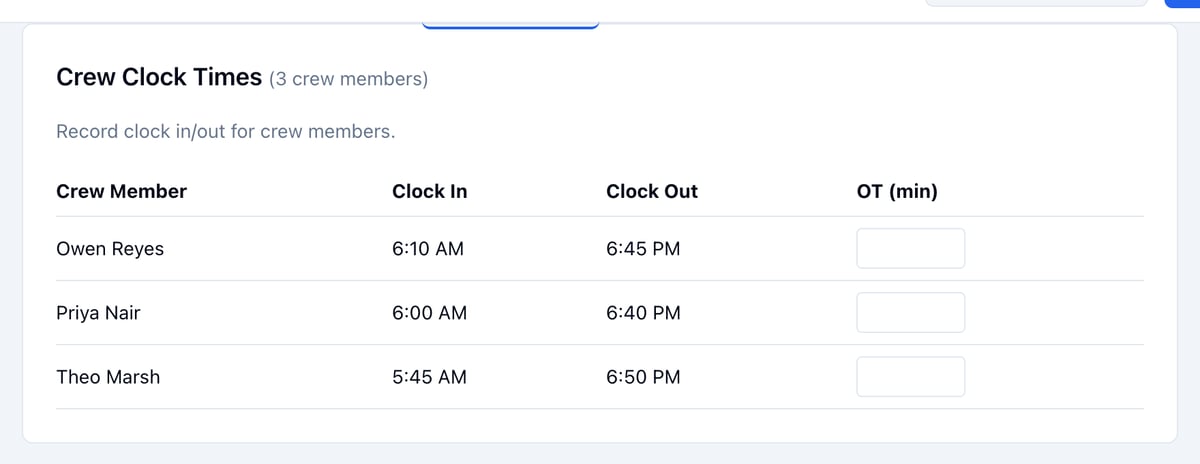
  • Click a time to set it. Type the hour and minutes, or step them with the arrows, and click Save.
  • Click Clear on a time set by mistake, so that person no longer counts in Total crew.
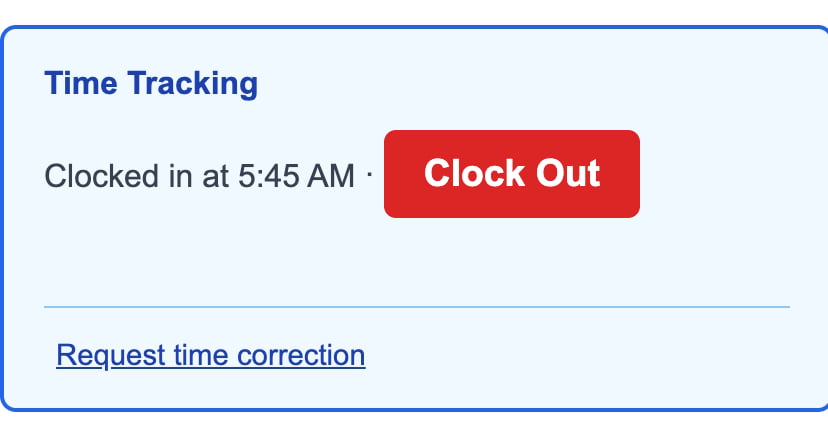
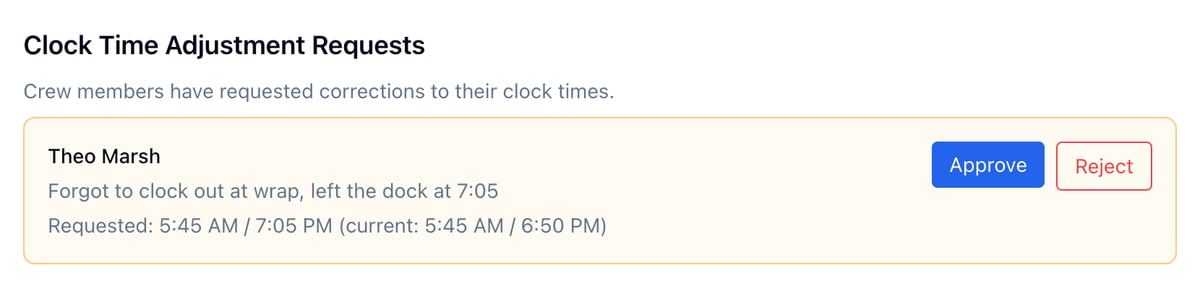
Crew do not have to wait for you. The call sheet link that was emailed to a crew member carries a Time Tracking block with Clock In and Clock Out, and each tap lands in this table. The first clock-in of a day creates the report if nobody has yet. The Time Tracking block on a crew member's call sheet link, on a phone: Clocked in at 5:45 AM with a Clock Out button and a Request time correction link A crew member who forgot to clock out, or clocked in late from a dead phone, can click Request time correction on the same page and enter the right times and a reason. The request shows on the report under Clock Time Adjustment Requests with the current and requested times. Click Approve to apply it or Reject to leave the recorded times. A clock time adjustment request from Theo Marsh: the reason, the requested and current times, and Approve and Reject buttons

Example: a wrap nobody clocked

Theo, the 1st AD, clocked in at 5:45 AM from his phone and left at 7:05 PM without clocking out. The coordinator clocked him out at 6:50 PM from the DPR. Theo requested a correction to 7:05 PM with the reason “Forgot to clock out at wrap.” Approving it set his clock out to 7:05 PM, and the request left the list.

Enter the day’s times

Under Times & Notes:
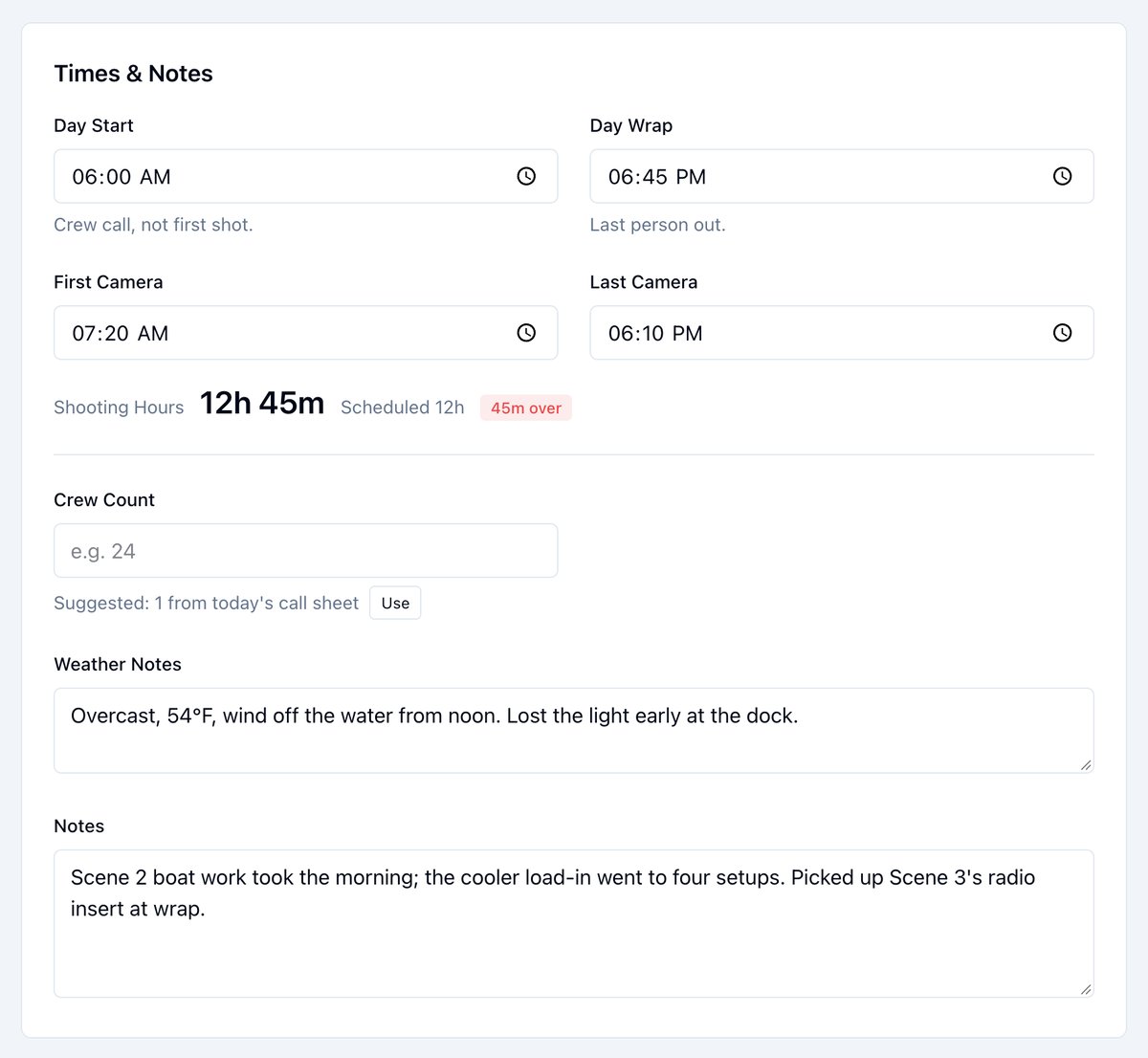
  1. Enter Day Start, the crew call, and Day Wrap, the last person out.
  2. Enter First Camera and Last Camera.
  3. Enter Crew Count, or click Use to take the suggested number from that day’s call sheet. With no call sheet, the suggestion is the number of clock-ins.
  4. Add Weather Notes and Notes.
The Times & Notes section: Day Start 6:00 AM, Day Wrap 6:45 PM, First Camera 7:20 AM, Last Camera 6:10 PM, Shooting Hours 12h 45m against Scheduled 12h with 45m over, a Crew Count field with a suggested count and a Use button, Weather Notes, and Notes Shooting Hours totals the day from start to wrap as you type, meals included. When the day’s banner on the stripboard has a start and end time, the line also shows how far the day ran over or under the schedule. A day that wraps after midnight counts forward.

Save as you go

Once the report exists, every change saves on its own a moment after you make it. A pill in the corner reads Saving…, then All changes saved. If a save fails it reads Not saved with the reason, and the change is kept for the next try. Update DPR at the bottom still saves everything at once. The Coverage section with Setups Shot just changed to 15 and an All changes saved pill in the corner
Send the report

  1. Open the report.
  2. Click Send DPR.
  3. Check the recipient count and click Send.
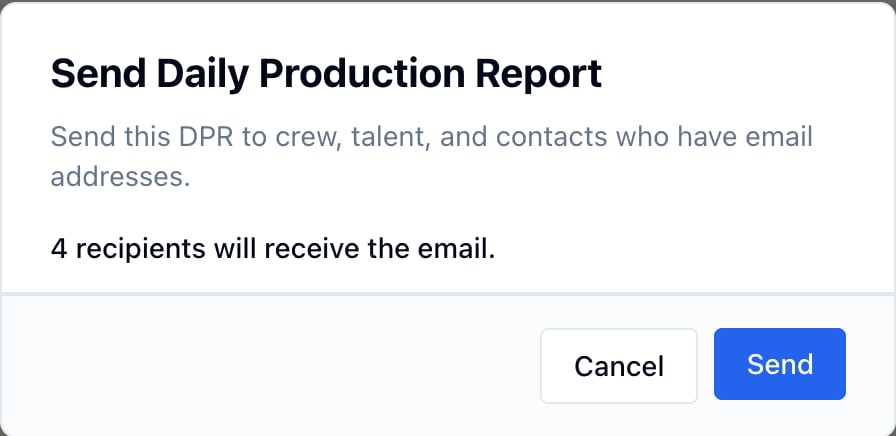
The Send Daily Production Report dialog: 4 recipients will receive the email, with Cancel and Send Recipients are the day’s call sheet recipients, crew, talent, and executives with an email address, or the project’s contacts when the day has no call sheet. Each email carries a link to view the report and a Confirm link. DPR distribution needs Supporter; without it the button reads Send DPR (upgrade required).

Export the PDF and Exhibit G

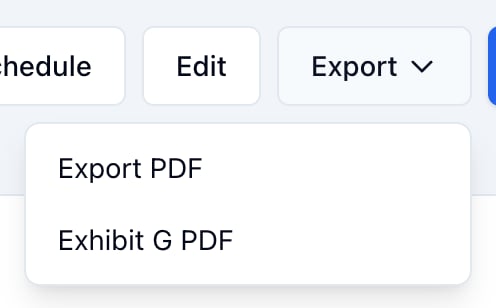
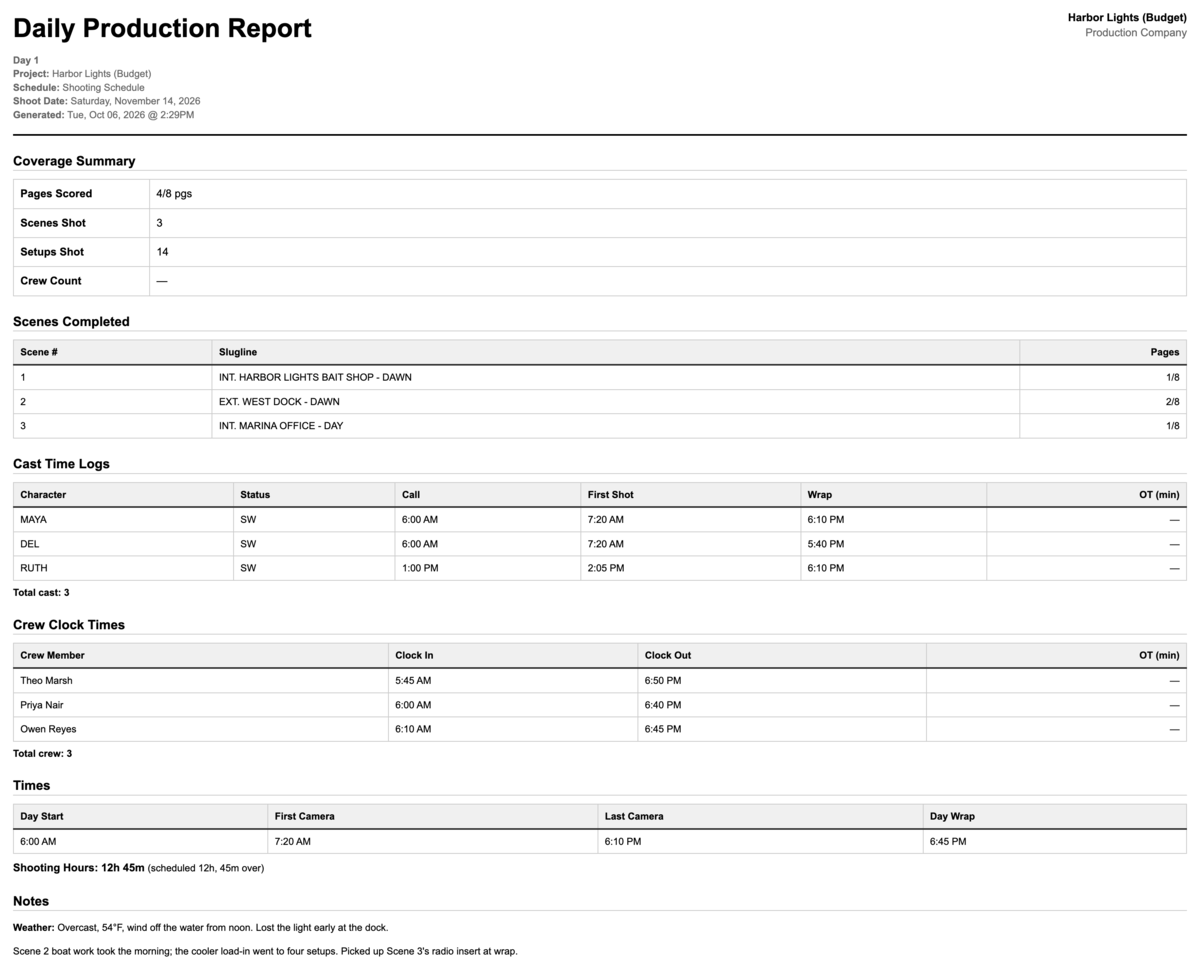
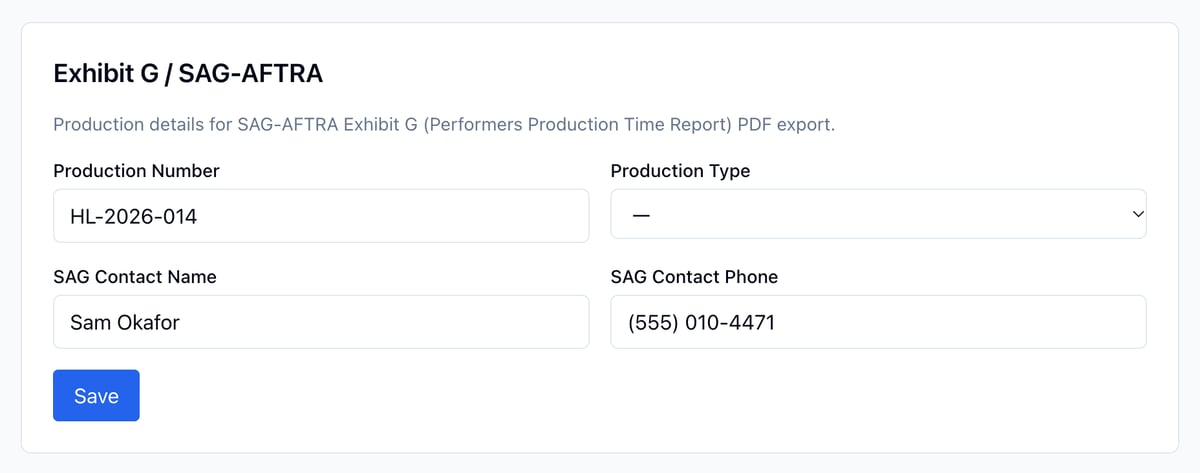
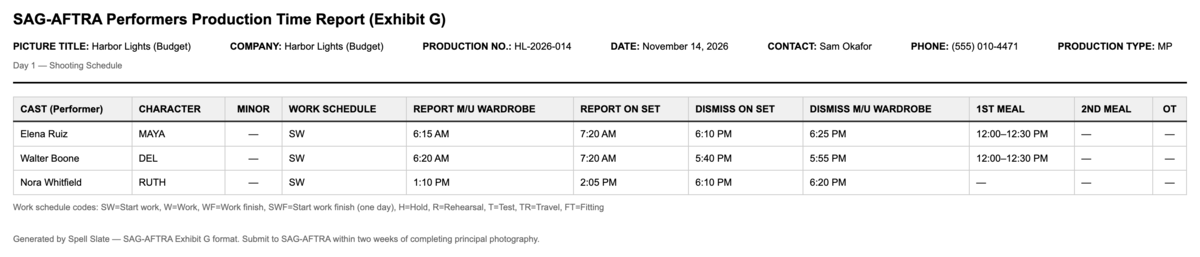
Click Export on the report and choose Export PDF or Exhibit G PDF. The call sheet’s Export menu also has Export DPR PDF. The DPR page's Export menu: Export PDF and Exhibit G PDF The Daily Production Report PDF: coverage summary, scenes completed with pages, cast time logs, crew clock times, the day's times with shooting hours against the schedule, and notes Exhibit G is the SAG-AFTRA Performers Production Time Report: one row per performer with their work status, makeup and wardrobe report and dismiss times, time on set, meals, and overtime, from the cast time logs. Fill in the production number, production type, and SAG contact under Project Settings first. They print in the header. Project Settings, Exhibit G / SAG-AFTRA: Production Number, Production Type, SAG Contact Name, and SAG Contact Phone The Exhibit G PDF: the production header, then Elena Ruiz, Walter Boone, and Nora Whitfield with character, work schedule code, makeup and wardrobe times, on-set times, meals, and overtime