

Your first schedule
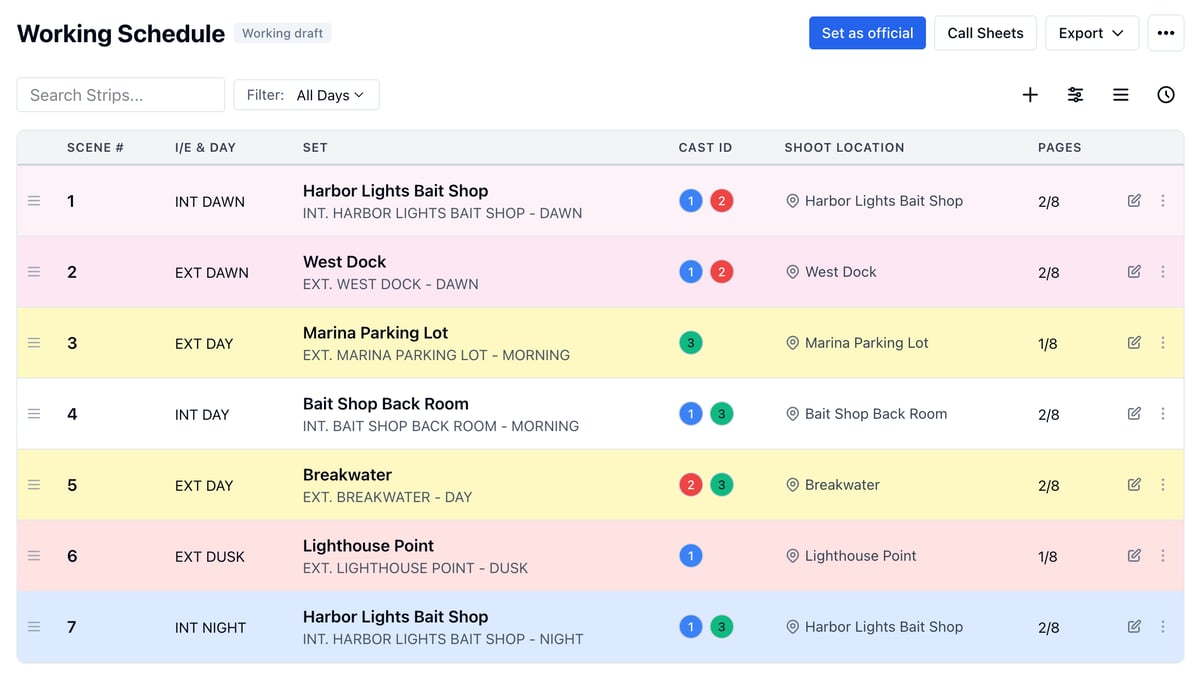
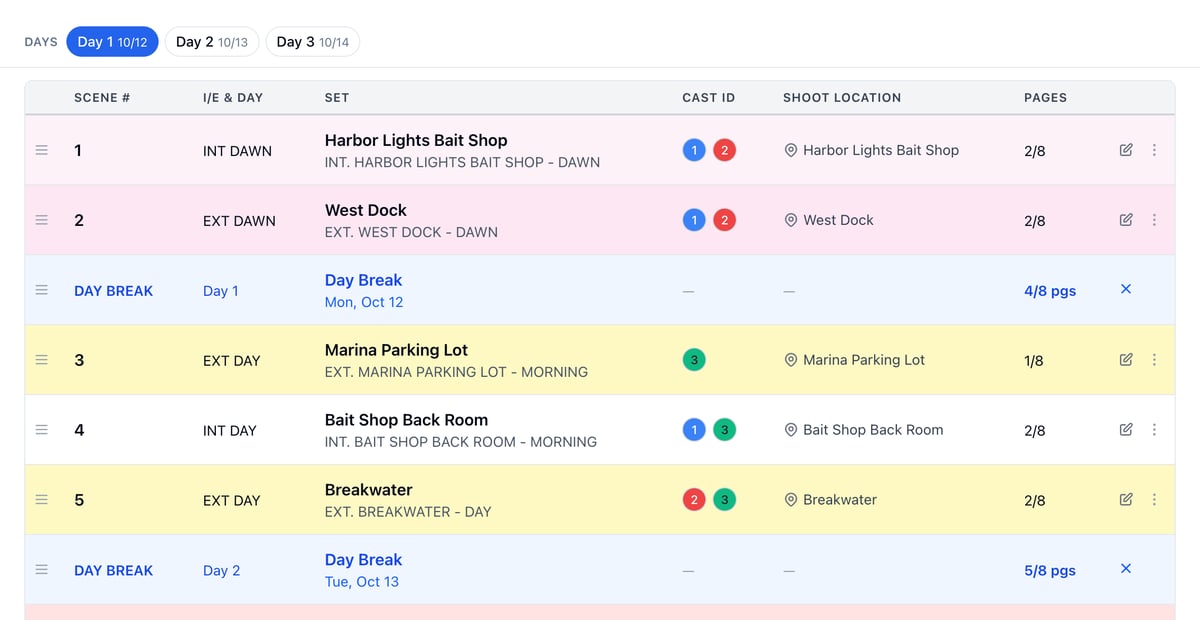
Who can do this: Free plan on your first project, Supporter on all projects. Changing a schedule needs the Edit schedule permission; setting the official one needs Approve schedule.Import your script and every scene is already a strip. Split the strips into shoot days, date them, and you have a schedule to build call sheets from.
Open your schedule
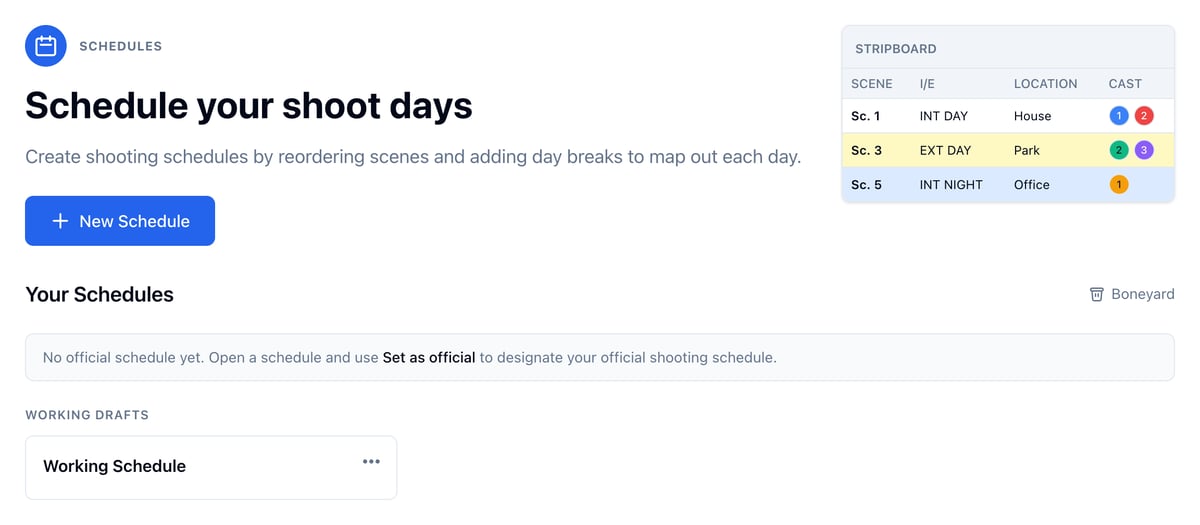
- Open Production and click Schedule.
- Click Working Schedule.
Split it into shoot days
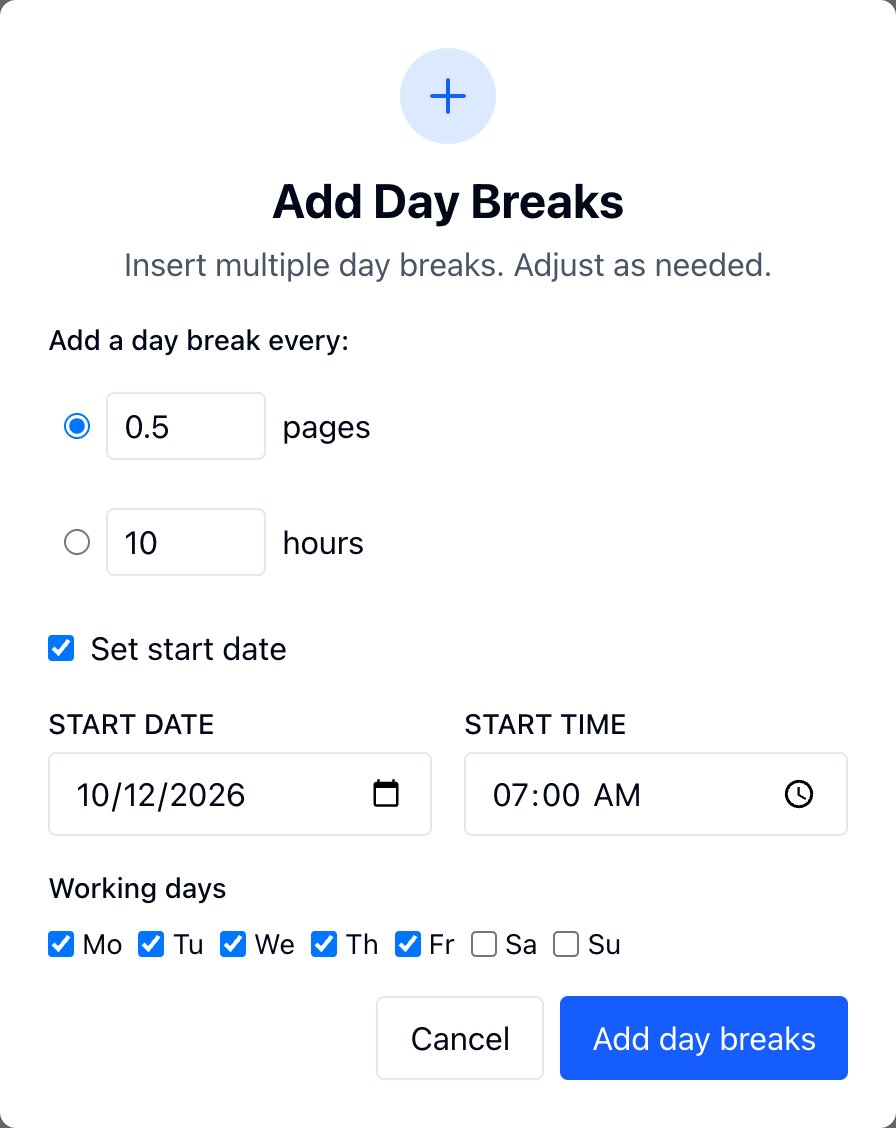
- Click + (Add Day Breaks) above the strips.
- Choose how much goes in a day, in pages or hours.
- To date the days, check Set start date, pick the Start date, and choose the Working days.
- Click Add day breaks.
Tidy it up
The buttons at the top right of the strips:- Display (sliders): choose the columns, like Start Time, End Time, and Notes.
- Reorder Strips (three lines): sort strips by set, day or night, and INT or EXT. Reordering removes the day breaks, with each day’s call sheet and Day Bible, so sort before you split days.
- Reset Times (clock): clear clock times, durations, or both.
Make it official
- Click Set as official.
- Confirm.
