

Paste text into a screenplay
Who can do this: All plans. Editing the script needs the organization owner, an admin, or a member with Edit script.A few pages from a writer’s Google Doc, a scene a collaborator sent in an email, the back half of a draft that only exists in Word: paste it and the editor sorts it into screenplay elements. Where to find it: click Writing in the project nav, then Script.
Paste a scene
- Click in the script where the text should go.
- Press ⌘V (Ctrl+V on Windows).
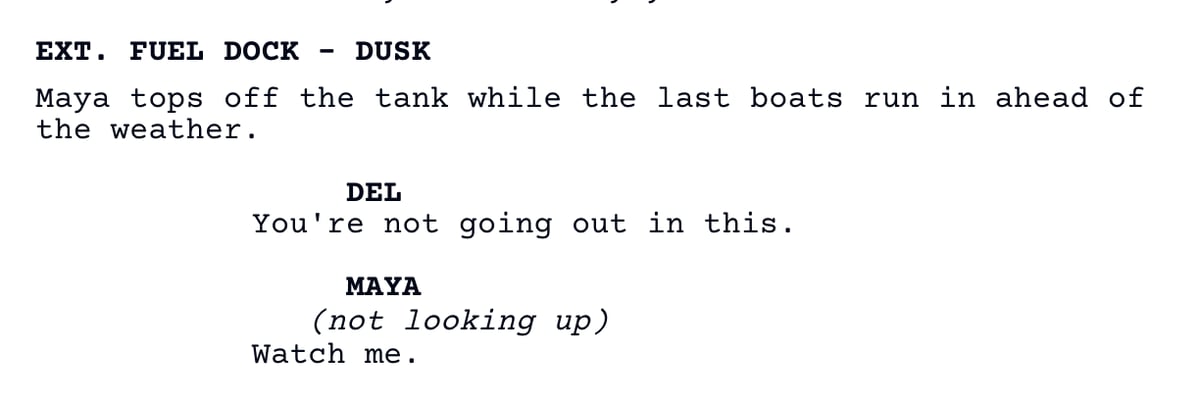
What the editor recognizes
- A line starting with INT., EXT., INT/EXT., or I/E becomes a scene heading.
- A line in caps followed directly by a line of text becomes a character cue, and the line after it dialogue. A capitalized name like Maya works too.
- A caps line followed by a blank line is action, not a character. OPENING CREDITS on its own stays action.
- A line in parentheses becomes a parenthetical.
- CUT TO: and FADE IN: become transitions.
- A blank line ends dialogue and starts a new action paragraph.
- A line starting with ! is always action.
Prepare text from Word or Google Docs
- Put each scene heading on its own line in caps:
INT. HOUSE - DAY. - Put each character name on its own line, with the dialogue on the next line and no blank line between them.
- Leave a blank line between action paragraphs and after each block of dialogue.