

Day Out of Days (DOOD)
Who can do this: Every plan can open the report on every project. Overrides and budget edits need Supporter, or your first project on the Free plan, plus access to edit the schedule or manage the budget.The Day Out of Days is the sheet your UPM and payroll live on: which days each actor works, holds, travels, or sits out a hiatus. Spell Slate builds it from your stripboard, so moving a strip updates it. In the project nav, click Production, then Schedule. Open a schedule, click Export, then Day Out of Days.
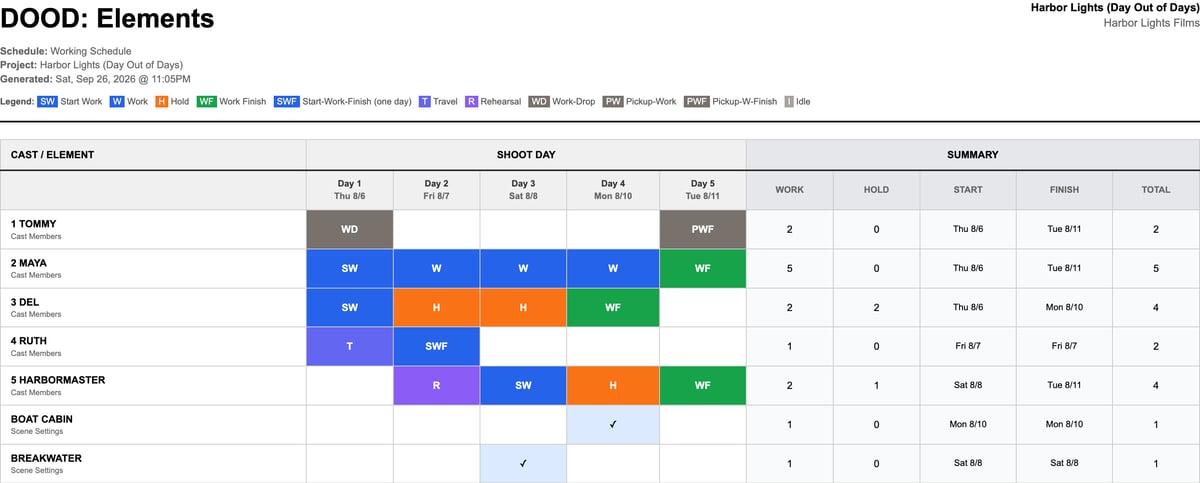
Open the Day Out of Days
- From a schedule: click Export, then Day Out of Days.
- From the reports page: click Breakdown, then Reports, then Day Out of Days (DOOD) under Cast & Talent. With more than one schedule, pick it under Schedule first.
- From the budget: click View DOOD on the Cast / schedule card.
Read the report
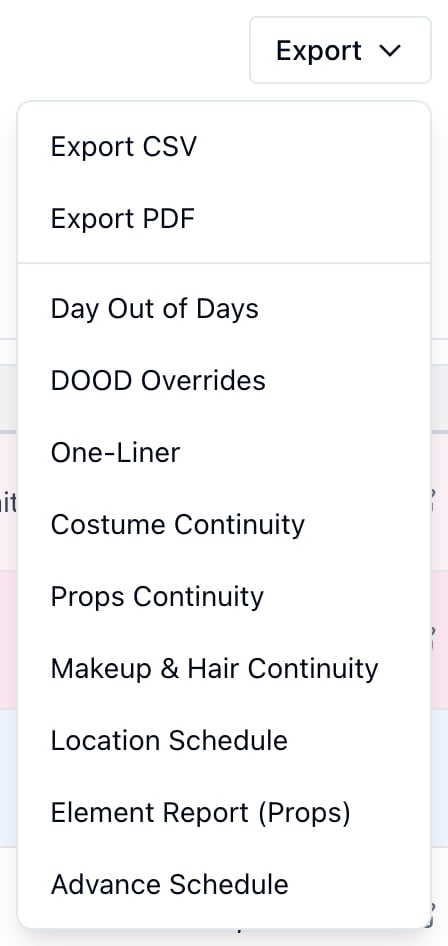
Each cast member gets a row, in cast ID order. Below the cast, Scene Settings and tagged elements like props and wardrobe get a check on each day they’re used. Each column is a shoot day: Day 3 over the date on that day’s day break. A day with no date yet shows only its number. Set dates on the stripboard; see Stripboard and shoot days.
The last five columns sum up each row:
- Work: days with a work code.
- Hold: days marked H.
- Start and Finish: the dates of the first and last work day.
- Total: every day with a code, including travel, rehearsal, and idle days.
How work and hold days are counted
Nobody types in hold days. A work day is a shoot day with a scene the character is in. The first is SW, the last is WF, and every day between them without a scene is H. In the Harbor Lights example, Del has scenes on Day 1 and Day 4. He holds on Days 2 and 3: 2 work days, 2 hold days, 4 total. Holds matter because most union deals, SAG-AFTRA’s included, pay an actor from their first day to their last. A cast budget of work days × rate comes in low when an actor holds. A drop stops the holds. Days between a WD and the next PW or PWF are left blank and don’t count, the way the drop and pickup rule pays them. Tommy drops after Day 1 and is picked up on Day 5: 2 work days, no holds.Mark travel, rehearsal, and drops
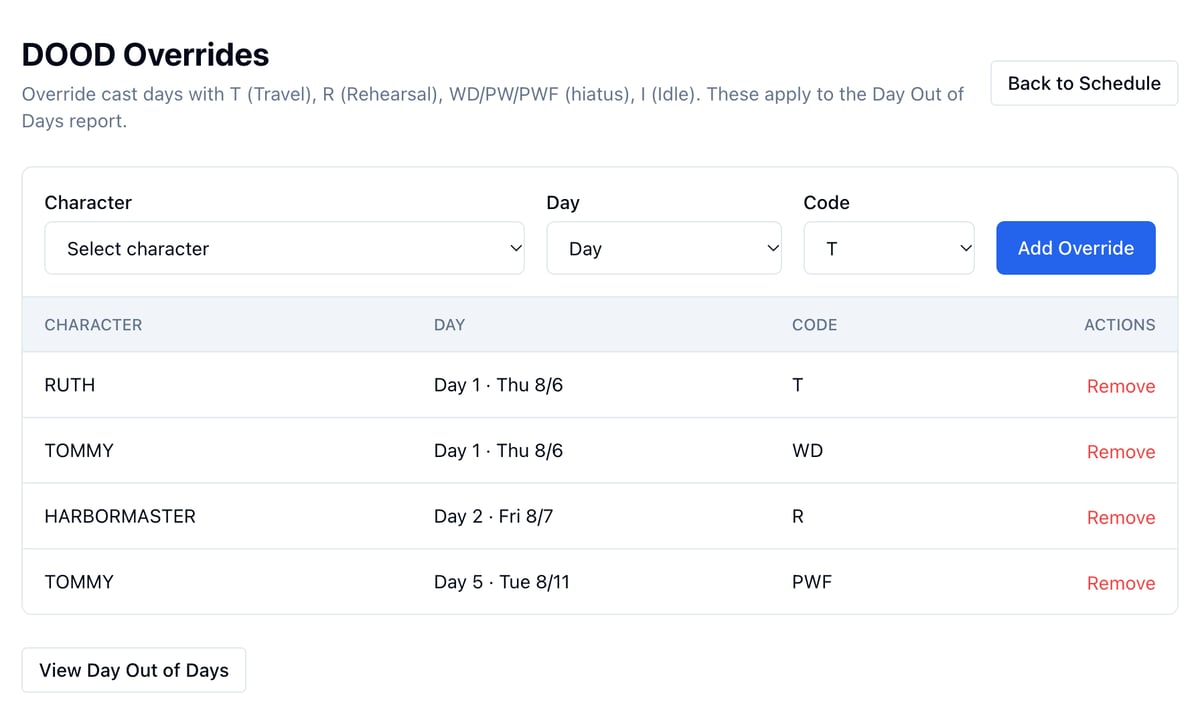
The schedule can’t know when an actor travels, rehearses, or drops. Mark those days as overrides.- On the schedule, click Export, then DOOD Overrides.
- Under Character, pick the actor.
- Under Day, pick the shoot day.
- Under Code, pick T, R, WD, PW, PWF, or I.
- Click Add Override.
Use the DOOD on the budget
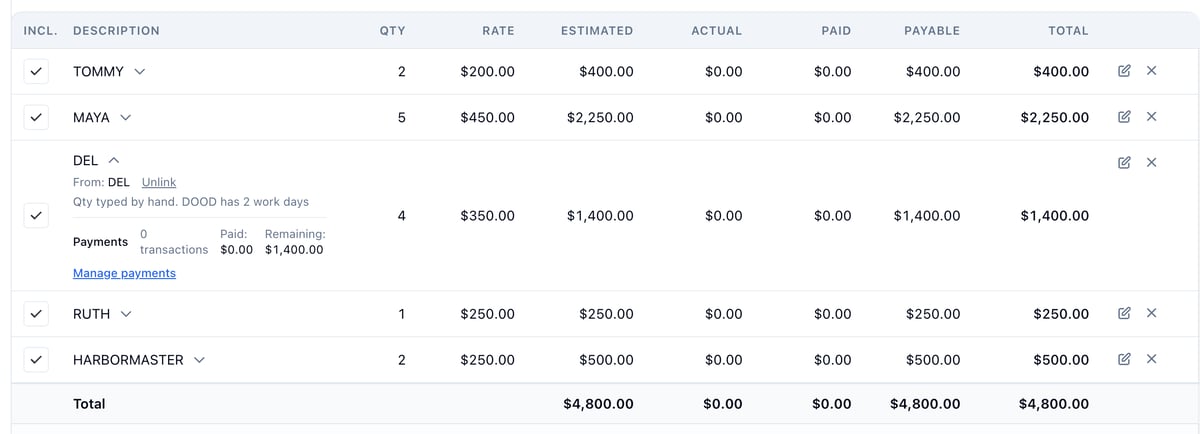
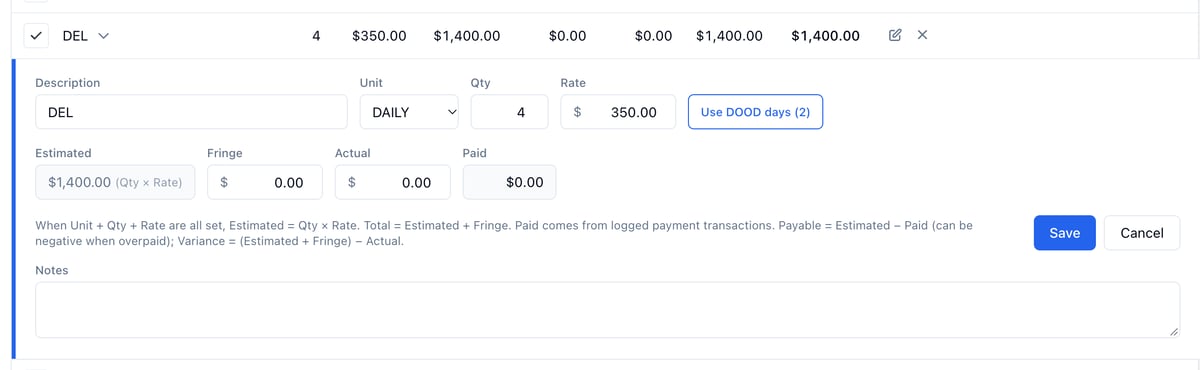
The budget reads the official schedule, or your newest schedule when none is official. At the top of the budget, the Cast / schedule card adds up the whole cast: work days and hold days across every actor.
- Click the pencil on the actor’s line.
- Type the days in Qty, like 4 for Del’s 2 work days and 2 hold days.
- Click Save.
Keep it accurate
The report is only as good as the stripboard behind it:- Tag every character in their scenes. A scene without them isn’t a work day for them. Click a strip’s cast IDs to fix it.
- Put scenes on the right day. Moving a strip changes the start, finish, work, and hold days of everyone in it.
- Split a scene that shoots over two days, so each part sits on its own day.
- Date your days on the stripboard so the report and its Start and Finish dates match.