

Managing crews
Who can do this: Free plan on your first project, Supporter on all projects. Adding crew and changing their times needs the Edit call sheets permission.Crew call is the first thing everyone reads. Put your crew on the day’s call sheet, give them one call time, and move the few who start earlier, like makeup. Open a day’s call sheet and scroll to Crew.
Add crew to a call sheet
- In Crew, click + Add crew.
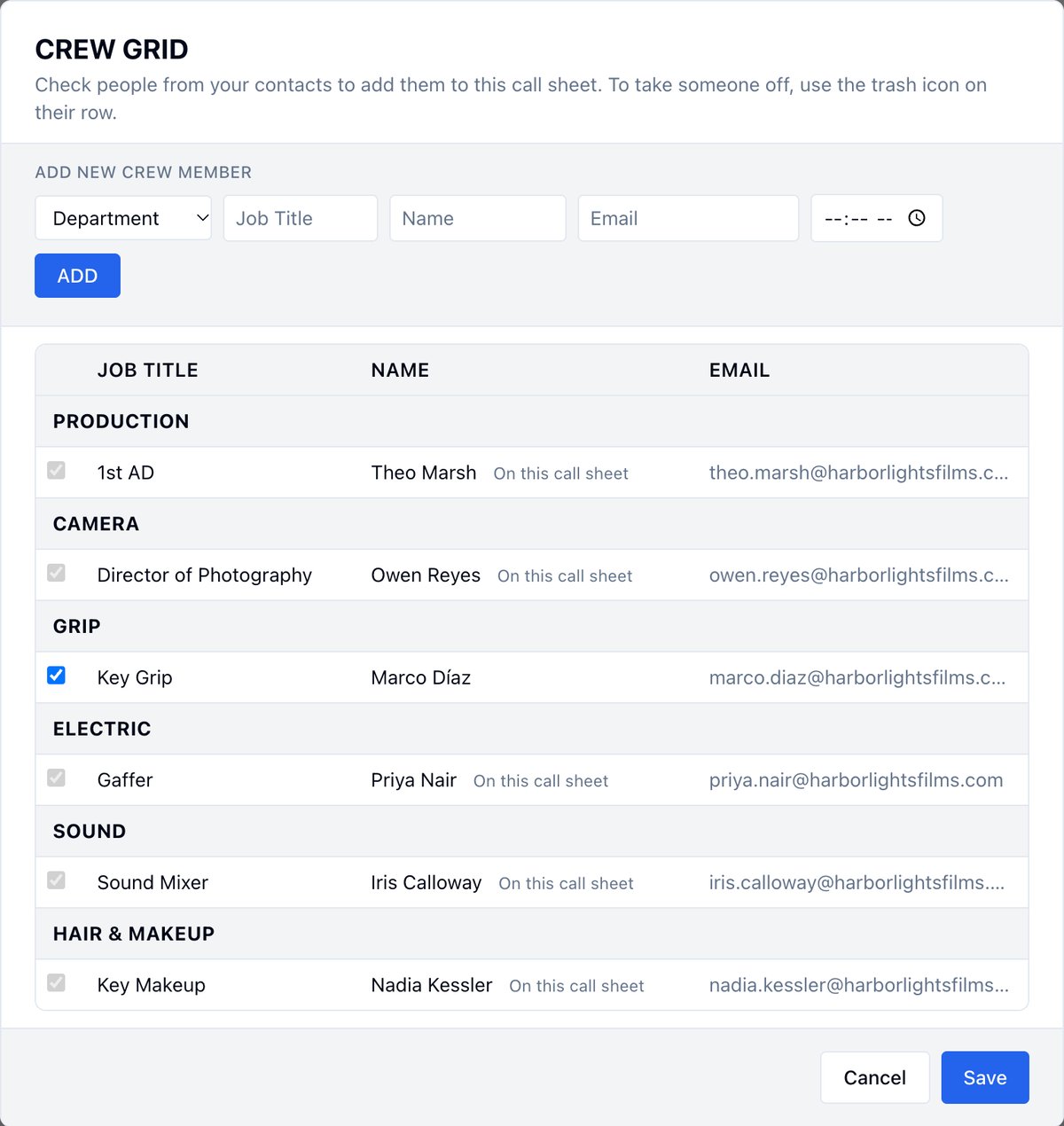
- Check the people to add. The Crew Grid lists your contacts by department.
- Click Save.
Add someone who isn’t in your contacts
- In the Crew Grid, under Add new crew member, pick a Department.
- Type their Job Title, Name, and Email, and a call time if they have their own.
- Click ADD.
- Click Save.
Give everyone the same call time
Click the Universal Call Time at the top of Crew and set it. Everyone on the universal time follows it.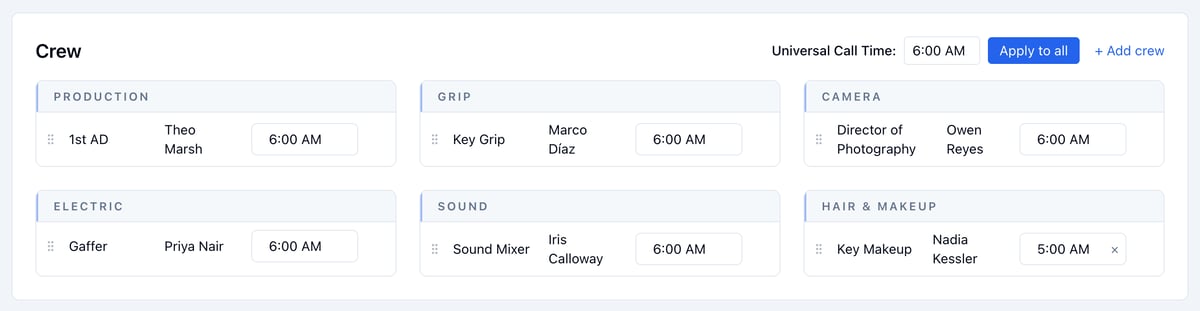
Give one person their own call time
Click their time and pick a new one. Makeup and transport often start before crew call.- Click the × next to their time to put them back on the universal time.
- Apply to all puts everyone back on the universal time. If anyone has their own time, it asks first.
Reorder or remove crew
Crew print on the call sheet and PDF in the order they sit in each department.- To reorder, drag a row by the grip on its left.
- To take someone off, hover over their row and click the trash icon. They stay in your Address Book.
Choose which times the Crew Call box shows
The Crew Call box at the top of the call sheet shows Crew Call, Shoot Call, Breakfast, and Lunch to start.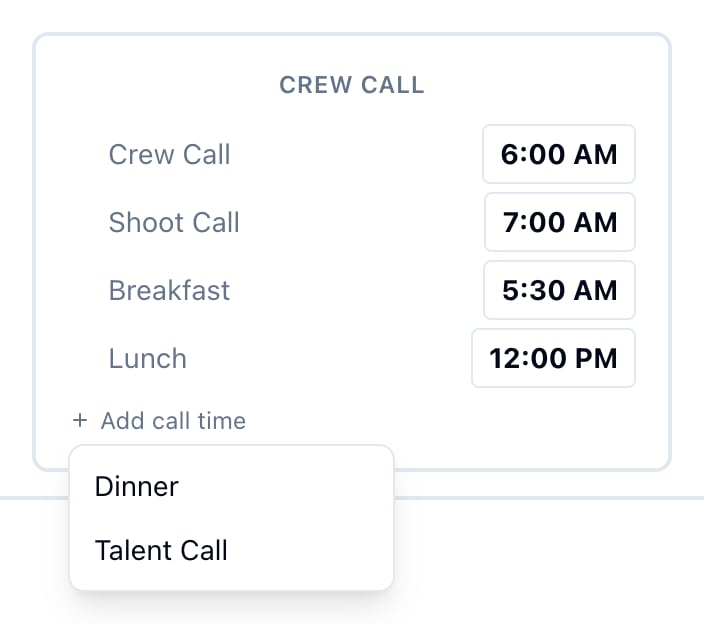
- To add a time, click + Add call time and pick Dinner or Talent Call, or one you removed.
- To remove a time, hover over its row and click the × on the left. Crew Call always stays.
- Click any time to change it.