

Weather and locations
Who can do this: Free plan on your first project, Supporter on all projects. Changing addresses on a call sheet needs the Edit call sheets permission.At 5 a.m. nobody reads the synopsis. They read where to park and whether to bring a jacket. The call sheet carries each set location with its parking and nearest hospital, and the day’s forecast. Open a day’s call sheet and scroll to Locations. For scouting and confirming a location in the breakdown, see Managing locations.
Where the locations come from
Locations lists the set locations in the day’s scenes, in shooting order, each with its Parking and Nearest hospital. The first location is the first one the day shoots, so click Edit day schedule to change the order.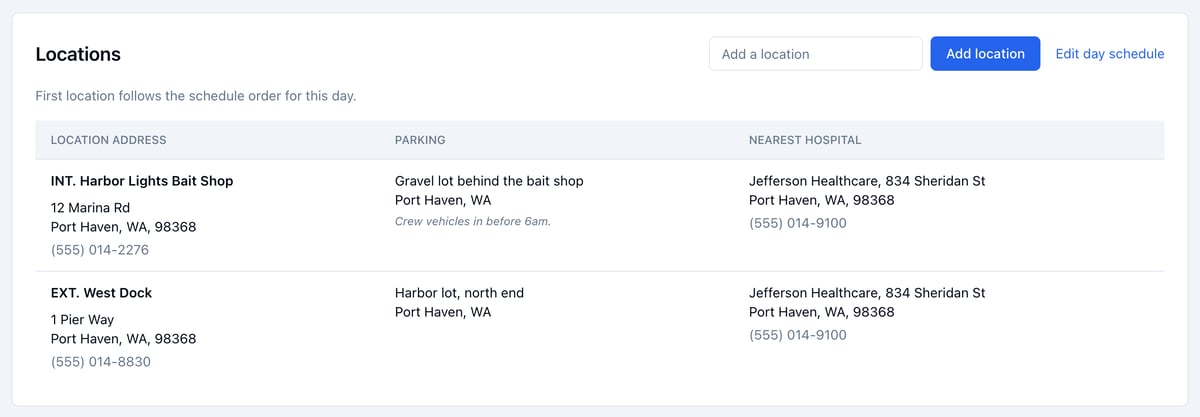
Add a set location
- Type the name in Add a location.
- Click Add location.
Add or change an address
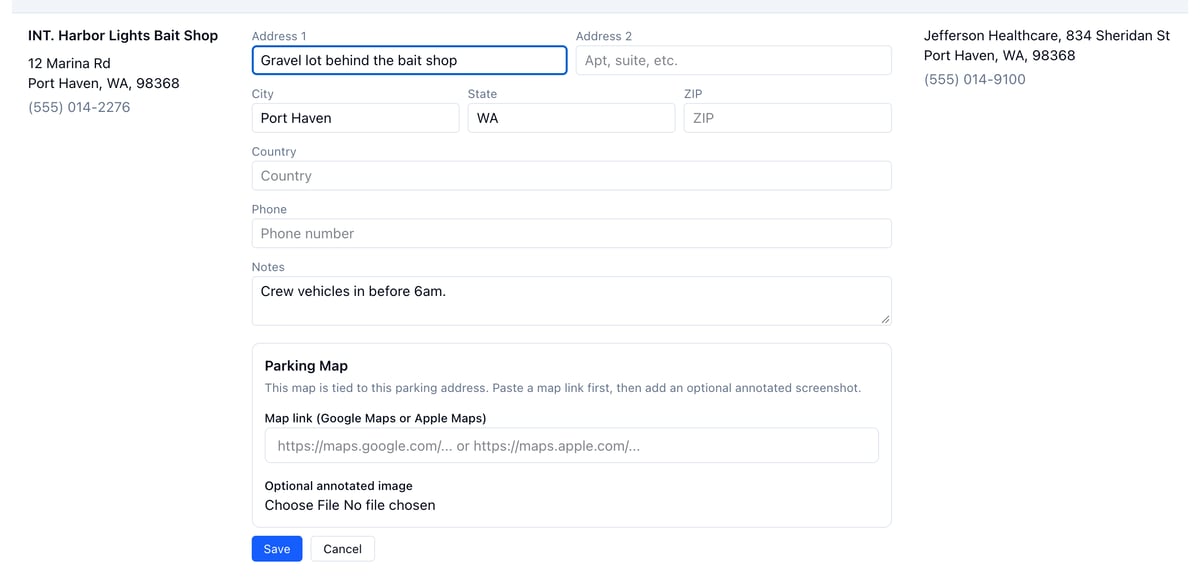
- Click the address, or Click to add address…
- Fill in the address, and a Phone and Notes if you have them.
- Click Save.
Add a map
Set locations, parking, and hospitals each take a map.- Open the address for editing.
- Paste a Google Maps or Apple Maps link under Map link.
- Add an annotated image under Optional annotated image if you have one.
- Click Save.
Production office and basecamp
The production office sits at the top left of the call sheet and basecamp at the top right. Click either to add or change the address. What you enter becomes the project’s default, so new call sheets start with it. You can also set both in Project Settings, under Production Addresses.Weather
The forecast shows at the top right once the day has a shoot date and a location has an address.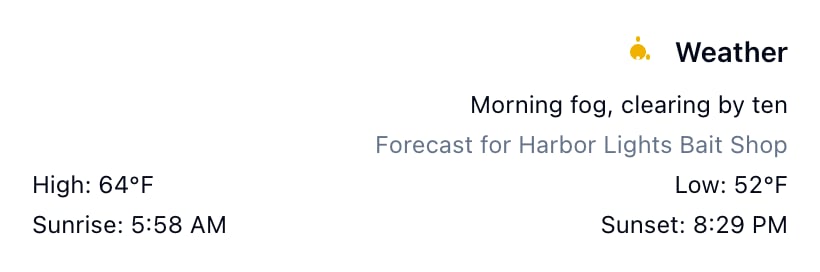
- It’s for the first set location, or the basecamp or production office when the day has none. The panel says which.
- Forecasts reach about 16 days out. Further ahead, the panel says to check back closer to the date.
- The forecast is kept, and fetched again when the day’s date or that location’s address changes.
- Click Refresh Weather for the latest. Resync Call Sheet refreshes it too.