Managing scene notes
Every scene gets its own board for the notes that go with it: where the rain towers stand, who’s booking the safety boat, the tide chart for the shoot night. What you write prints on the scene’s breakdown sheet, so it goes to set with the rest of the breakdown. In the project nav, click Breakdown, then Elements. Click Scene Notes.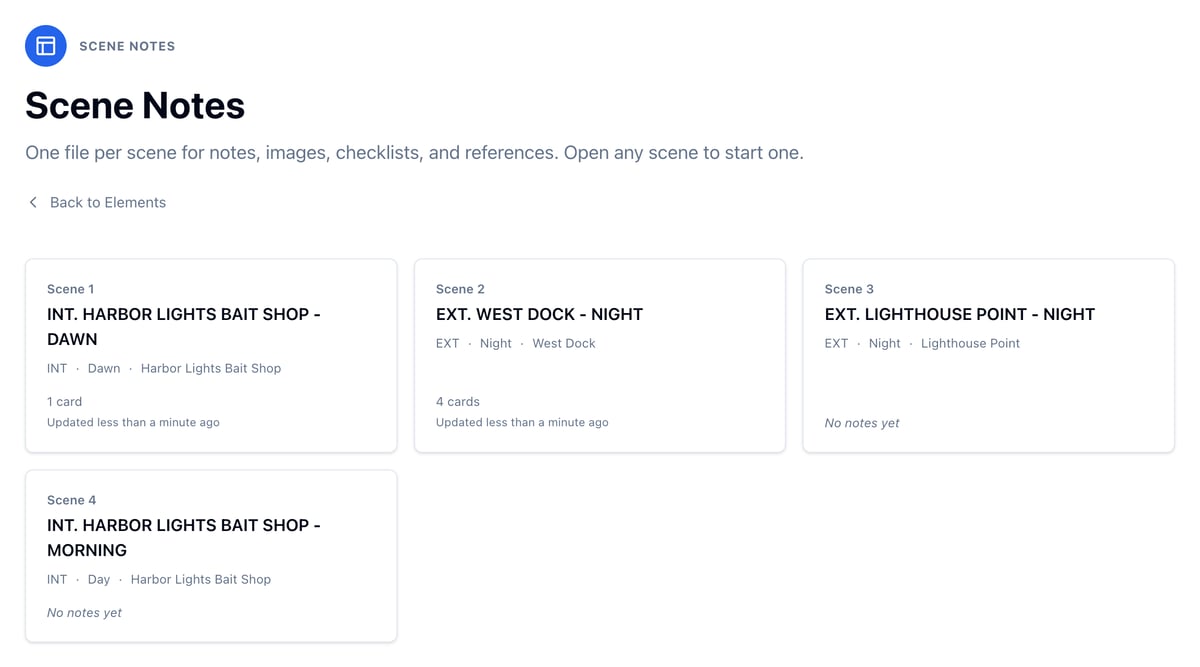
Open a scene’s notes
- From Scene Notes, click the scene.
- From a scene’s breakdown page, click Open scene notes at the top of the sidebar.
Write production notes
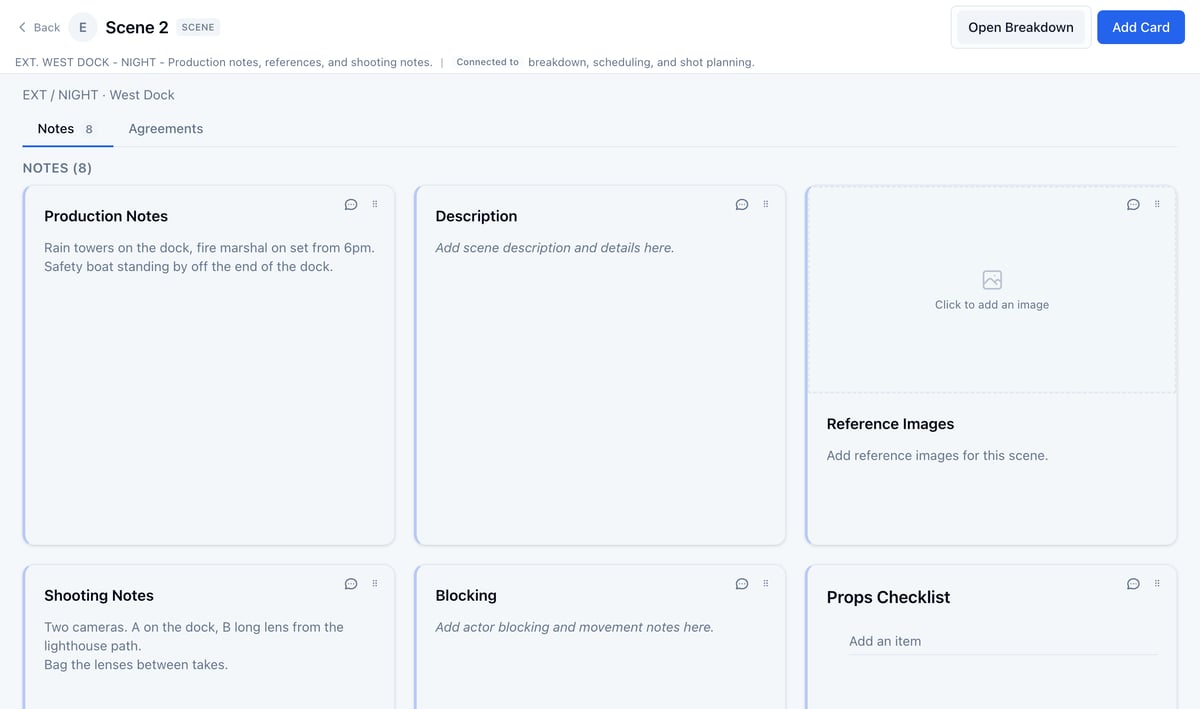
The scene’s breakdown page has a Production notes box under the script, so you can write while you break the scene down.- Open Breakdown and click the arrow in a scene’s Breakdown column.
- Click in the Production notes box and type.
- Click Save Notes.
Write in a card
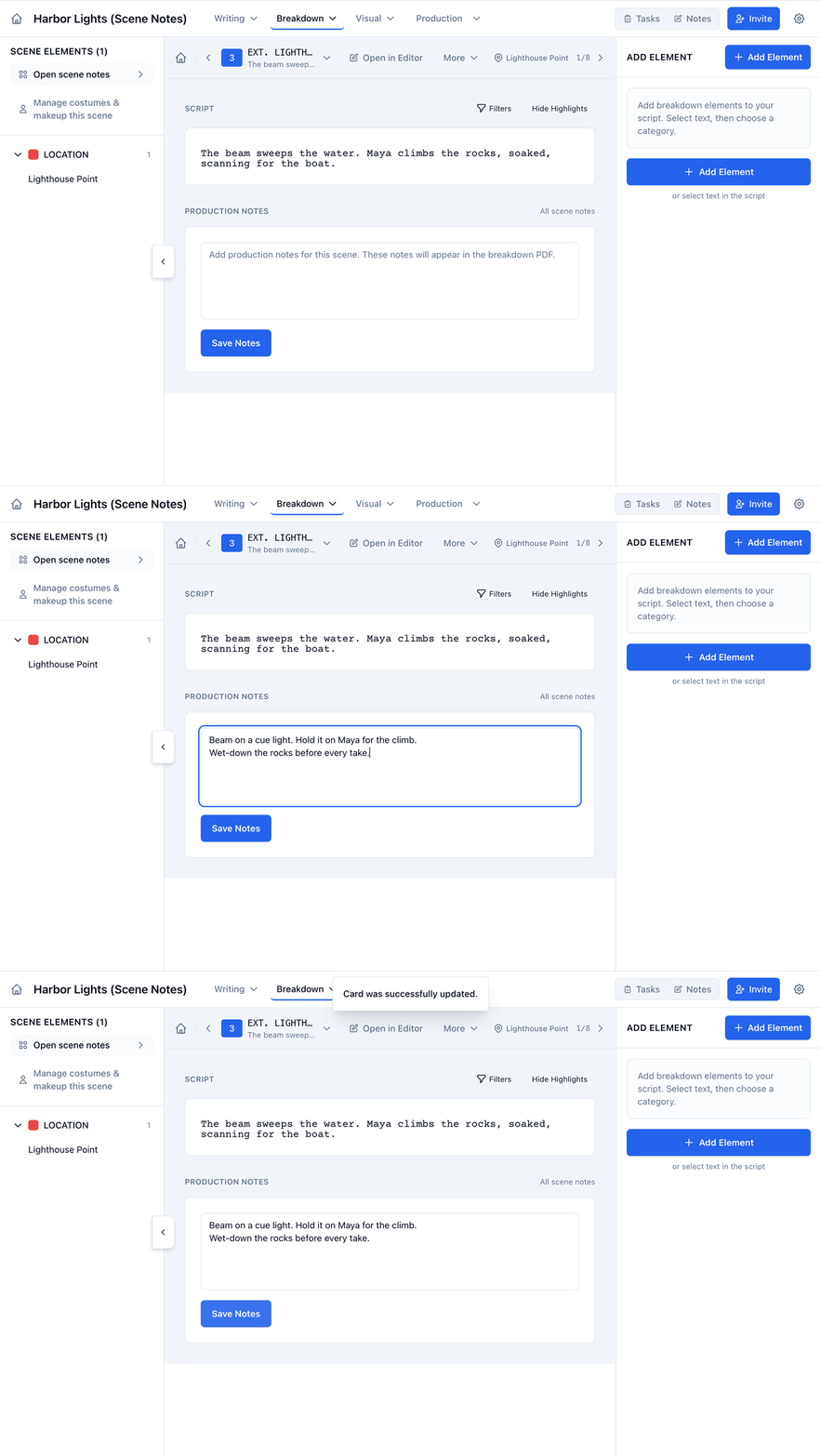
- On the board, click the card, like Blocking.
- Type your note.
- Click Save.
Keep a checklist
To add to a checklist, click Add an item at the bottom of it, type, and press Enter. The cursor stays in place for the next item.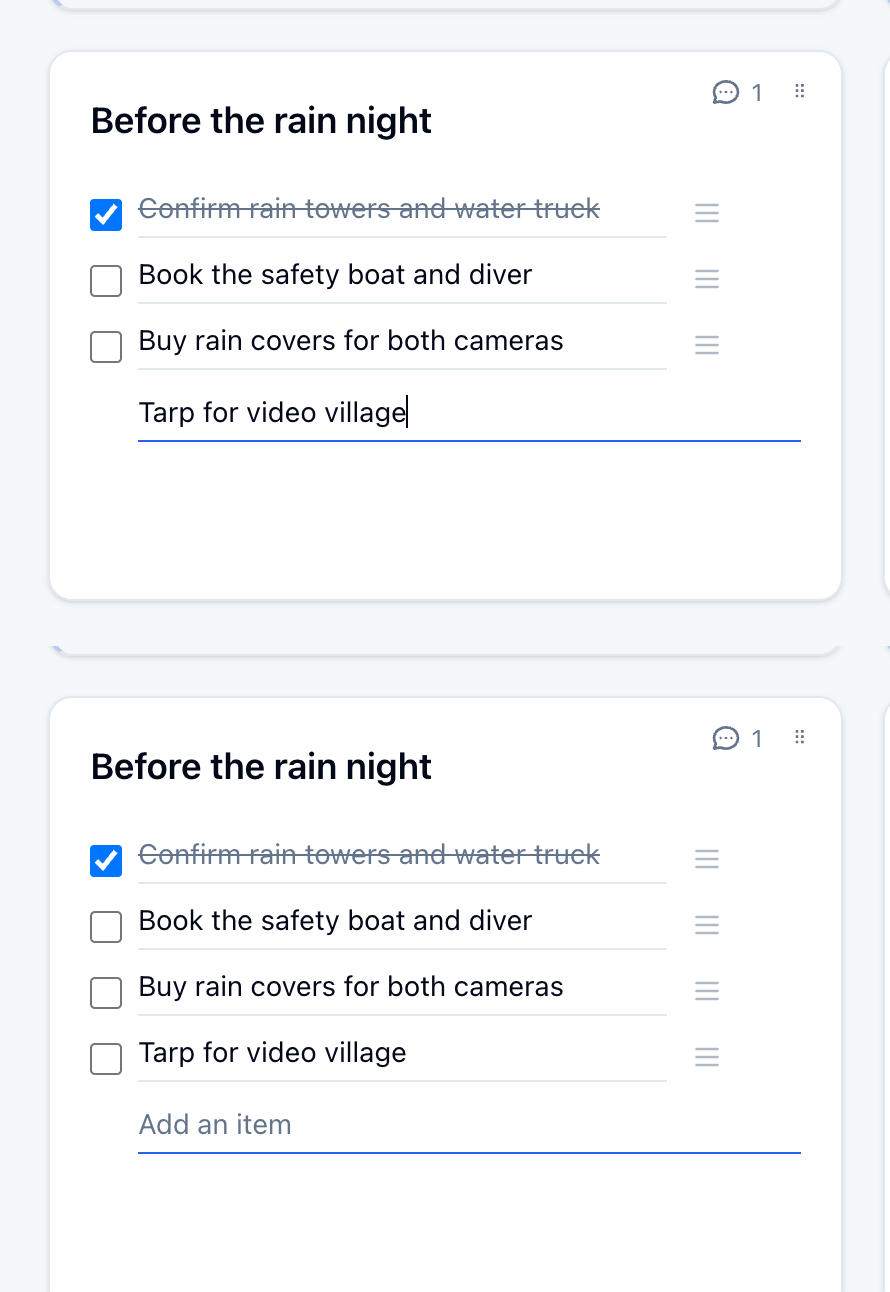
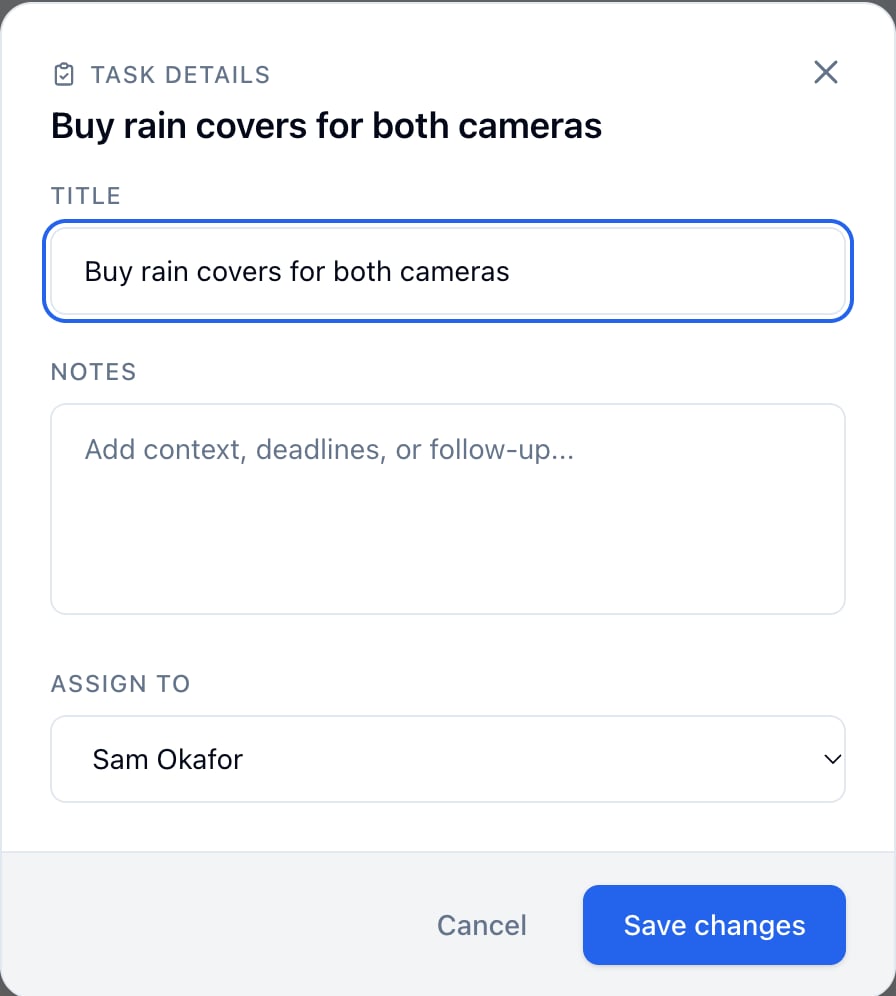
- Click the lines icon at the right of the item (Notes & assign).
- Under Assign to, pick a teammate. Add Notes if they need more to go on.
- Click Save changes.
Add a card
- Click Add Card.
- Pick a type, then click Continue:
- Note for anything written.
- Link for a tide chart, a location listing, or a reference video.
- Image for reference photos or a storyboard frame.
- Todo for a checklist.
- Contact for someone tied to this scene, like the harbor master.
- Moodboard for a set of images laid out together.
- Fill it in and click Create Card.
Talk it over on a card
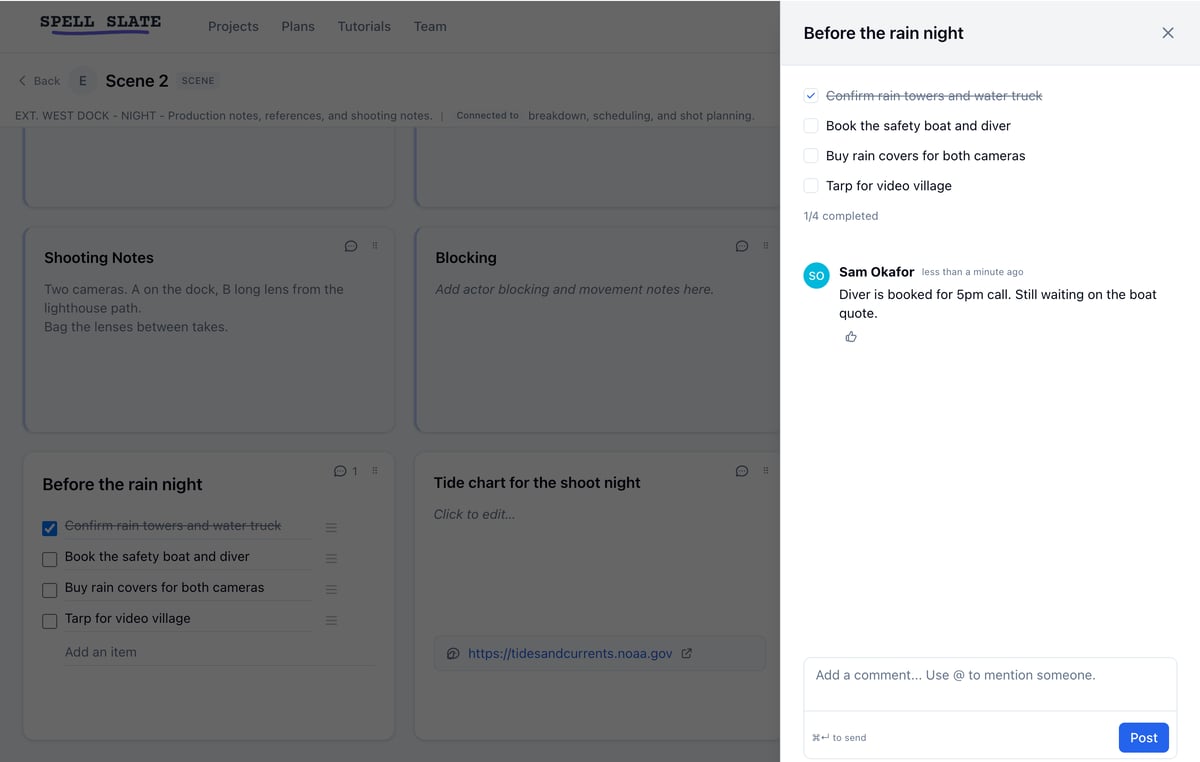
- Click the speech bubble on a card.
- Type a comment. Type @ and a name to tag a teammate. They get notified.
- Click Post.
Print scene notes on the breakdown sheet
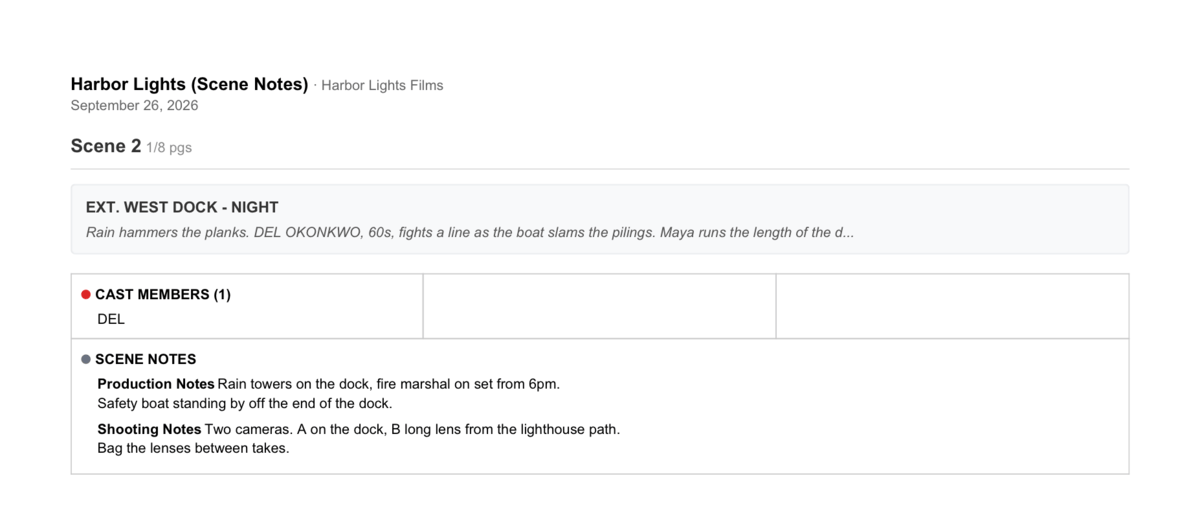
Note cards with something written in them print under SCENE NOTES on the scene’s breakdown sheet, each under its card’s title. Cards still showing a prompt don’t print.- For one scene, open its breakdown page, click More, then Breakdown Sheet.
- For every scene, open Breakdown, then Reports, and click Summary Report (PDF).
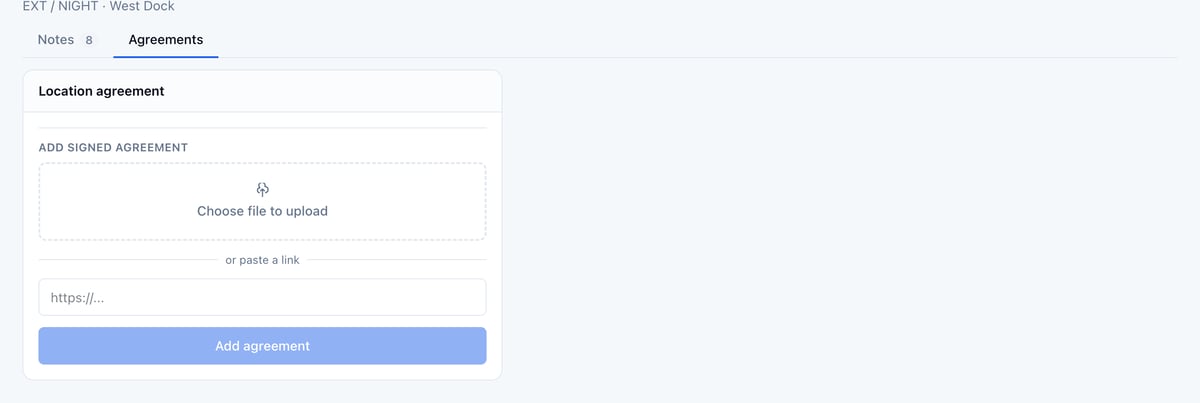
Keep the location agreement
The Agreements tab holds the signed agreement for the scene’s location, the same one on the location’s board. Click Choose file to upload or paste a link, then click Add agreement. See Managing locations.