

The official schedule and the Boneyard
Who can do this: Free plan on your first project, Supporter on all projects. Setting the official schedule needs the Approve schedule permission; archiving, restoring, and deleting need Edit schedule.You’ll try the shoot a few ways before you commit: a rain cover, a version with the lighthouse nights first. Mark the one you’re shooting as official, and put the old versions in the Boneyard where they’re out of the way but not gone. In the project nav, click Production, then Schedule.
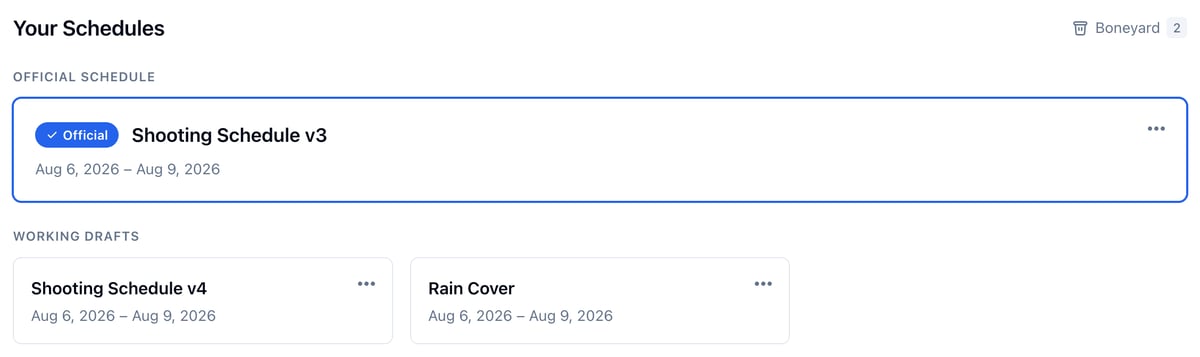
What the official schedule is for
One schedule per project can be official. The rest are working drafts. Spell Slate uses the official schedule for:- Call sheets: Production, then Call Sheets, opens the official schedule’s call sheets.
- Confirm dates requests: actors are asked about their days on the official schedule.
- The budget: cast work days and hold days come from its Day Out of Days.
- Reports, shot lists, and day sides: they open on the official schedule’s days.
Make a schedule official
- Open the schedule.
- Click Set as official and confirm.

Go back to a working draft
Open the official schedule and click Make working draft. The project has no official schedule until you set one.Try another version
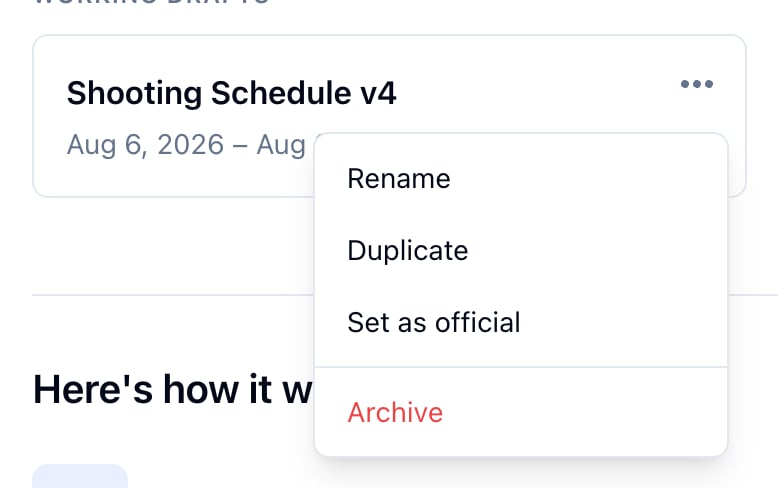
- Click the three dots on a schedule’s card.
- Click Duplicate.
Archive a schedule
Click the three dots on the schedule’s card, then Archive, and confirm. It moves to the Boneyard.- You can’t archive a project’s only schedule.
- Archiving the official schedule leaves the project with no official schedule.
Restore or delete a schedule
Click Boneyard on the schedules page (or at the top of the schedule sidebar).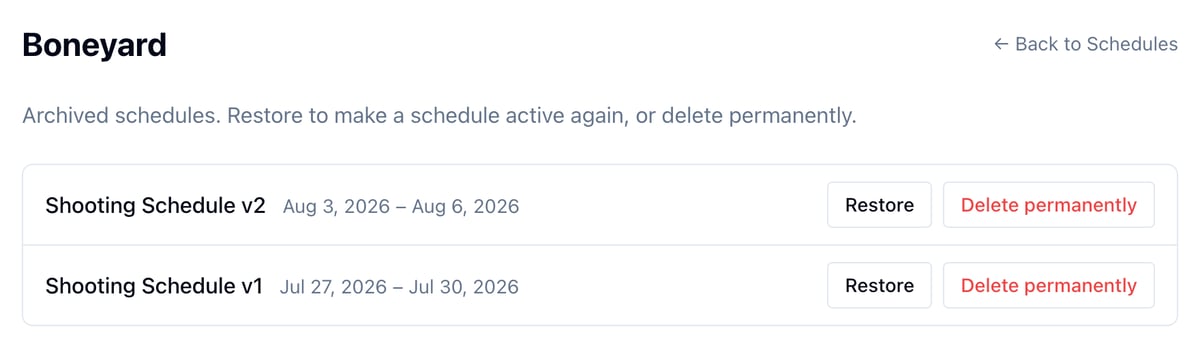
- Restore brings the schedule back as a working draft.
- Delete permanently removes it, with its call sheets and Day Bibles. It can’t be undone.