

Writing stats and word goals
The script editor tracks your writing progress at the bottom of the screen. You can see how many words you have written today, set a daily word goal, and watch your writing and thinking time build up as you work.The status bar
While editing, a bar at the bottom of the editor shows: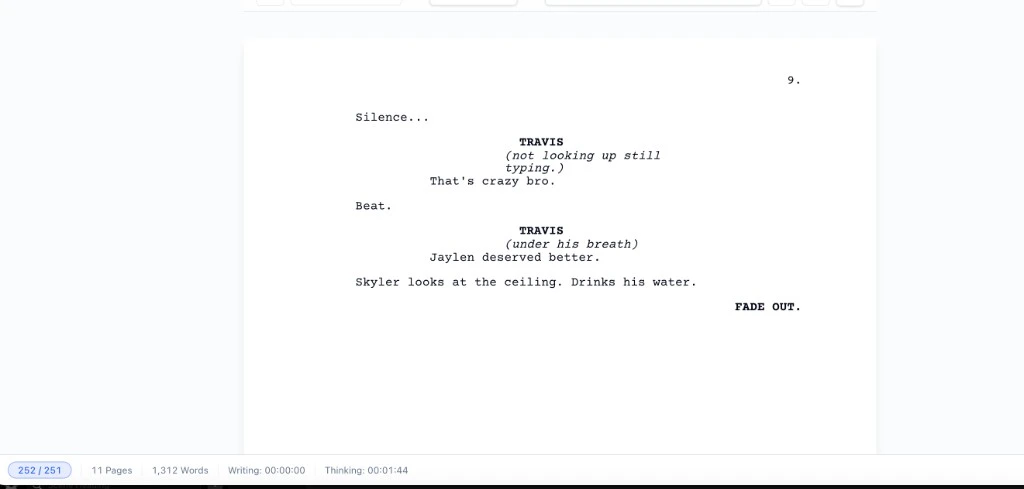
- Today’s words / goal: how many words you have written today compared to your goal. The badge fills as you progress and turns green when you hit the target.
- Page count: the number of pages in the current script.
- Total words: total word count for the entire script.
- Writing timer: time spent actively typing (resets to zero if you stop typing for more than three seconds).
- Thinking timer: time spent in the editor without typing, such as reading, planning, or pausing. Both timers pause when you switch to another tab or minimize the window.
Setting a daily word goal
Click the today’s words badge in the status bar to open the Goals panel.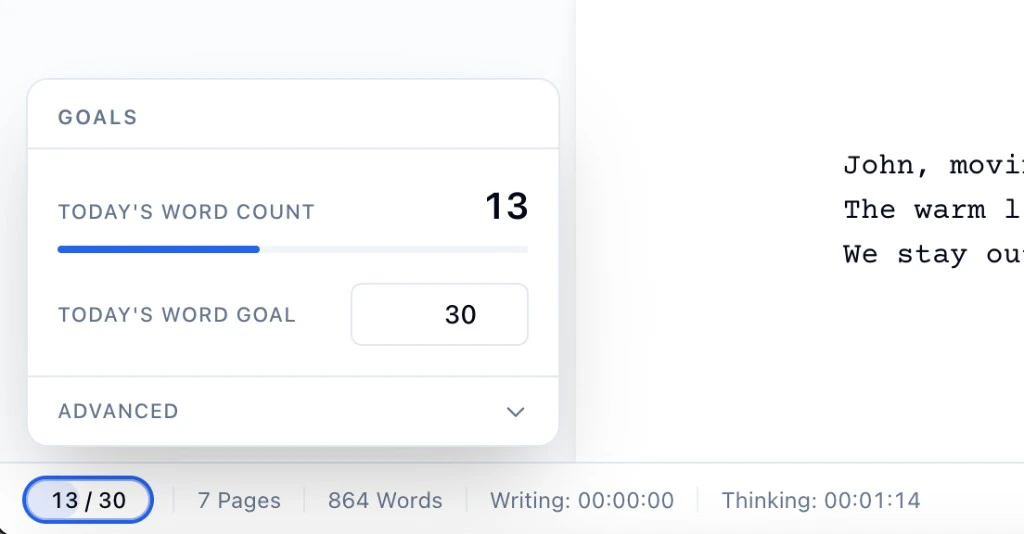
- Enter a number in the Daily word goal field and press Enter to save it. Your goal is stored per script, so different scripts can have different targets.
- The progress bar shows how close you are to the goal for today.
- This session shows words written since you opened the editor.
- Earlier today shows words written in earlier sessions today.
- Total in script shows the full word count across all pages.
Hitting your goal
When today’s word count reaches your goal, Spell Slate fires a small confetti celebration. It only fires the first time you cross the threshold in a given session, not every time you type past it. If you had already met your goal in an earlier session today, it will not fire again when you reopen the editor.How today’s count works
The today count tracks words added during the current calendar day (based on your local time). It combines:- Words you wrote in any earlier session today (loaded from the server when you open the editor).
- Words you have added since opening the editor this session.
Writing stats on the home page
You can also add a Writing Stats widget to your signed-in home page dashboard.- Go to the home page and click Customize.
- In Widget visibility, check Writing stats.
- Close the panel.
- Words written
- Writing hours
- Days written
- Average words per day