

Managing cast
Who can do this: Free plan on your first project, Supporter on all projects. Changing talent on a call sheet needs the Edit call sheets permission.Your actors read one line of the call sheet: their own. Put the right people on it, with the times they need, and Spell Slate sends each of them theirs. Open a day’s call sheet and scroll to Talent.
Where talent comes from
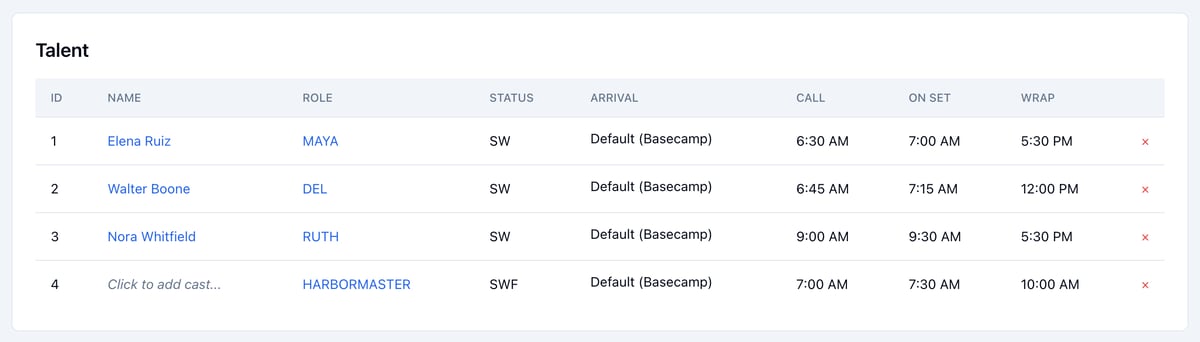
Talent lists the characters in the scenes scheduled that day. After you change the stripboard, click Resync Call Sheet to bring the list back in line with the day. If someone on the sheet has no scenes that day, a note above Talent names them. See Call sheets.Cast IDs
The ID column is each character’s Cast ID, the same number the breakdown and stripboard show, and talent is listed in Cast ID order. To change a Cast ID, see Managing characters.Add an actor
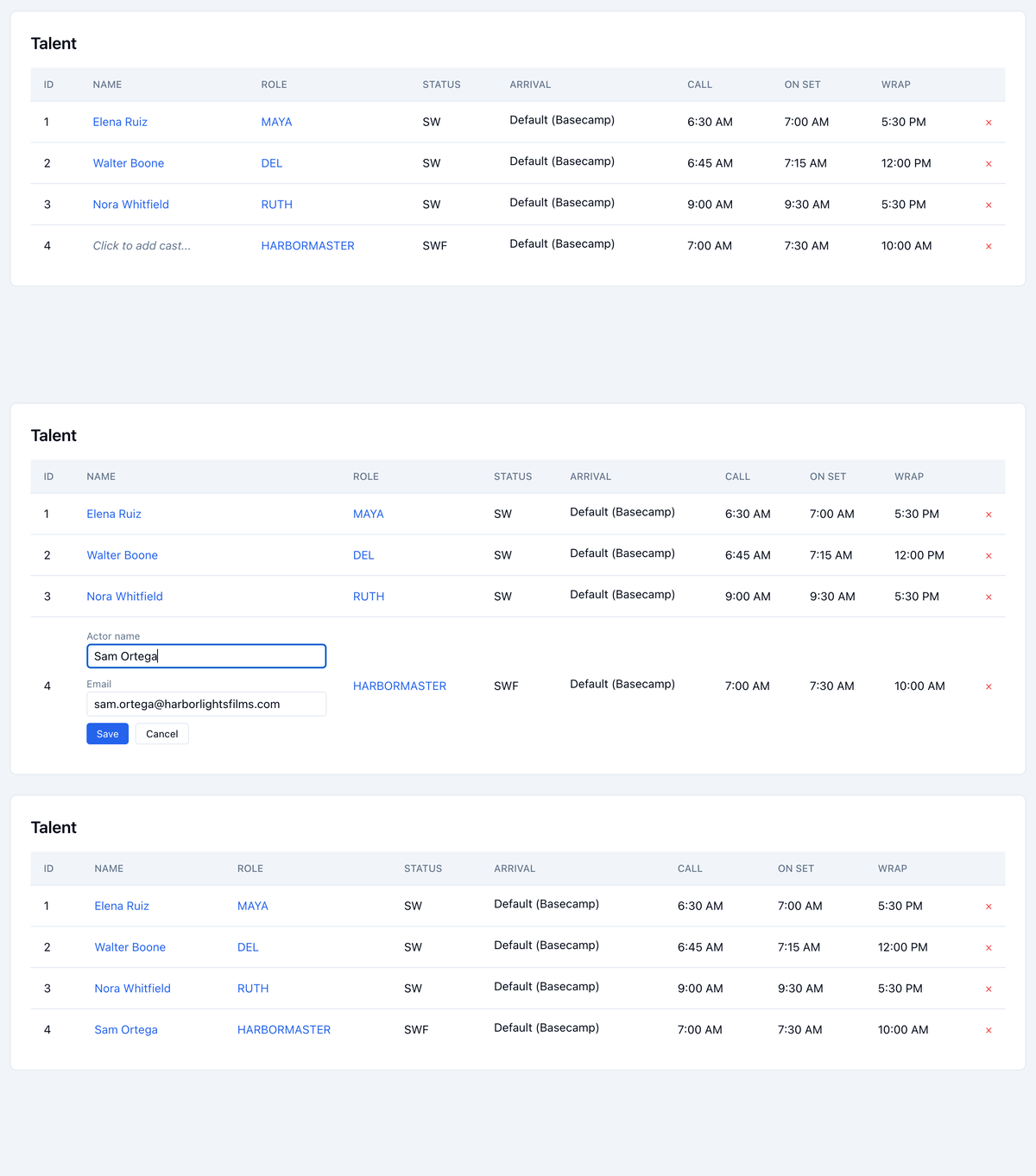
- Click Click to add cast… next to the character.
- Type the Actor name and Email.
- Click Save.
Status
Status is the character’s Day Out of Days code for the day:- SW: their first day
- W: a day in between
- WF: their last day
- SWF: their only day