Fringe and export
Who can do this: Free plan on your first project, Supporter on all projects. Creating fringe types, assigning them, and changing budget settings needs the organization owner, an admin, or a member with Manage crew contacts. Anyone with View budget can download every export.Fringe is the money on top of wages: payroll tax, workers’ comp, pension and health. Define each one once, attach it to the lines it applies to, and the budget carries it through the totals, the topsheet, and the fringe report. Where to find it: open Production and click Budget. Fringe types live under Manage, exports under Export & reports.
Create a fringe type
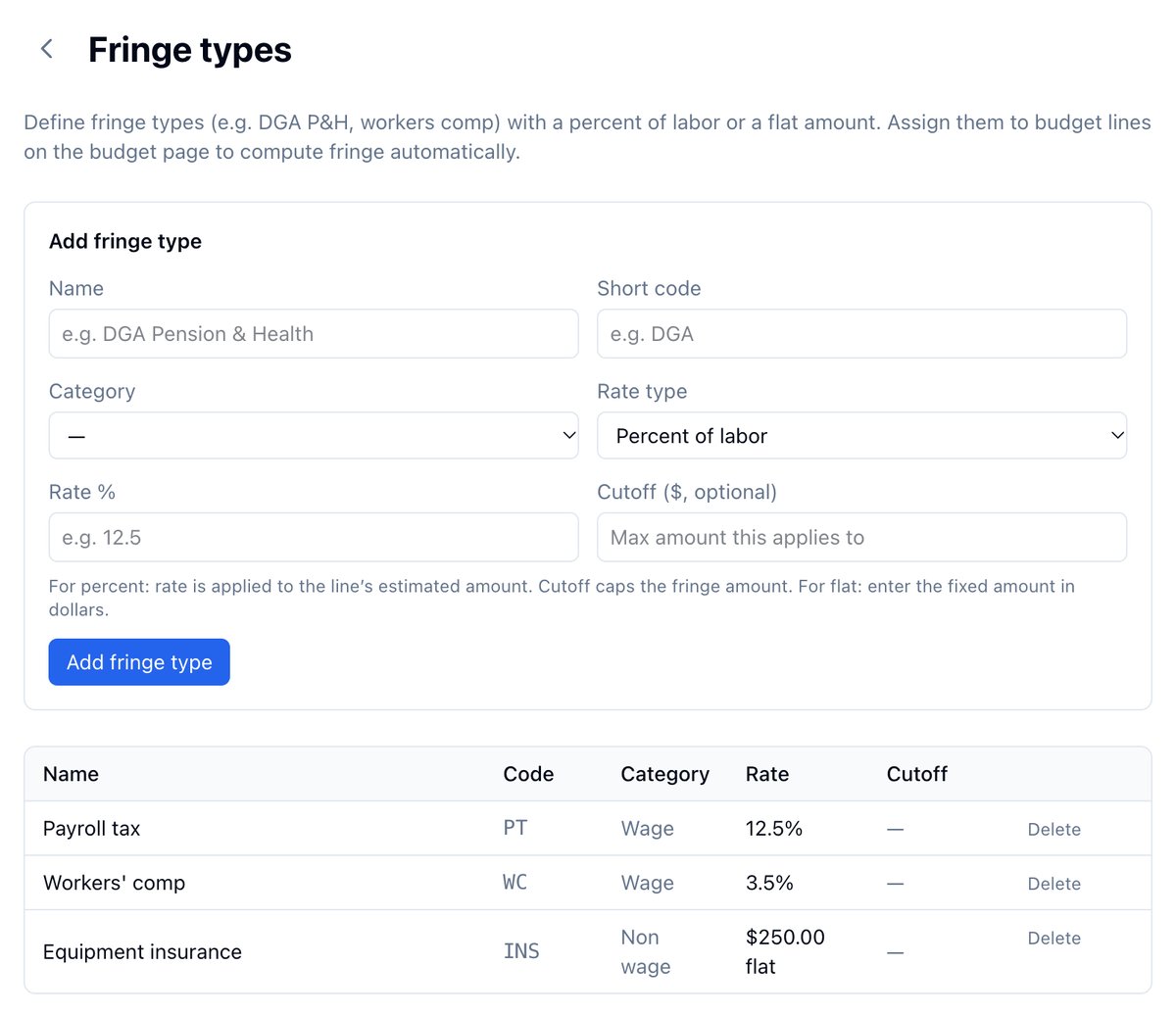
- Click Manage, then Fringe types.
- Fill in Name and Short code.
- Pick a Category: Wage for payroll-related fringe, Non wage for the rest. The fringe report groups by this.
- Pick a Rate type: Percent of labor or Flat amount, then the Rate. Add a Cutoff to cap what a percentage can reach on one line.
- Click Add fringe type.
Assign fringe to a line
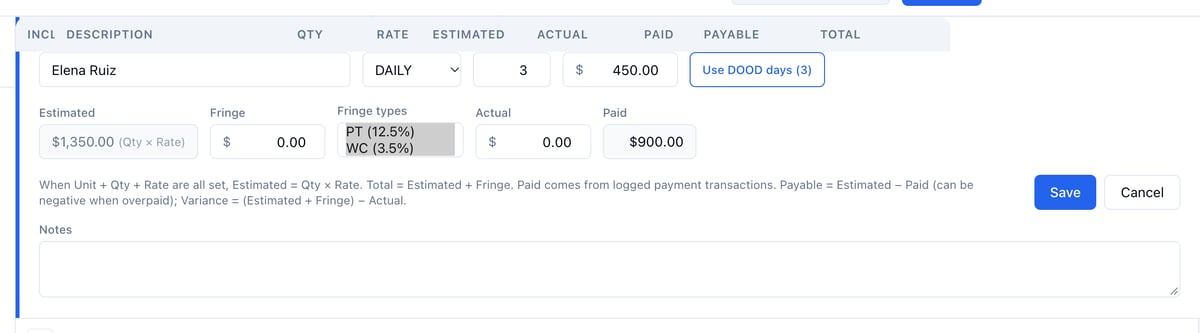
- Click the pencil on the line.
- Under Fringe types, select each type that applies. Hold Cmd on a Mac or Ctrl on Windows to select more than one.
- Click Save.
Example: payroll fringe on the cast
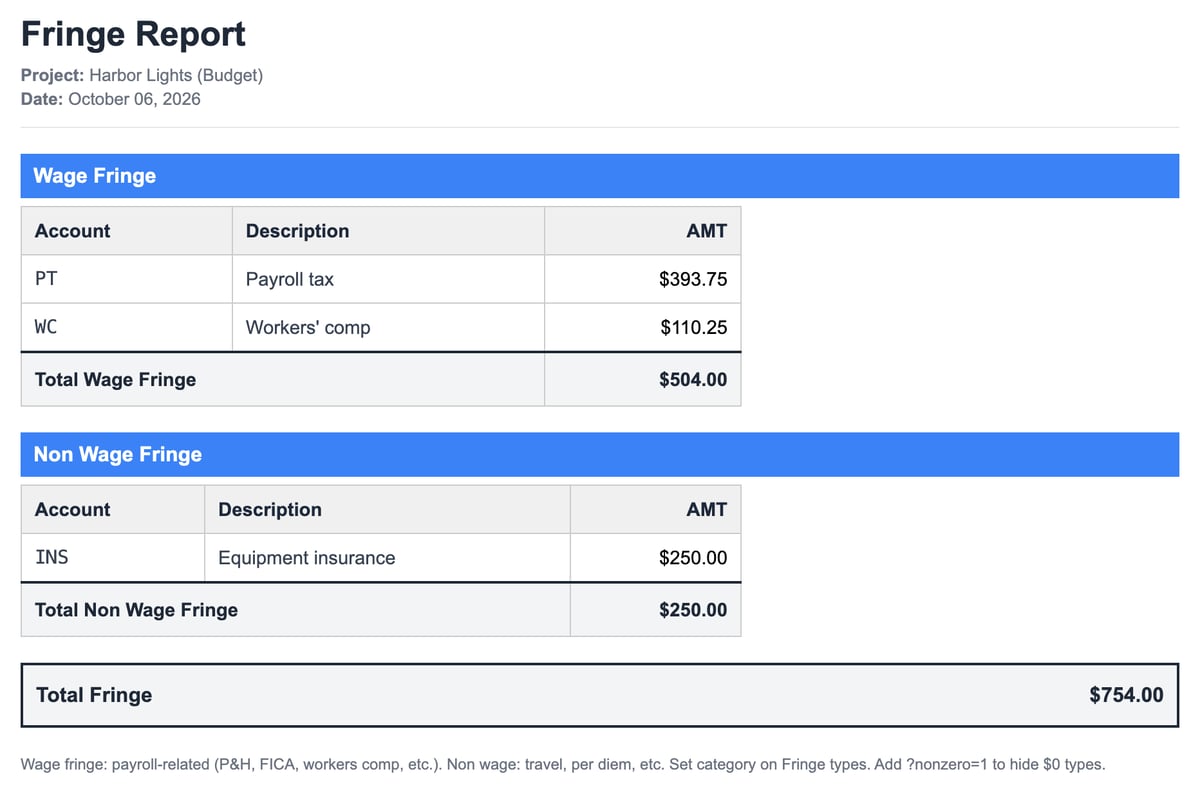
Payroll tax is 12.5% and workers’ comp 3.5%, both wage fringe. Assign both to Elena, Walter, and Nora. Elena’s $1,350.00 line now shows $216.00 of fringe and a total of $1,566.00, and the fringe report lists $504.00 of wage fringe across the three of them.Fill in the topsheet header
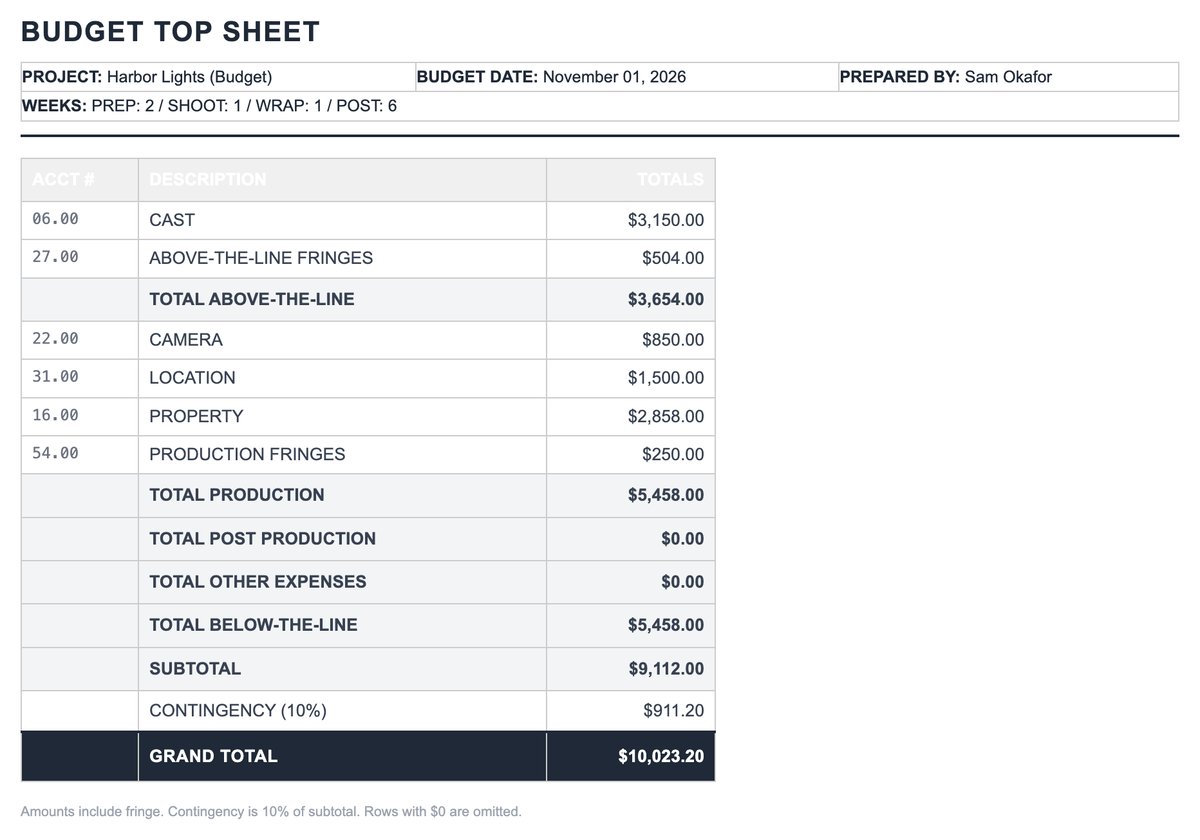
Click Budget settings at the top of the budget to set what prints on the topsheet and the exports: Prepared by, Budget date, the Prep, Shoot, Wrap, and Post weeks, and any union agreements. Click Save settings.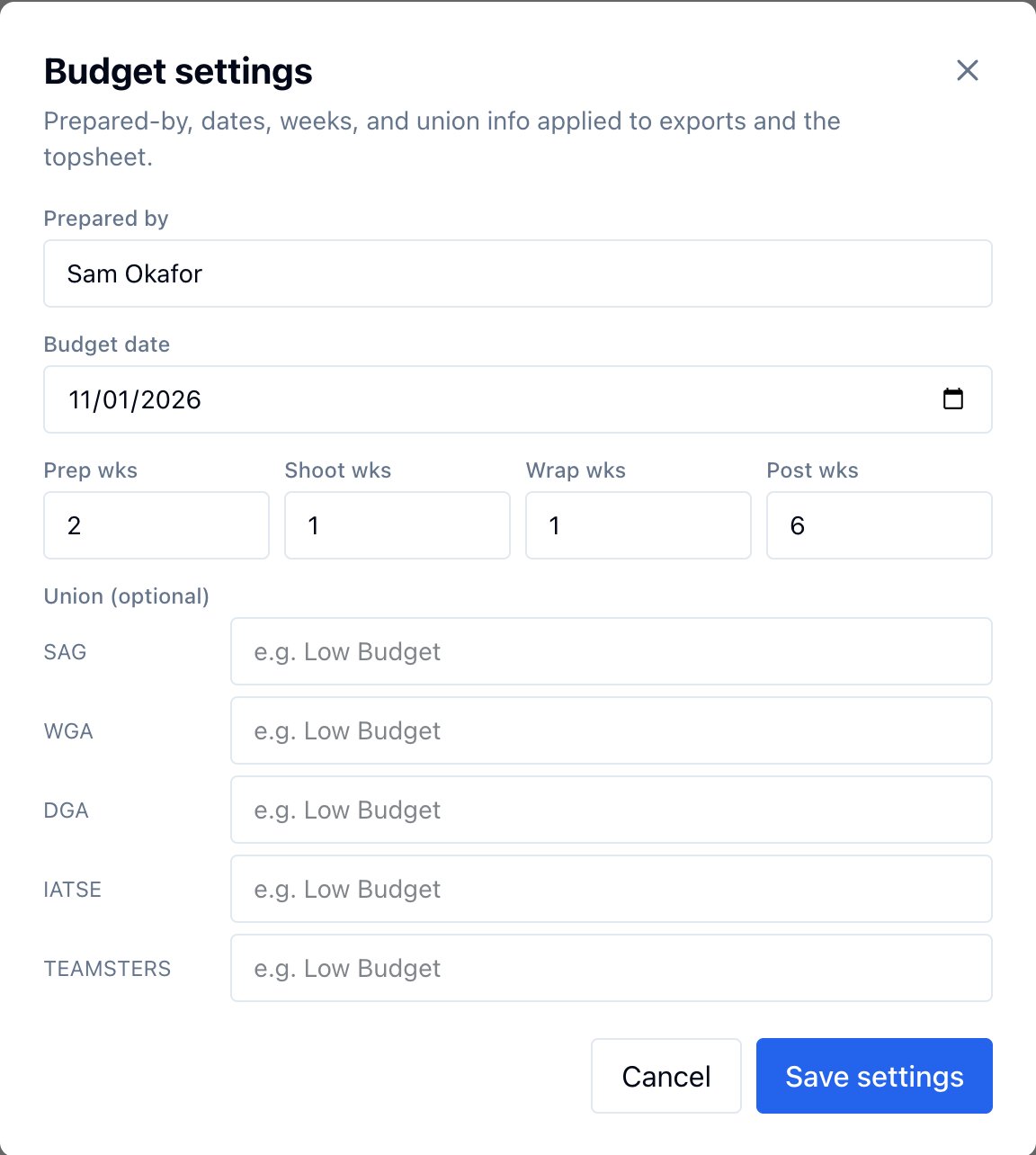
Export the budget
Click Export & reports and pick a format. Every export covers the categories and lines that are checked as included.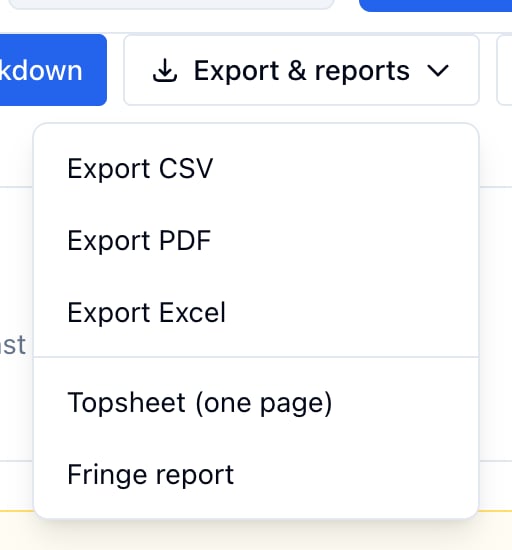
- Export CSV: one row per line with account, category, description, estimated, fringe, actual, paid, payable, variance, and source, plus a subtotal per category and a grand total. Opens in any spreadsheet.
- Export PDF: the same table, formatted for printing.
- Export Excel: a two-sheet workbook, a total page and the full breakdown, laid out like a standard film budget.
- Topsheet (one page): above the line, below the line, fringe, a 10% contingency, and the grand total, with the header from Budget settings.
- Fringe report: wage fringe and non-wage fringe by type, with totals.