View link, opened, and confirmations
Who can do this: Supporter plan. Seeing and fixing sends needs the Edit call sheets permission.You sent the call sheet at 10 p.m. By morning you want to know who has actually seen it. Emails & Confirmations shows who opened it and who confirmed, and lets you fix a bad address without emailing everyone again.
What each person gets
Every email is written for its recipient: their own call time, where to arrive and park, the call sheet PDF, and a calendar invite for the day. Cast also get their sides.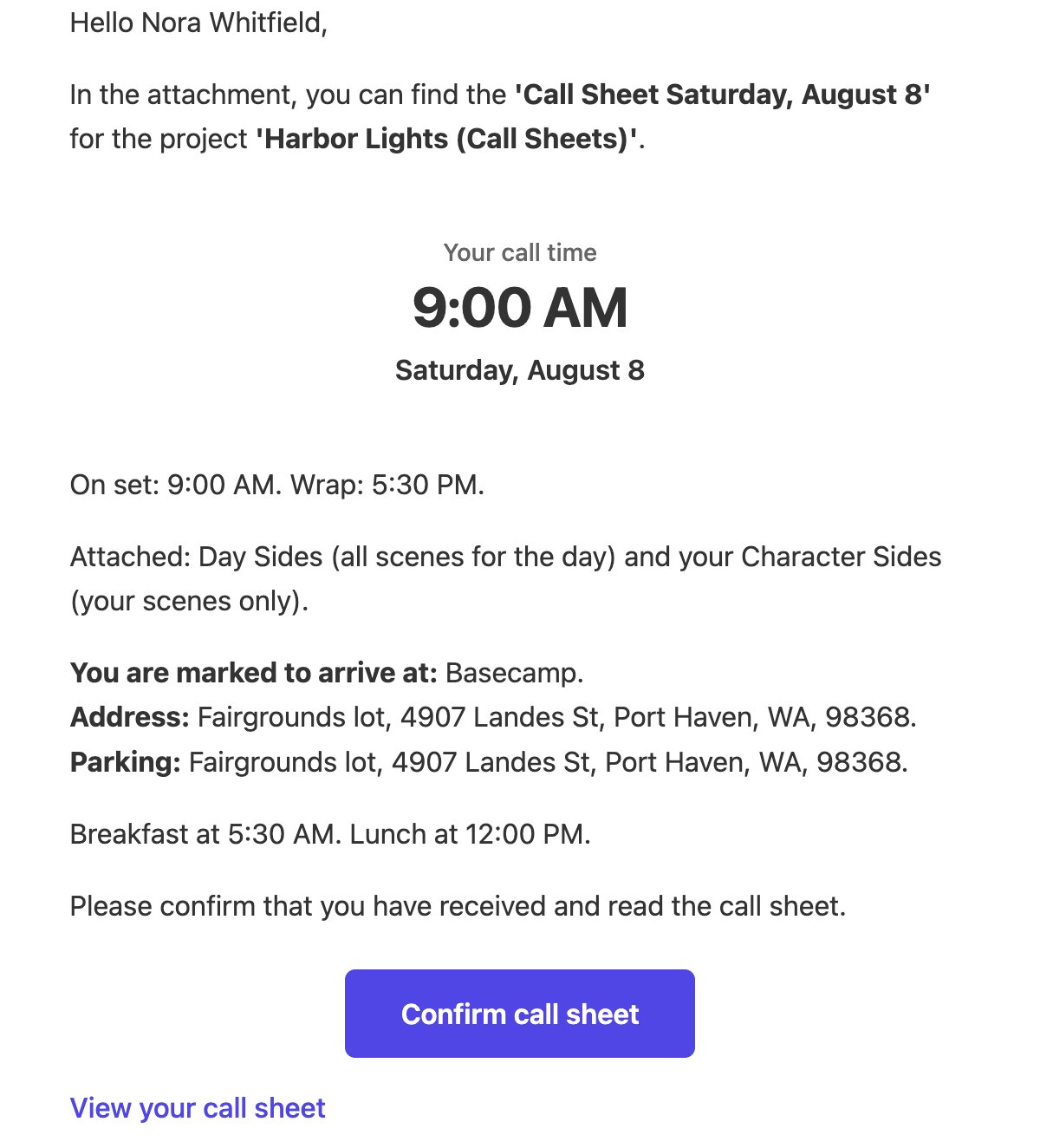
- Confirm call sheet tells you they’ve got it.
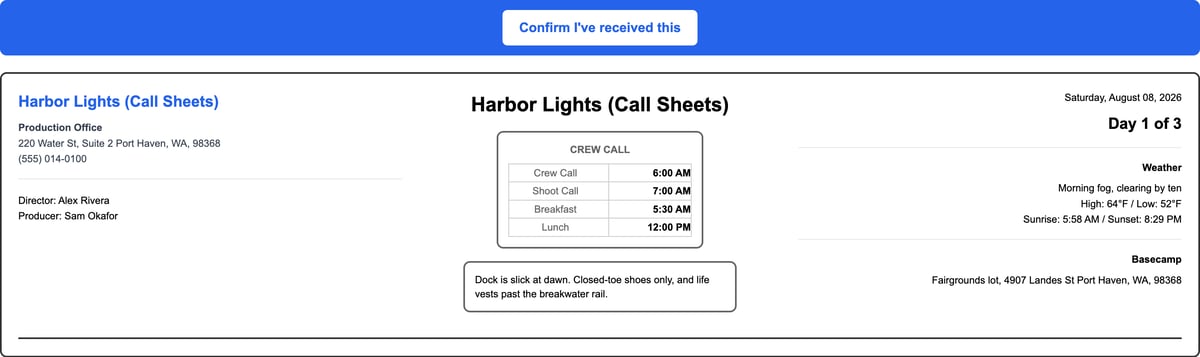
- View your call sheet opens the whole sheet in a browser. The link is theirs alone, so nobody signs in.
See who opened and who confirmed
- Open the call sheet.
- Click the line under Resend Call Sheet that says when it was sent.
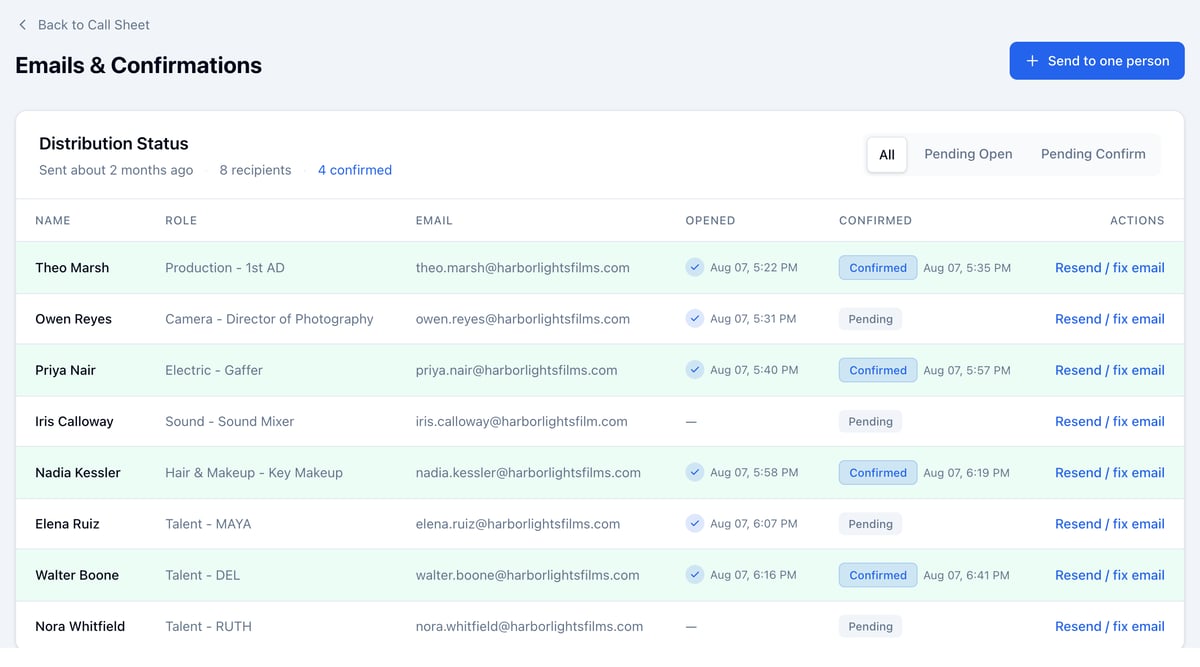
- Opened is when they opened the email or the call sheet. Some mail apps open every email as it arrives, so an Opened time can come before anyone reads it.
- Confirmed is when they clicked a confirm button. It’s the sure sign, and it counts as opened too.
Chase the people who haven’t
Click Pending Open or Pending Confirm to list only them.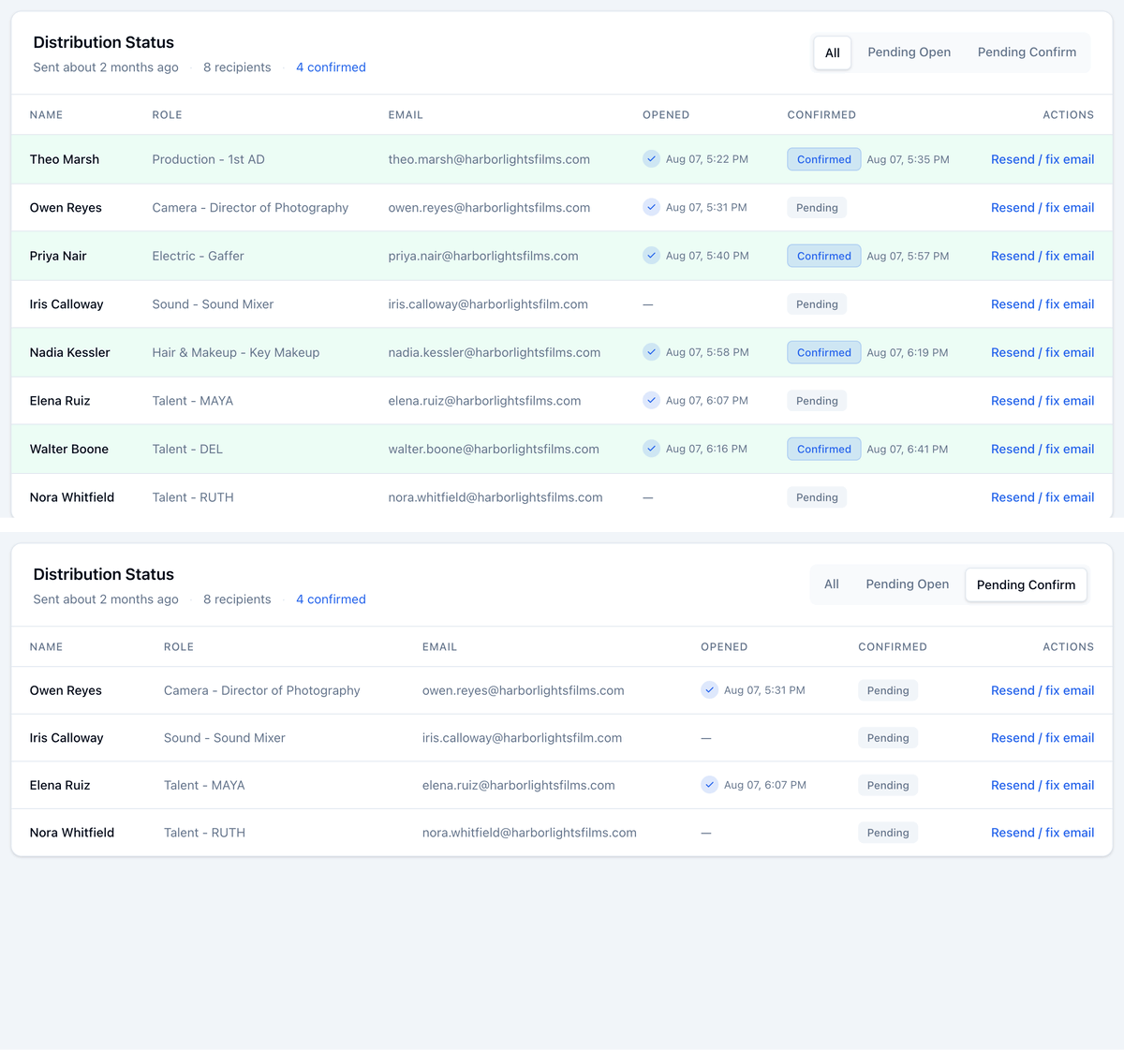
Fix a wrong email
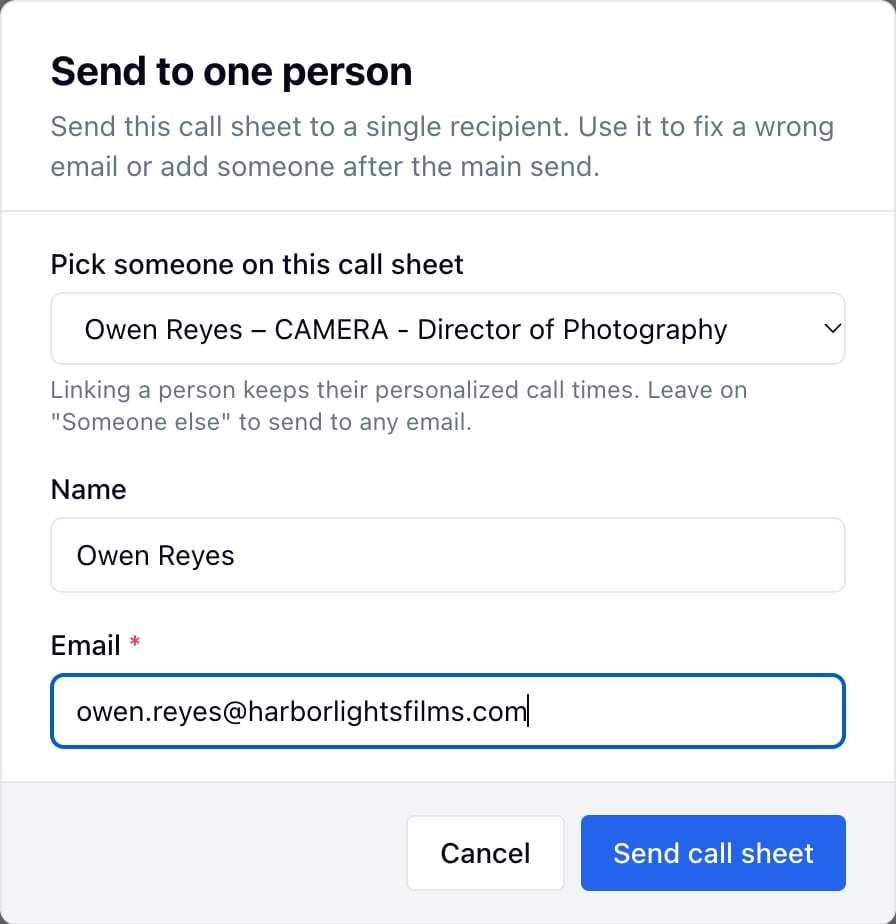
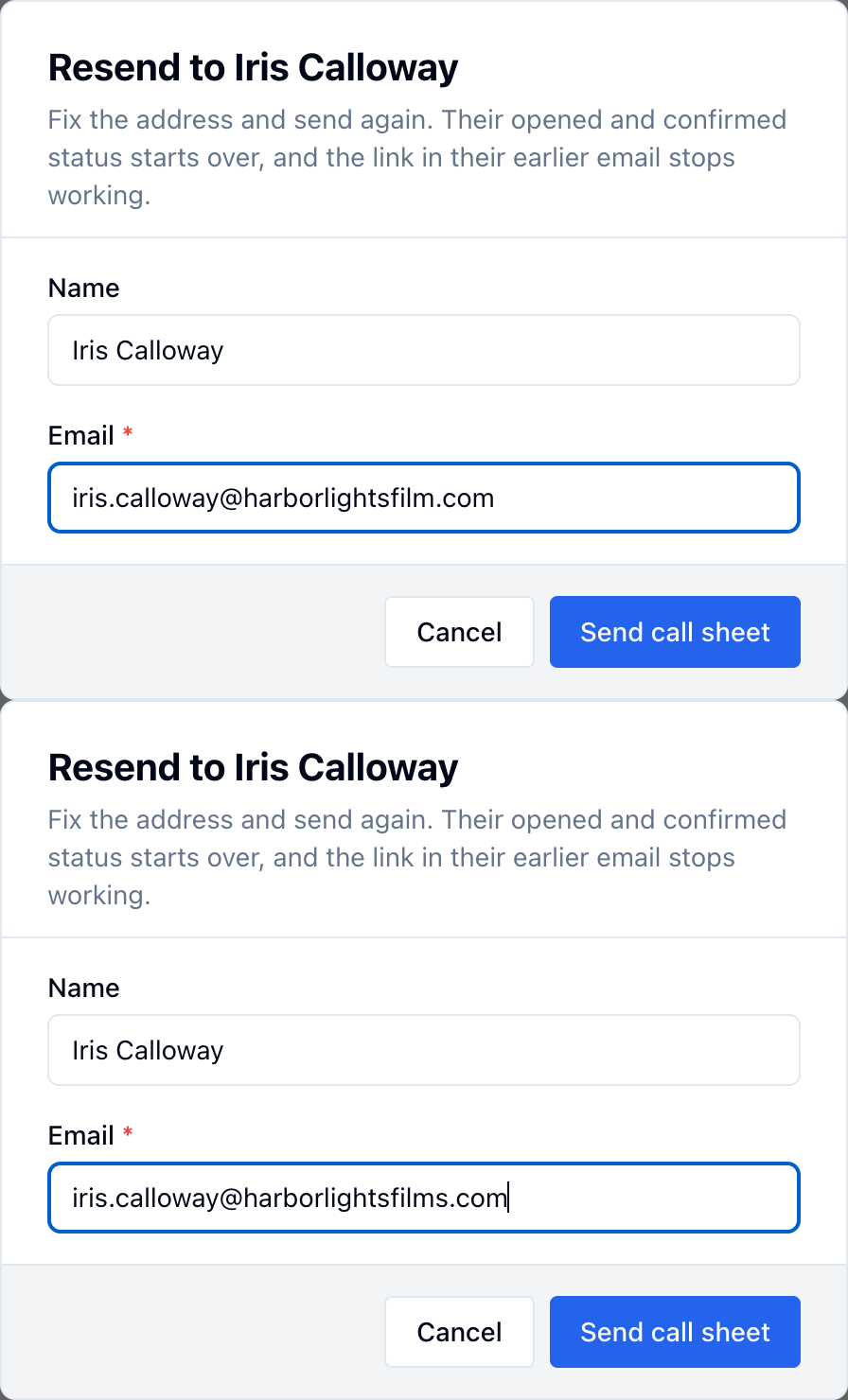
- On their row, click Resend / fix email.
- Correct the Email.
- Click Send call sheet.
Send to one more person
- Click Send to one person.
- Pick someone under Pick someone on this call sheet, or leave Someone else (enter manually) and type a Name and Email.
- Click Send call sheet.