Managing extras
The Extras category in the breakdown is where you track background talent: what each scene needs, how many, and who is booked for each spot. Each extras element has a roster, and the people on it land in your Address Book and on the call sheet.Where to find extras
In the project nav, click Breakdown, then Elements. Under Extras, click Open hub. The list shows each extras element, a link to its board, a link to its scene in the script, and how many scenes it appears in.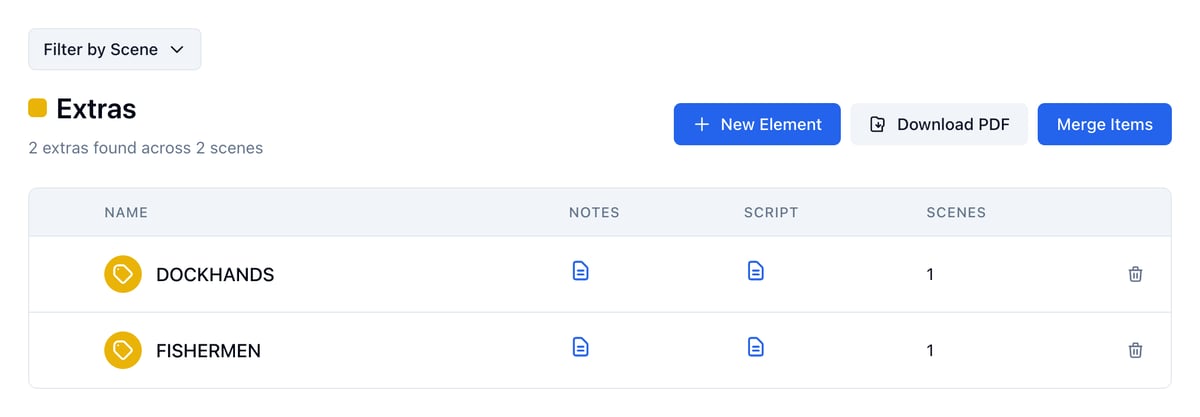
Adding extras to a scene
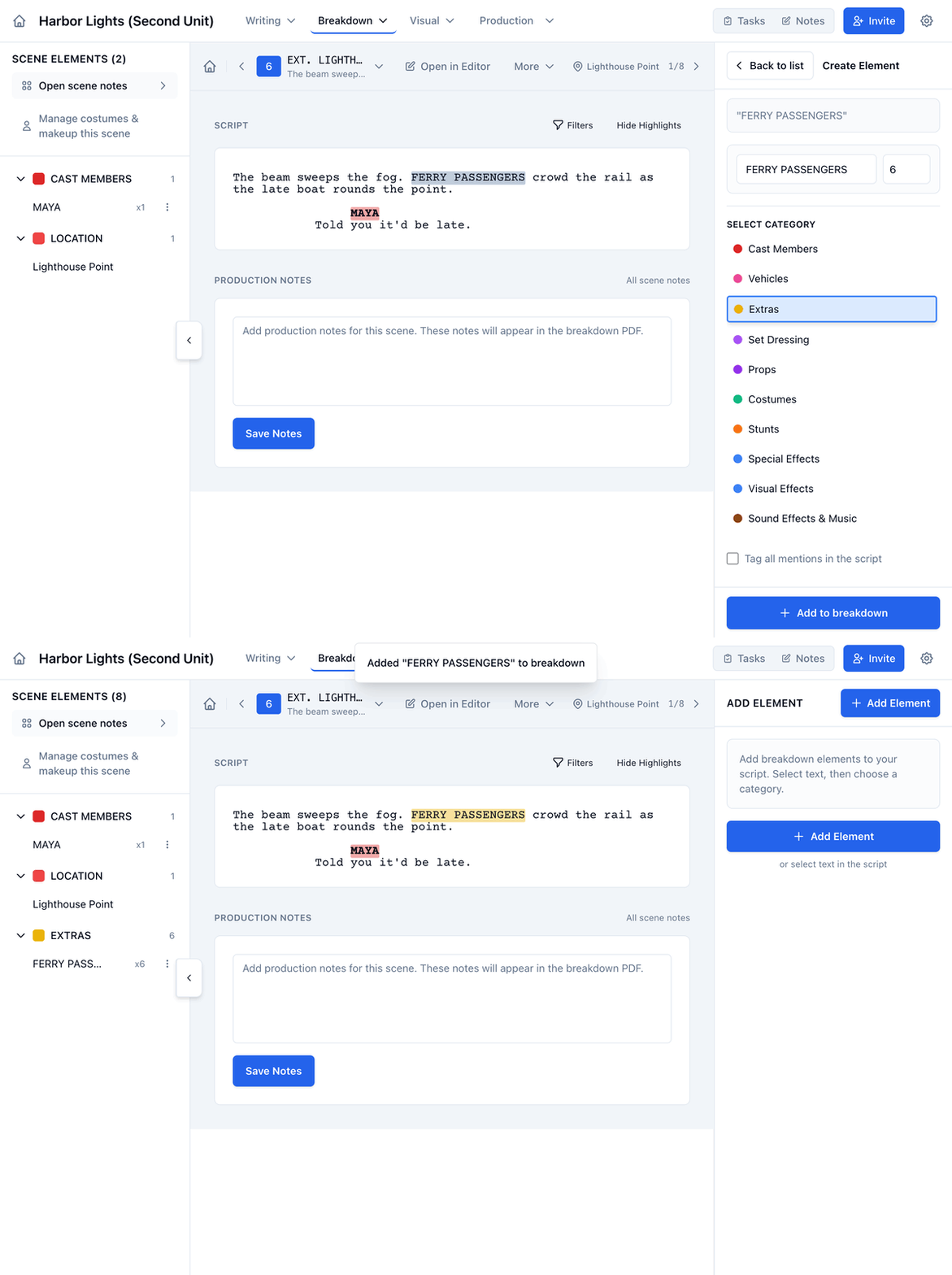
Tag extras straight from the script, the same way as any other breakdown element.- Open Breakdown and click the arrow in a scene’s Breakdown column.
- In the script, select the words that describe the extras, like FERRY PASSENGERS.
- In the panel on the right, set the number you need in the box next to the name.
- Under Select Category, click Extras.
- Click Add to breakdown.
Filling the roster
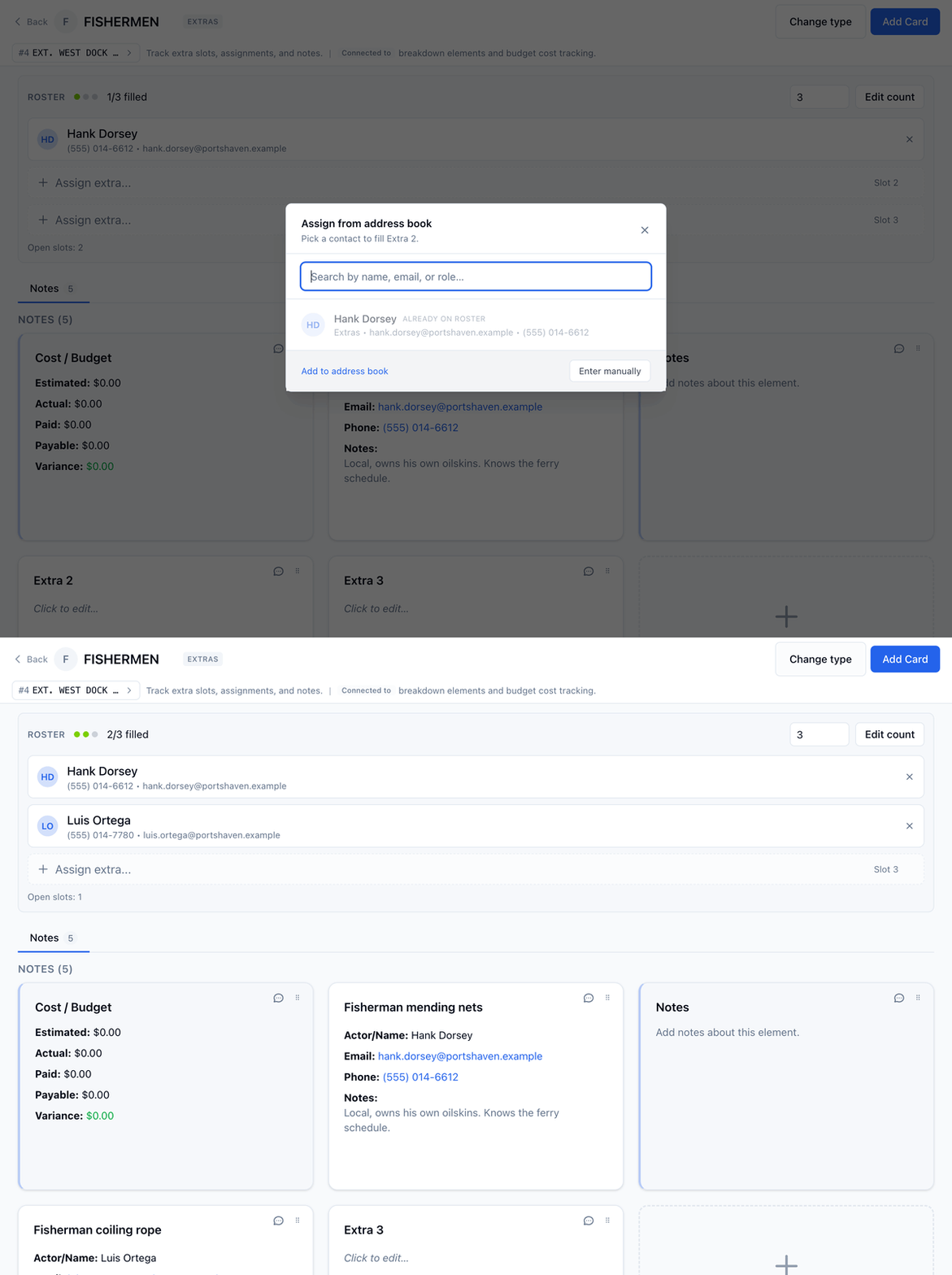
Each extras element has a board with a Roster at the top: one slot for each extra you need. The count comes from the number you tagged. To change it, type a new number next to Edit count and click Edit count.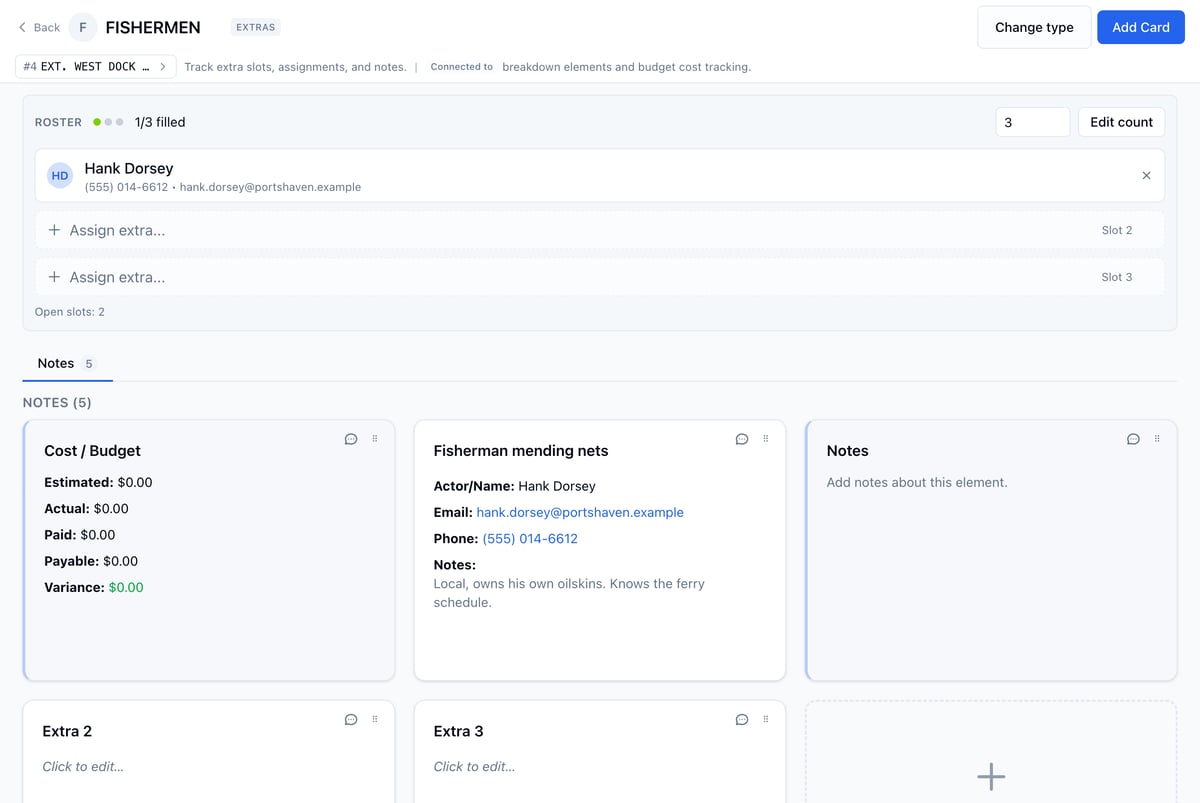
- Open the extras element’s board from the Extras list.
- Click Assign extra… on an open slot.
- Pick someone from your Address Book, or click Enter manually.
- If you entered them manually, fill in a short description (like “Fisherman coiling rope”), their name, email, and phone, then click Save.
Extras and the Address Book
When a slot has a name, email, or phone, that person is added to the project’s Address Book under Extras, so you don’t enter them twice. Later changes on the Extra card update their Address Book record too. Edits made in the Address Book don’t flow back to the card, so change an extra’s details on their card. Empty slots don’t create contacts. To see everyone, open Address Book from the Production menu and click Extras. See Address Book for more.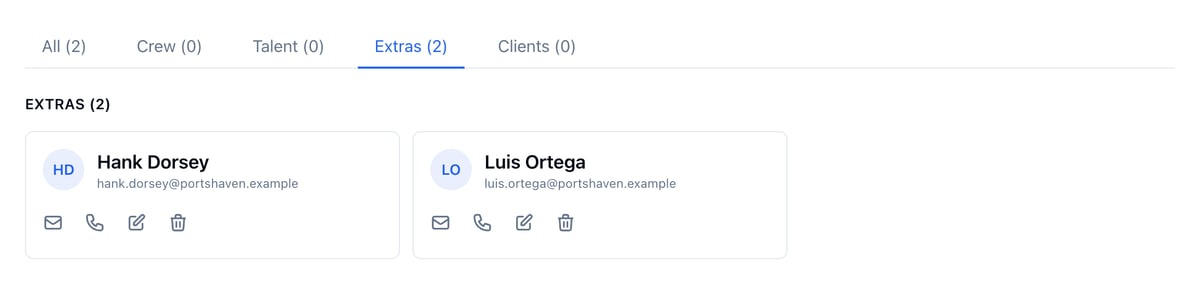
Extras on call sheets
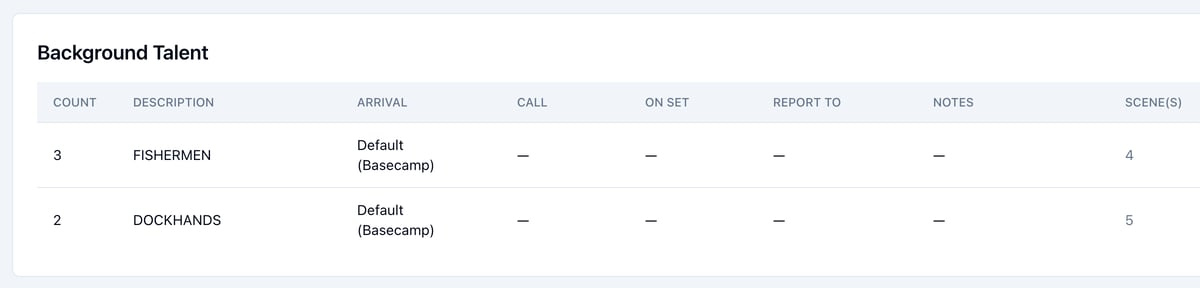
Extras in the scenes you schedule for a day appear in the call sheet’s Background Talent section. Each row shows the count and description, plus Arrival, Call, On Set, Report To, and Notes columns you fill in for the day, the scenes they’re in, and their emails.