Pull from breakdown and categories
Who can do this: Free plan on your first project, Supporter on all projects. Pulling lines and adding categories needs the organization owner, an admin, or a member with Manage crew contacts. Members with View budget can open the budget but not change it.Your breakdown already knows every prop, every speaking part, every location, and every camera. The budget starts from that list instead of a blank spreadsheet, and fills in what the boards and cast records already say. Where to find it: open Production and click Budget.
Pull lines from the breakdown
The first time you open the budget, Spell Slate pulls every tagged element into it. After that, each visit picks up anything new. To pull without leaving the page, click Pull from breakdown at the top.
A department that is not on your budget yet is added when its first element needs it. Pulling again never changes a line that already exists, so your edits stay. If an element is later removed from the breakdown, its line goes too, unless it has payments logged, in which case the line stays and is unlinked.
Example: a second weekend of props
The art department tags six more props after the first budget pass. Open the budget, or click Pull from breakdown, and six new lines appear at the bottom of 38.00 PROPS at $0.00, ready for estimates. The lines you had already priced are untouched.Turn a category on or off
Each category in the sidebar has a checkbox. Clear it to leave that category out of the totals and the exports. The category stays on the page, marked as excluded.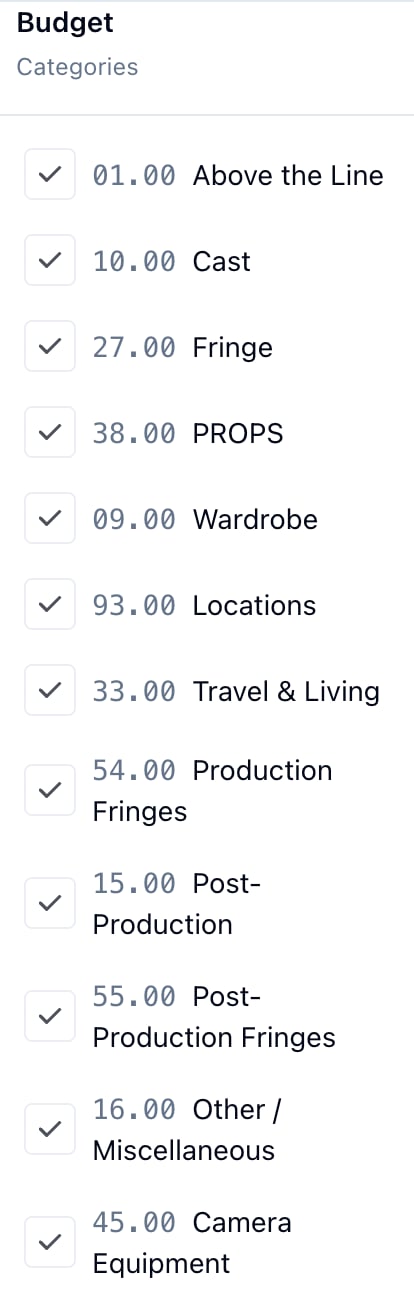
Add a category
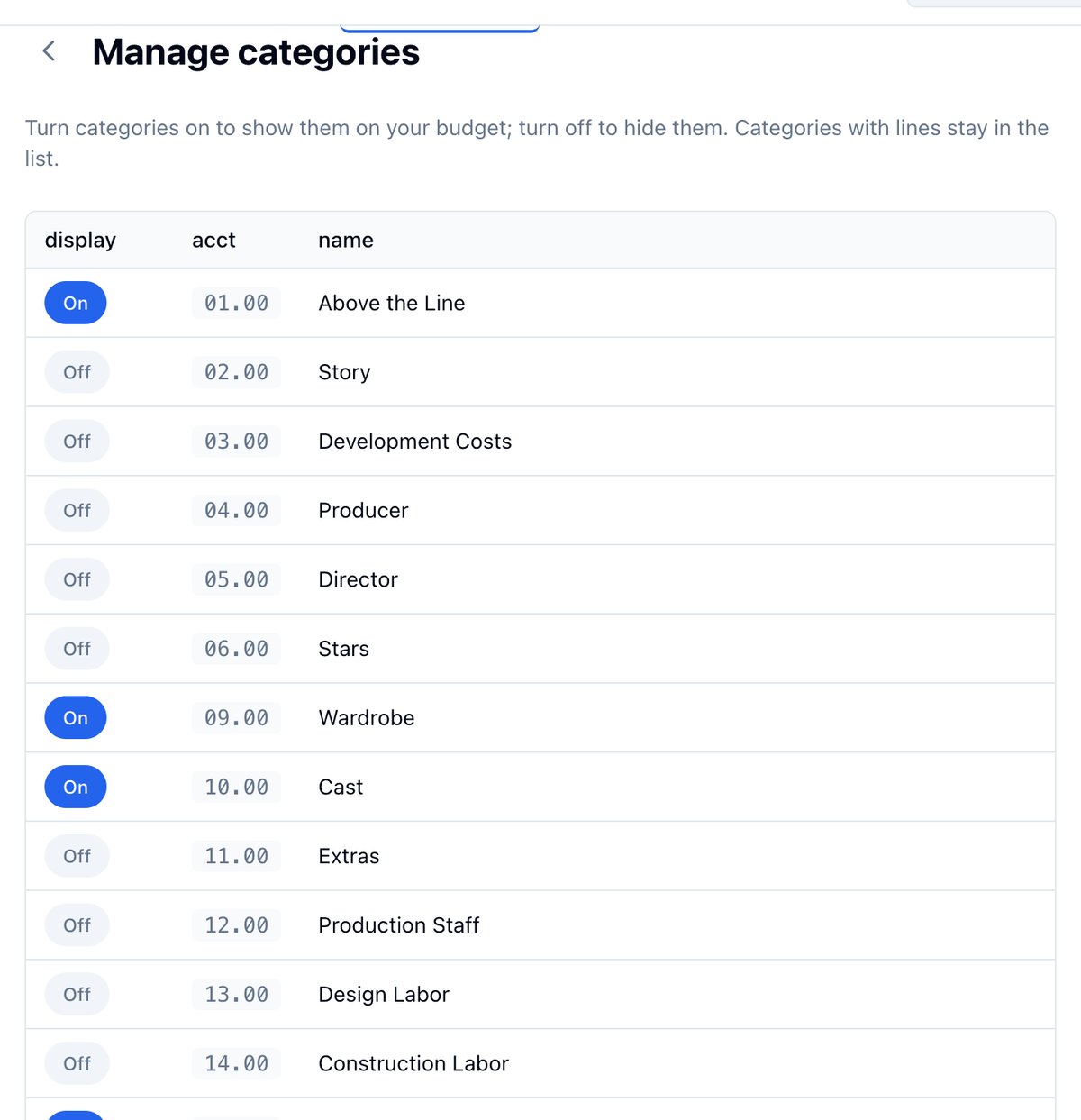
- Click Manage at the top of the budget, then Categories.
- Find the account you need and click its Off toggle to turn it On.
Add a line by hand
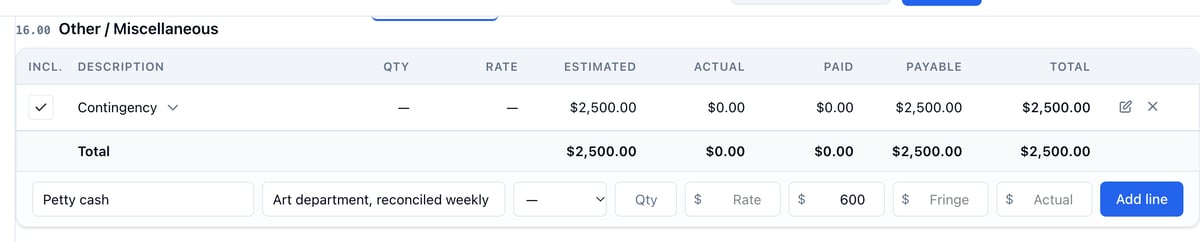
For a cost with no breakdown element behind it, such as contingency or petty cash, type it straight into the category.- Scroll to the category.
- In the row under the table, fill in Description and any of Notes, Unit, Qty, Rate, Est, Fringe, and Actual.
- Click Add line.