

Shot list groups and settings
Who can do this: Free plan on your first project, Supporter on all projects. Anyone with project access can filter to a shoot day and open the Lists tab. Building setups, making lists, and changing settings need shot list edit access (owners, admins, and members with Edit shot lists).You write a shot list scene by scene and you shoot it day by day. Groups are how the same shots become a day’s plan: what is up first, what shares a camera position, and what moves when the light goes. Find shoot days in the Shoot day menu on the shot list View, and in the Lists tab of the Builder.
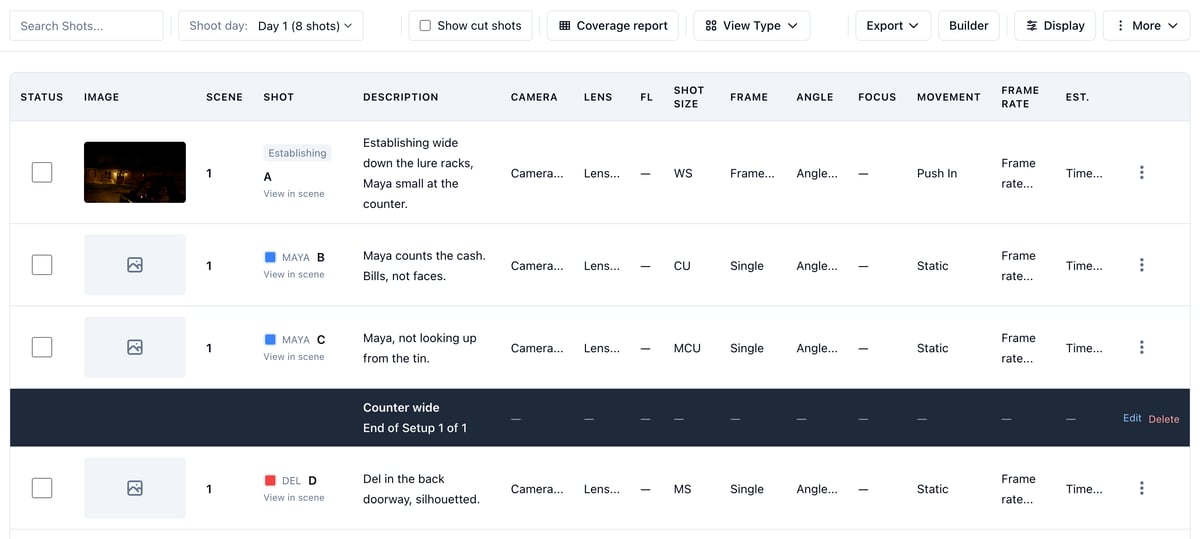
See one shoot day
- Open Visual → Shot List → View.
- Set Shoot day to a day.
Build the day’s setups
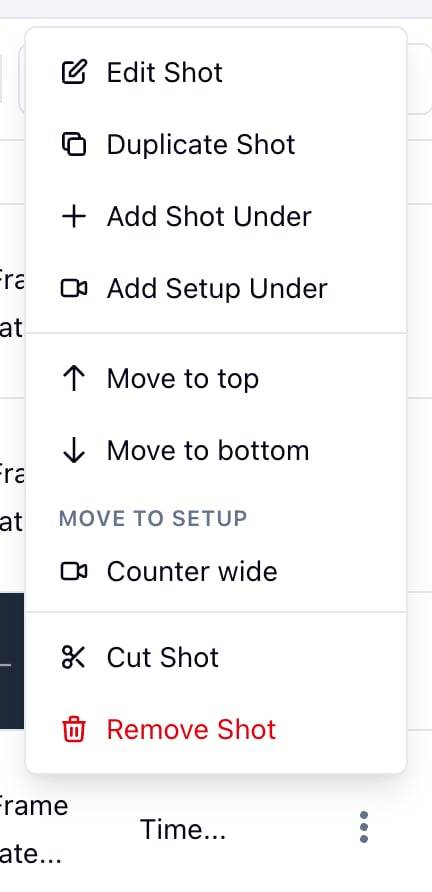
With a day picked, the list is that day’s setup builder. A setup groups the shots that share a camera position, even when they come from different scenes.- Open the row menu (the three dots) on the last shot of the group.
- Click Add Setup Under.
- Name the setup and click Add Setup.
- Move to top and Move to bottom send it to either end of the day.
- Under Move to setup, click a setup’s name to make the shot that setup’s last shot. The setup it is already in is marked current.
Keep setups when the schedule changes
Setups go where their shots go. You don’t have to do anything.- Move a scene to another day on the stripboard, and its setups move with it.
- Schedule a scene you already built setups for, and they show up on its day.
- Shoot a scene over two days, say a reshoot, and the setup stays with the shots on the first day. The shots on the later day get a copy named Copy of plus the setup’s name, with the same notes and times.
Work through a day or a list in the Builder
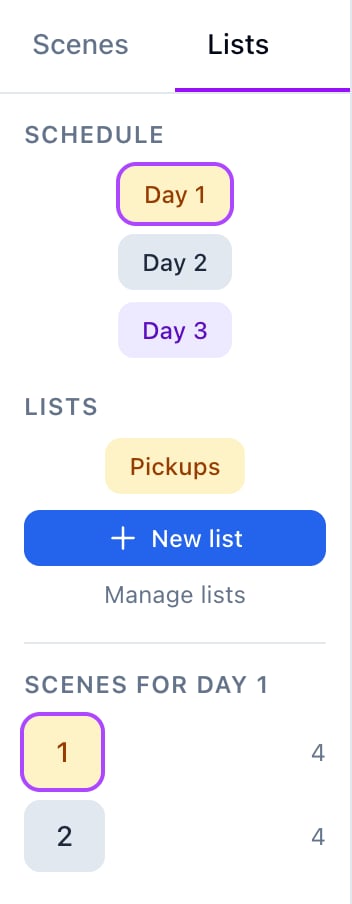
- Open the Builder and click the Lists tab in the sidebar.
- Under Schedule, click a day. Its scenes appear below.
- Click a scene to open it.
- Click New list and name it.
- Click each scene you want to add.
- Back in the Lists tab, click the list to work through only those scenes.
Change how shots are numbered
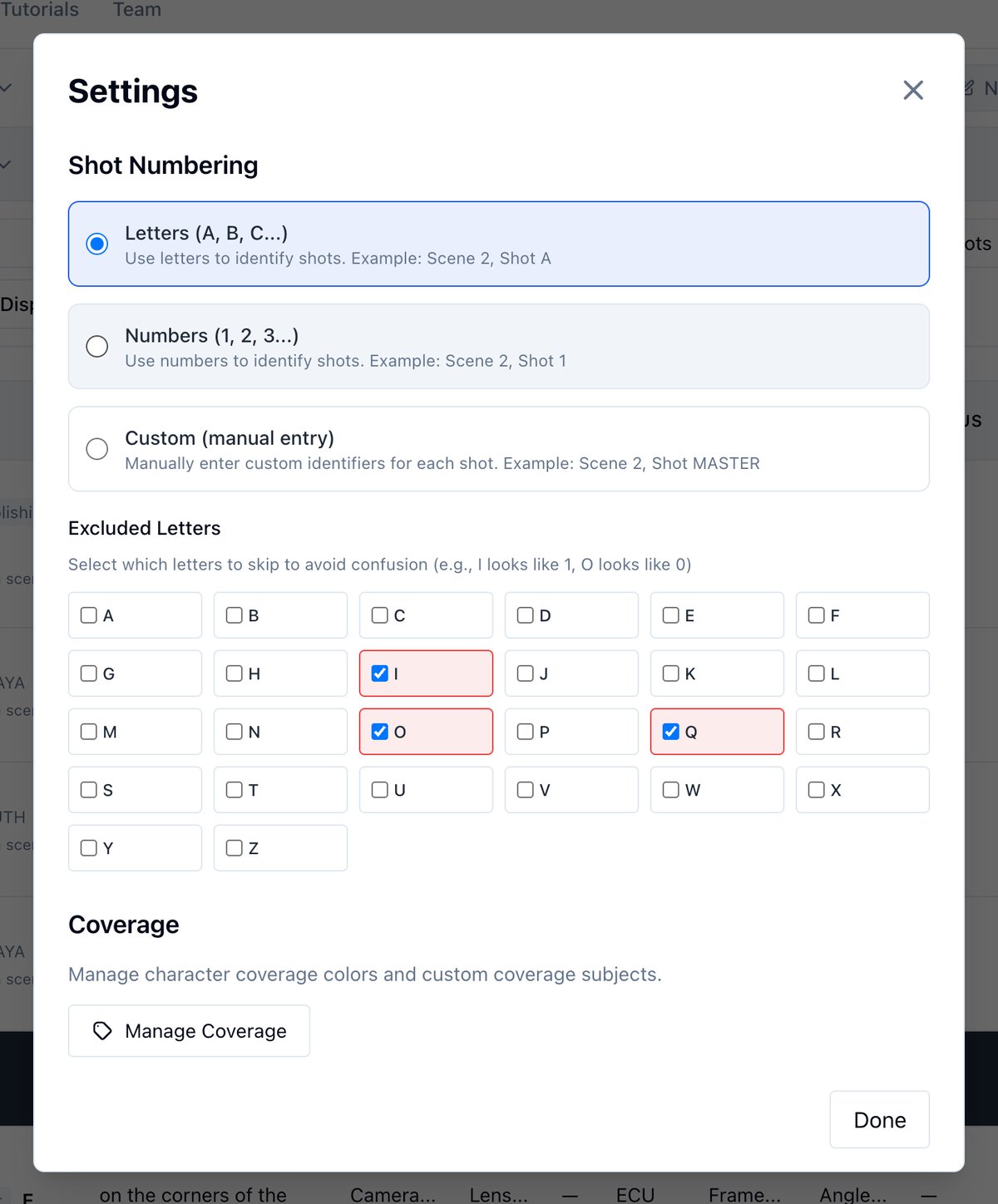
- In the View, open More → Settings.
- Under Shot Numbering, pick Letters, Numbers, or Custom.
Manage coverage subjects
In the same Settings modal, click Manage Coverage to recolor a character’s coverage or review custom subjects. How coverage works is in Using shots to confirm coverage.Related
- Managing shot lists
- Using your shot list on the shoot day for cutting and restoring shots
- Printing your shot list for columns and the day’s PDF
- Builder and coverage